Delegated User Tracking
Overview
Delegated User Tracking allows you to identify when configuration changes are performed by a delegated user rather than the original administrator.
When a configuration change is detected, the system checks the corresponding Setup Audit Trail entry and automatically associates the Delegate User with the generated Change Log. This helps you understand who actually executed the change when delegated access is used.
This feature improves traceability and accountability by providing visibility into delegated administrative activity.
How Delegated User Tracking Works
When the scanner detects a configuration change:
- The system reads the corresponding Setup Audit Trail entry.
- It identifies whether the action was performed using delegated access.
- If a delegated user is detected, the system records that user in the Delegate User field of the Change Log.
This information is then visible in Change Logs and reports.
Viewing Delegate User Information
You can view Delegate User information directly in the Change Log records.
To access Change Logs:
- Go to the Netwrix Dashboard.
- Navigate to Access Reports or the relevant Change Log view.
- Open a Change Log record.
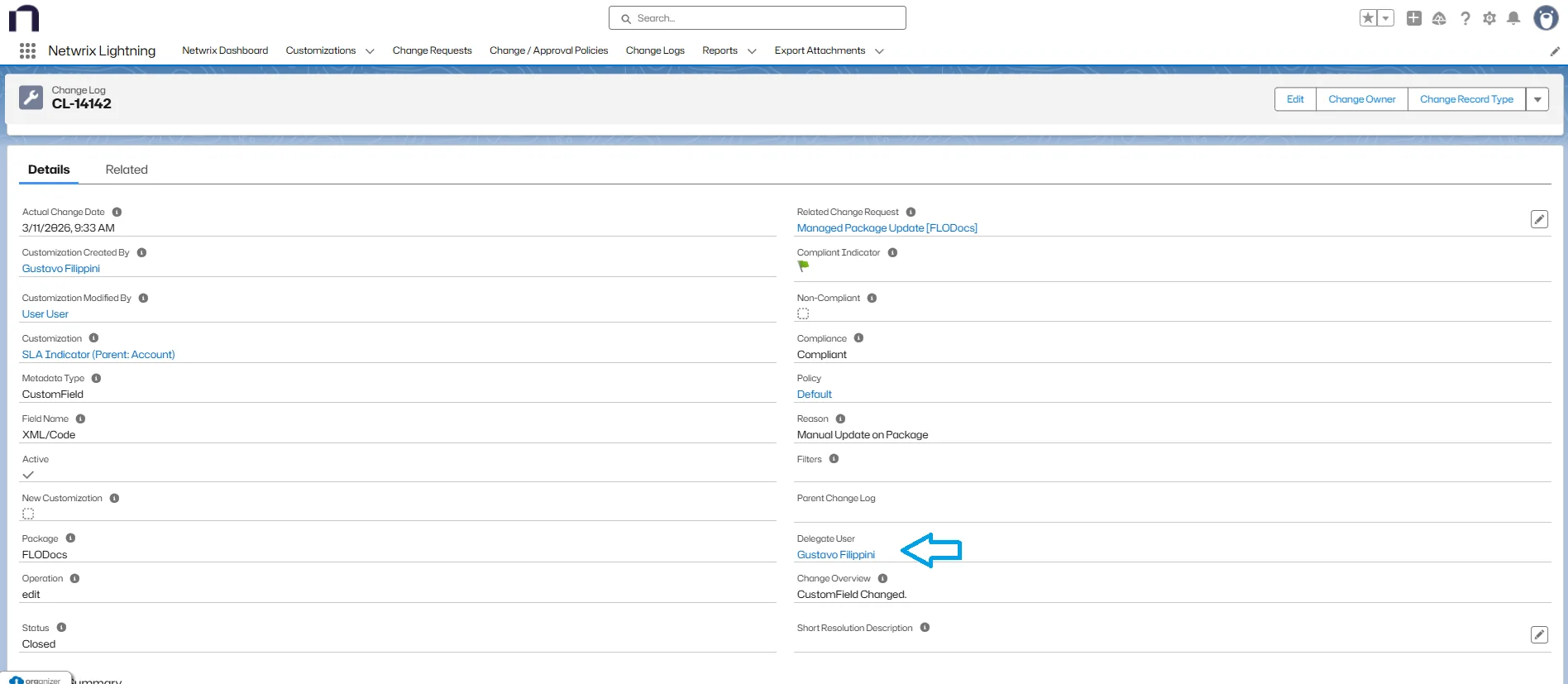
If the change was executed using delegated access, the Delegate User field displays the user who performed the action.
Example
When an administrator grants access to another user through delegated administration and that user modifies field permissions:
- The change is detected by the scanner.
- A Change Log record is created.
- The Delegate User field shows the delegated user who executed the modification.
Setup Audit Trail entry

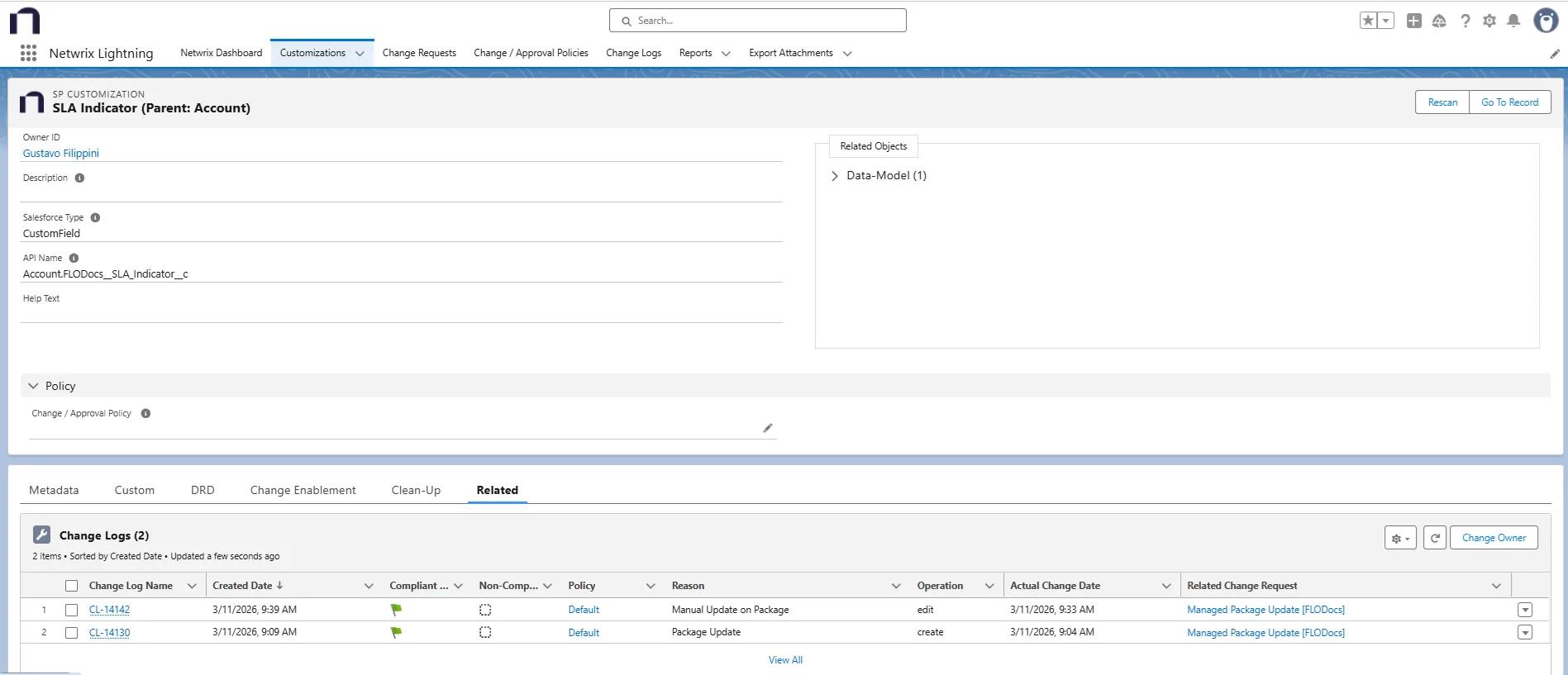
Customization record
Change Log showing Delegate User
This allows you to differentiate between:
- The original administrator
- The user who actually performed the change
Where Delegate User Information Appears
Delegate User information may appear in:
- Change Log records
- Monitoring reports
- Exported change tracking reports
This allows you to audit delegated administrative actions across the system.
Best Practices
- Regularly review Change Logs to monitor delegated administrative activity.
- Ensure delegated administration is granted only to trusted users.
- Periodically audit delegated users to maintain proper governance.
Considerations
- Delegate User information is available only when the change is recorded in the Salesforce Setup Audit Trail.
- If the Setup Audit Trail entry does not include delegated user information, the Delegate User field remains empty.
Troubleshooting
- If Delegate User information is missing, verify that the change appears in the Salesforce Setup Audit Trail.
- Ensure the scanner runs regularly so changes are detected and logged.
References
- For additional information, see Using Change Logs.