Policy Inheritance
Customization records for Custom Object, Flow, Apex Trigger, Workflow Rule, and Apex Class show a Set Policy action for their related customizations. The most common case is a Custom Object's Custom Fields, which inherit the object's Change and Approval Policy as described in the following sections.
Whether a related customization inherits the policy automatically or requires a manual step depends on when you create it relative to the policy assignment on the parent.
New related customizations
When the scanner detects or you create a related customization under a parent that already has a policy, Strongpoint automatically applies the parent's policy to the new customization at creation time. This requires no action. For example, a Custom Field created after its parent Custom Object already has a policy inherits that policy immediately.
Existing related customizations
If a related customization already existed before you change or assign a policy on its parent, Strongpoint doesn't update it automatically. There's no automatic process that re-applies a changed policy to existing related customizations, so they keep their original policy indefinitely.
To apply the current policy to existing related customizations, open the parent's customization record and click Set Policy.
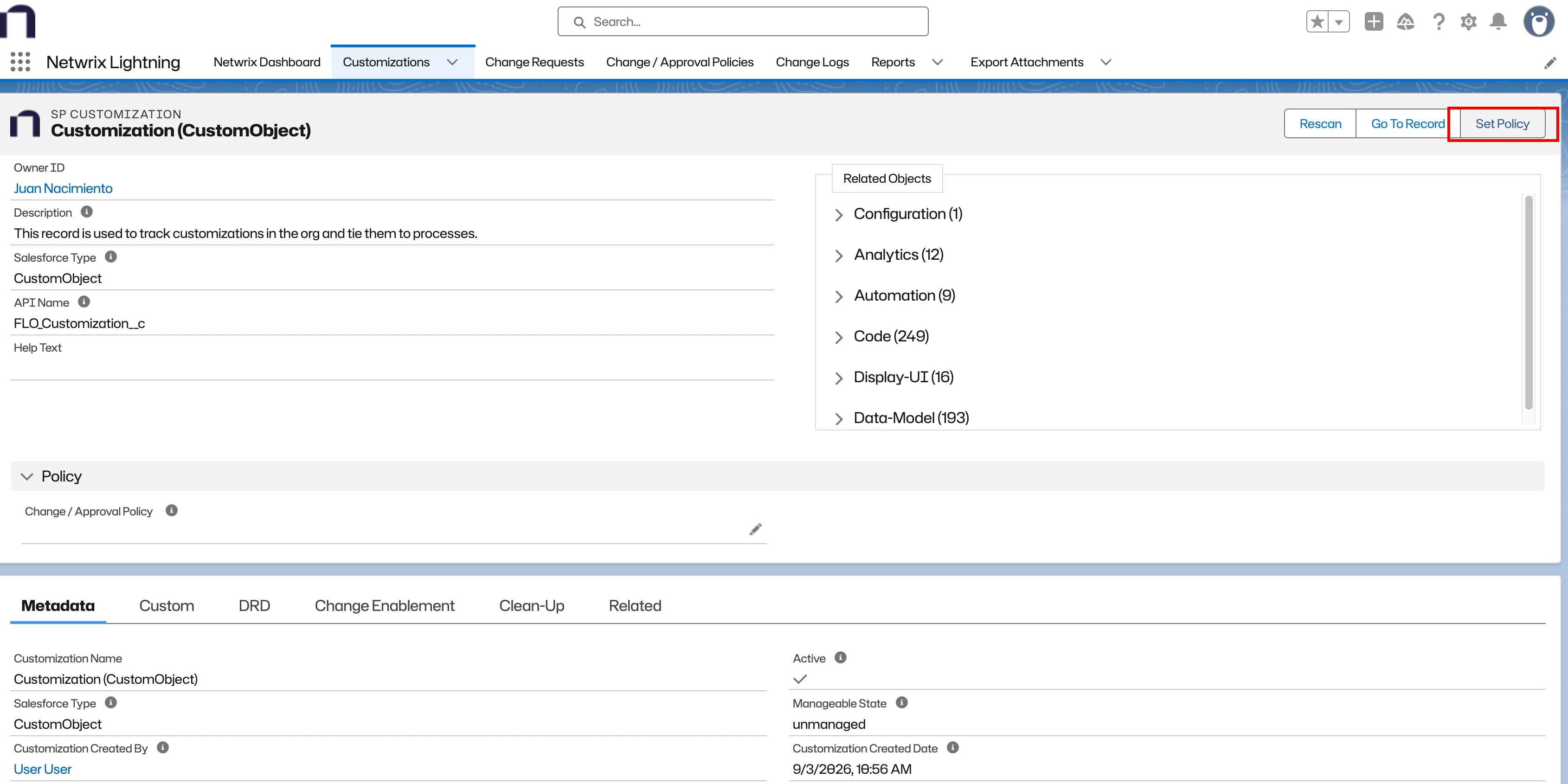
The Set Policy modal opens, listing the parent's related customizations and their current policy.
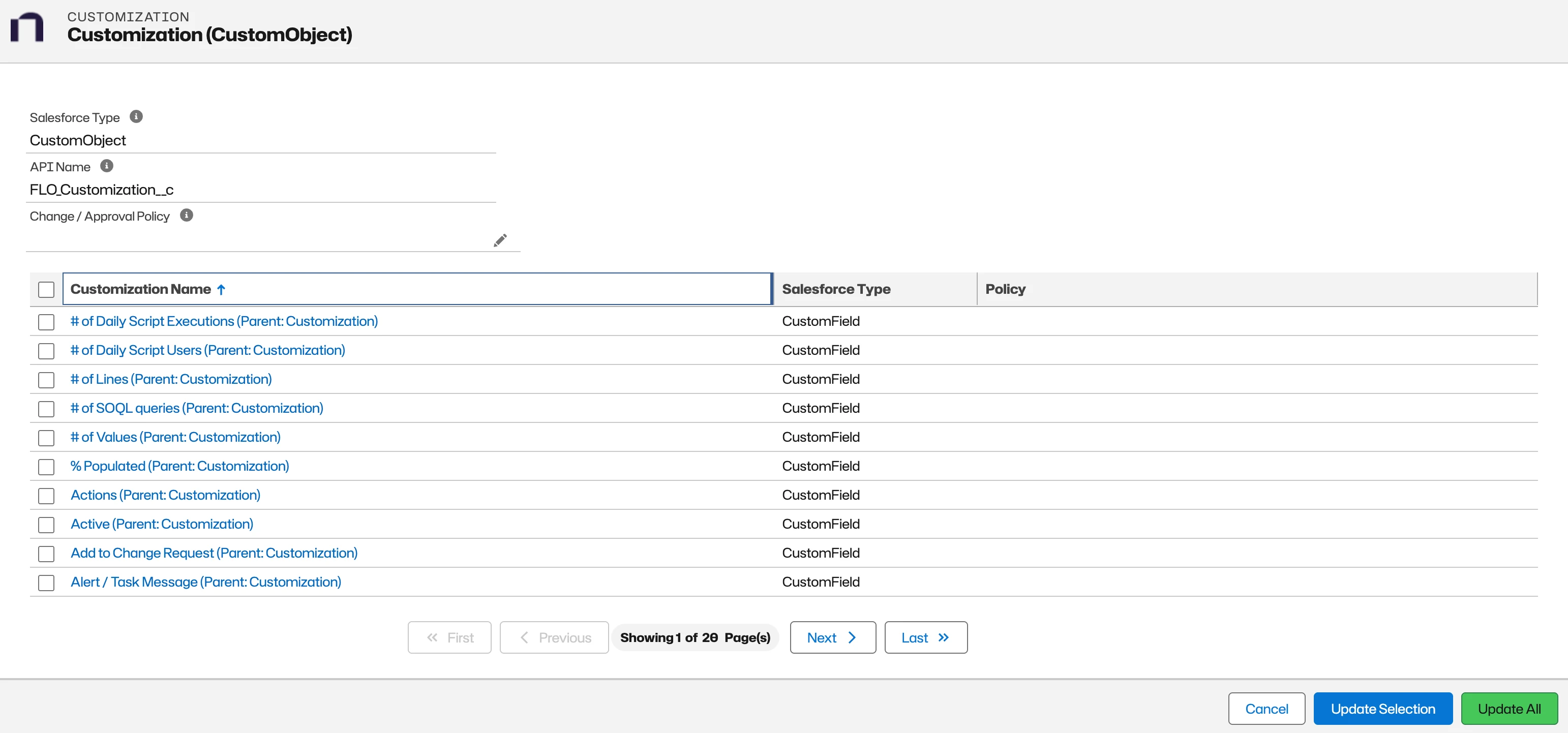
- Change / Approval Policy (pencil icon, top of the modal): sets or changes the policy on the parent record itself.
- Update Selection: select one or more related customizations using the checkboxes, then click this button to apply the parent's current policy only to the selected items.
- Update All: applies the parent's current policy to every existing related customization, regardless of selection.
- Cancel: closes the modal without making changes.
Update Selection and Update All both require an approved Change Request that covers the change. Strongpoint blocks the action if there's no approved Change Request.
Practical implication
After you change the policy on a parent record:
- Related customizations created after the change automatically get the new policy.
- Related customizations that existed before the change keep the old policy until an administrator runs Update All (or Update Selection for specific items).
As a result, two related customizations under the same parent can show different policies until you run Update All to update the existing ones to the current policy.