Resolving Non-Compliant Changes
Open Netwrix Dashboard > Reports > Change Enablement > Open NonCompliant Changes The Non-Compliant Changes Report gives you a list of the Change Logs. You can filter the report or sort by the column heads.
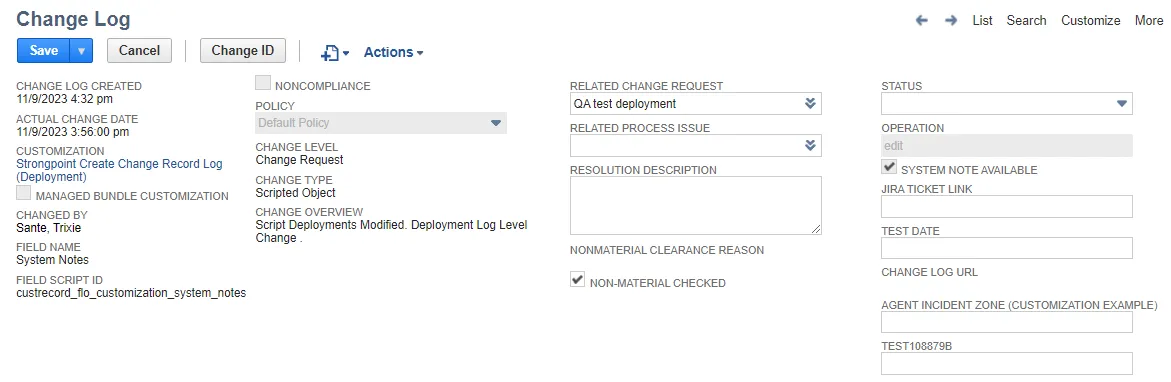
A noncompliant change means someone changed something without the required approvals. Open each change log to investigate the change. You can retroactively attach a change request to a noncompliant change and get the necessary approvals to bring the change into compliance.
- Create a New Change Request or open an existing one.
- Set it to Pending Approval.
- After it is approved and complete, set the Status of the Change Request to Complete.
- Click the Change Log name to open it.
- Enter the Related Change Request.
- Enter the Resolution Description.
- After all changes are made, select Closed for the Status.
- Save the Change Log.