Multiple Environment Deployments
Multiple Environment Deployment Tracking helps you manage changes between your Production and Development/Testing environments.
With multiple environment deployment tracking, you can push, pull, and access your change requests in all your environments that have Platform Governance for Salesforce installed. This reduces the risk of breaking your production account. By documenting and validating the change process through change requests, deployment records, and environment comparison, multiple environment deployment tracking lets you access change requests in any environment where Platform Governance for Salesforce is installed, and deploy changes and promote code from one environment to another.
Push/Pull Change Requests
-
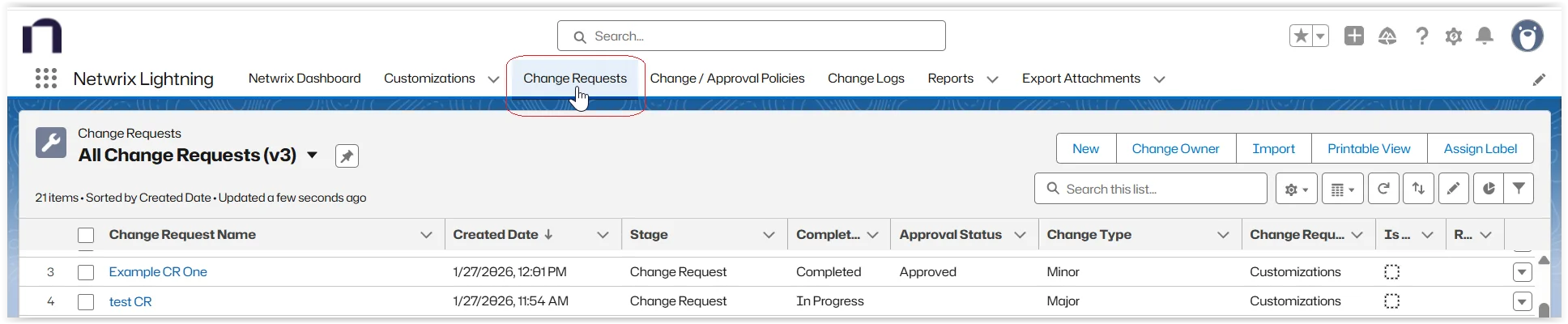
Open Change Requests and locate the completed change request to push/pull.
-
Edit the change request and add all necessary details.
-
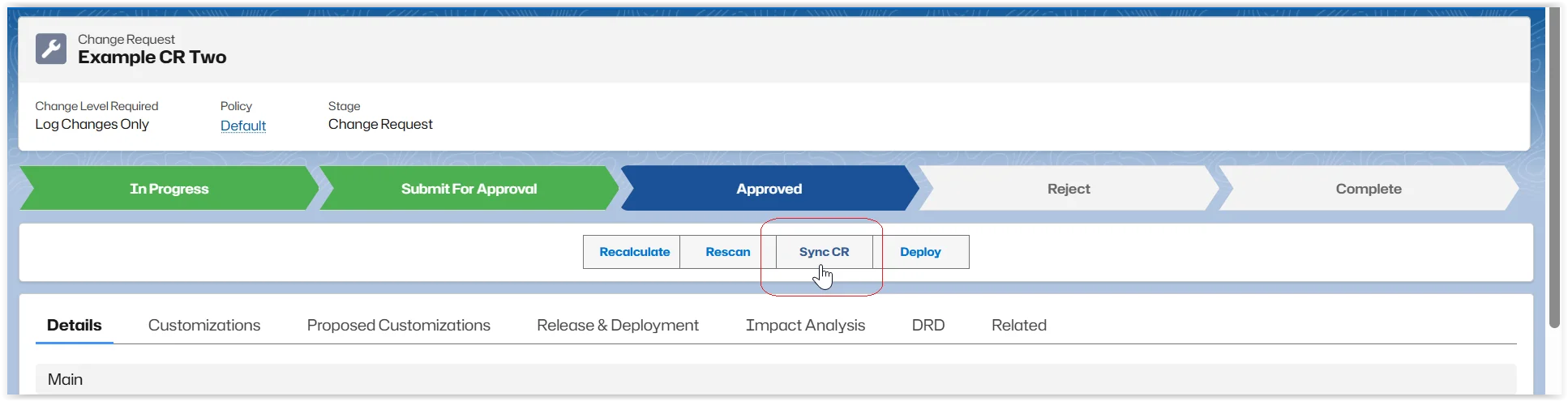
Click Sync CR.
-
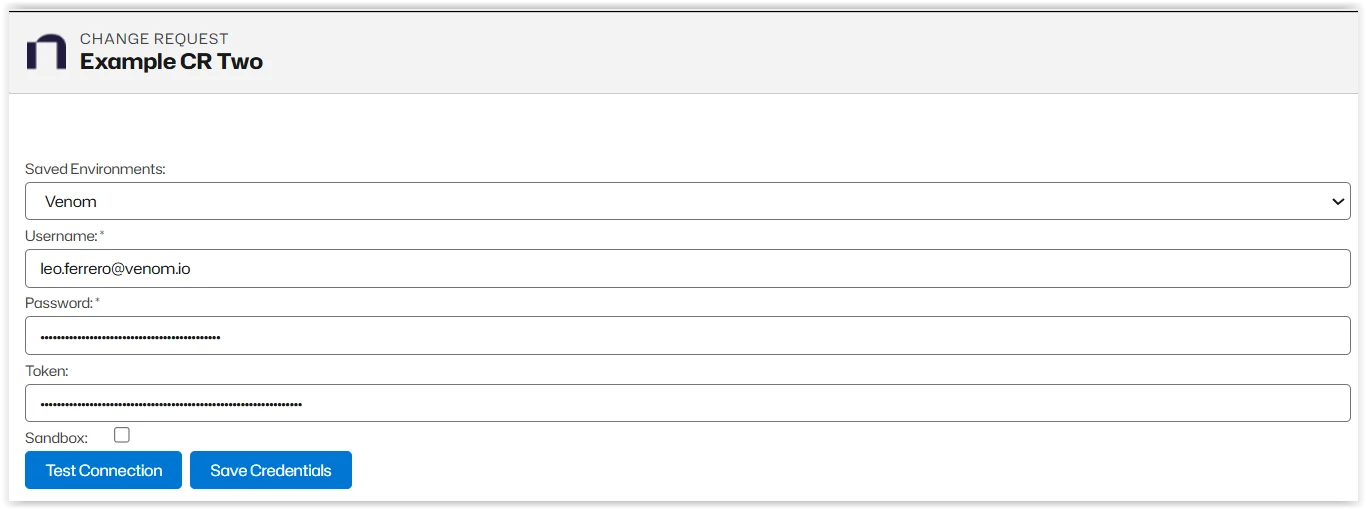
Choose a Saved Environment, where you are planning to push or pull the Change Request.
-
Add your Credentials.
-
Click Test Connection to ensure your credentials are correct. If your credentials are not correct, click Save Credentials and edit.
Push the Change Request
To push a change request into another environment:
-
Click Push.
-
Click Push CR.
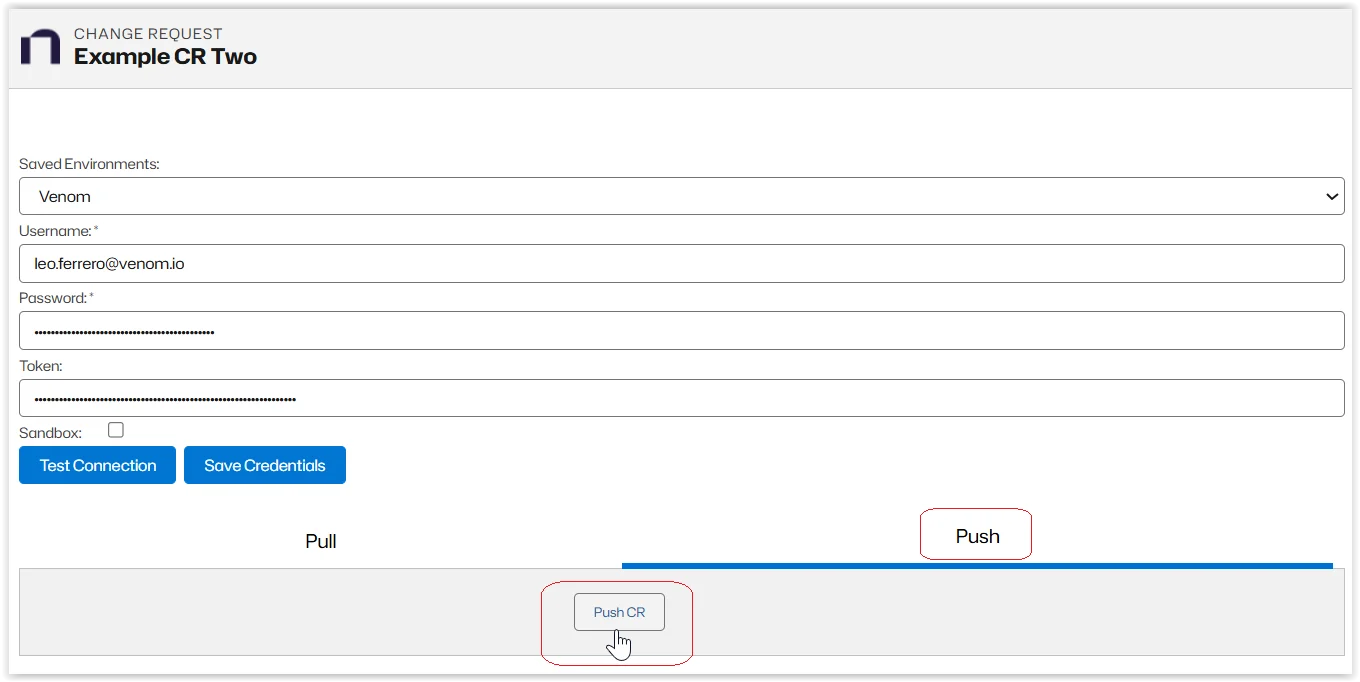
Your Change Request is pushed to your selected environment.
Pull the Change Request
To pull a change request from the selected environment:
-
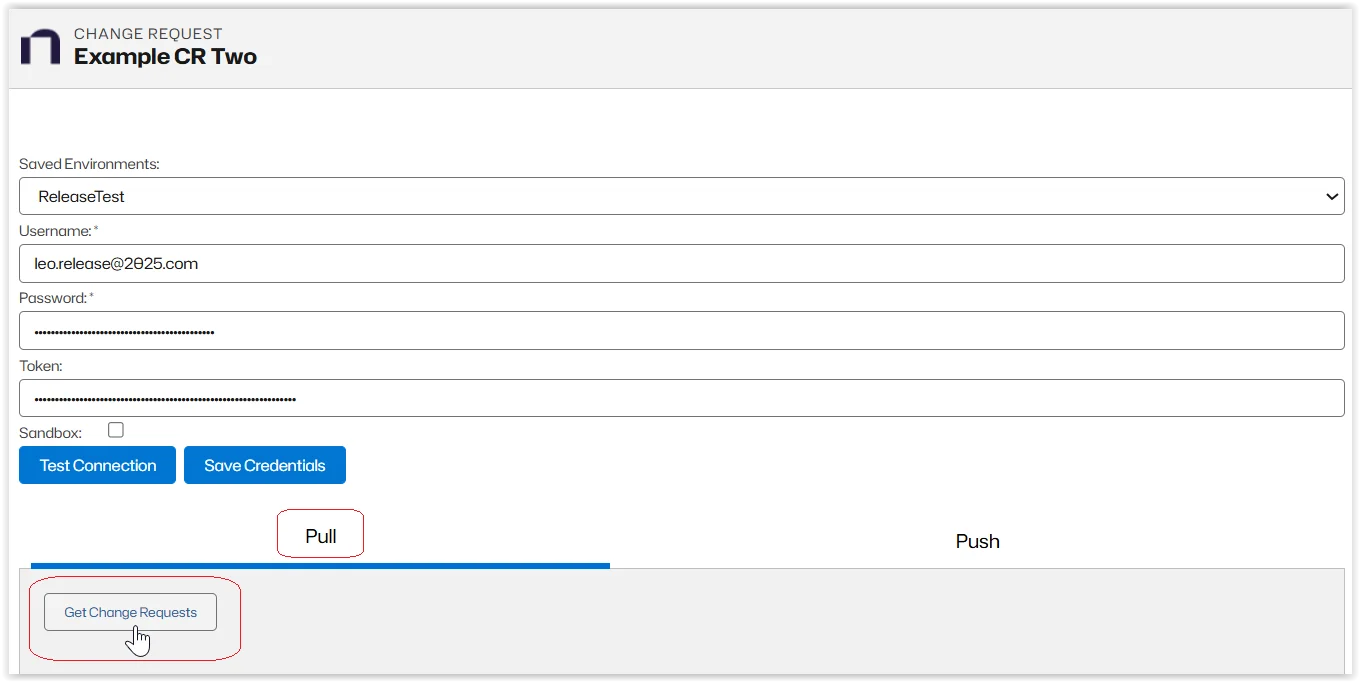
Select Pull
-
Click Get Change Requests
-
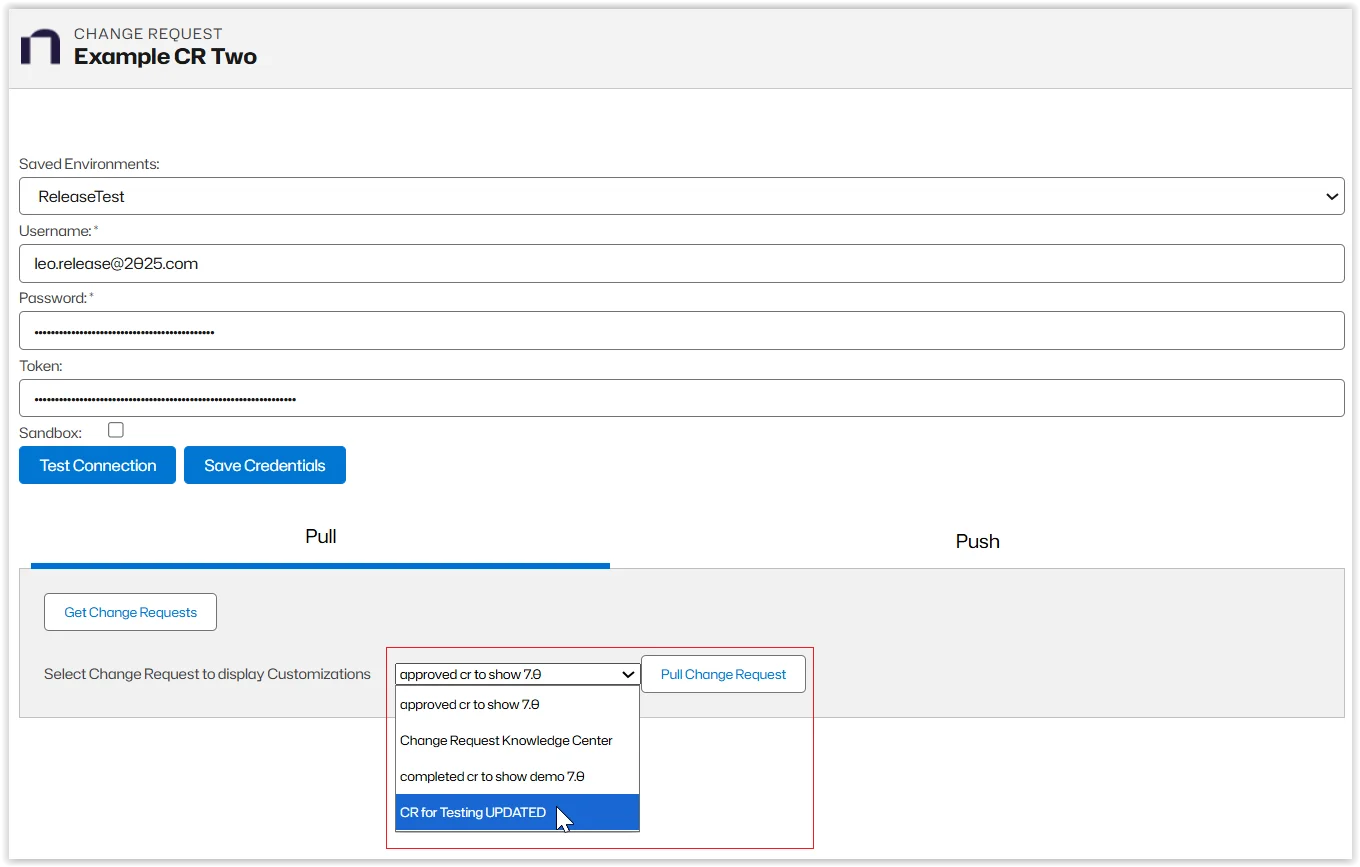
Add the change requests you want to pull from the selected environment.
-
Click Pull Change Request.
The parent change request is the one you pull from. When the change request is pulled, it becomes a child of the original change request.