Credentials
Credentials organizes your user credentials across all environments It is available from Netwrix Dashboard > Settings > App Credentials/Test Connection
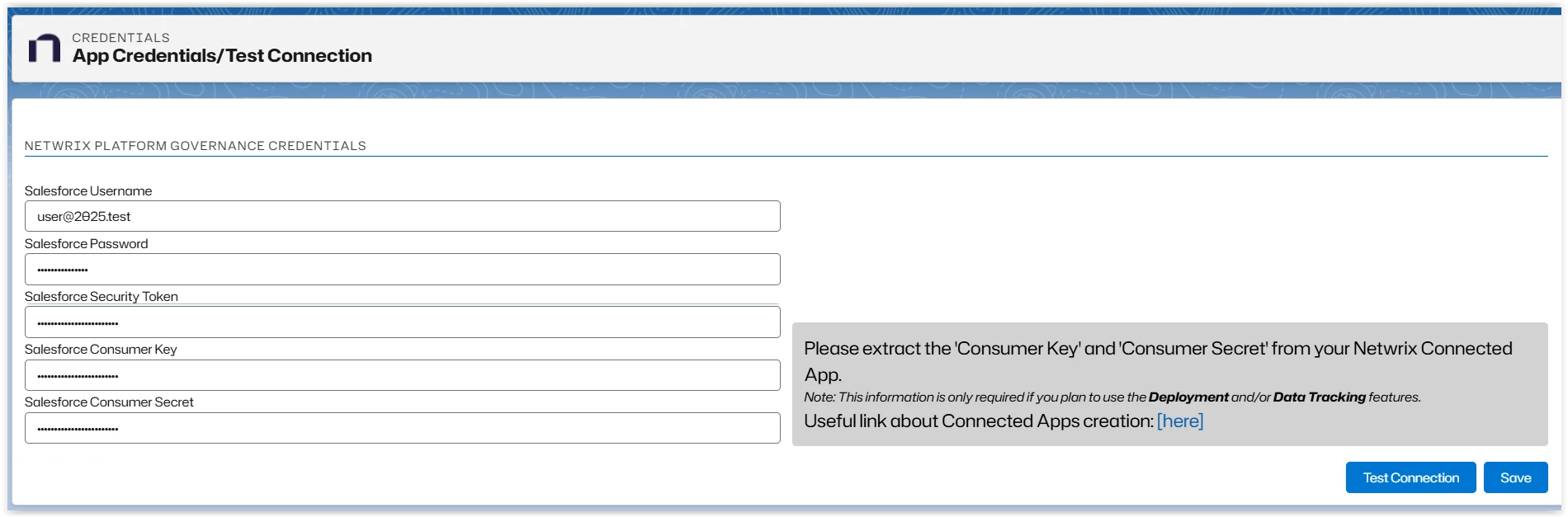
You must create a Connected App to run the scanner. Refer to Install Platform Governance for Salesforce for instructions.
Click New to add a new credential or Edit an existing credential. Search finds and filters information from the current credentials list.
Use Test Connection to verify your credentials.
Click Save when complete.
Credentials for Environment Comparison
On the Environment Comparison tool, select the link to open the Credentials Handler where you can add, edit, and sync your credentials.

Click New to add a new credential or Edit an existing credential. Search finds and filters information from the current credentials list.
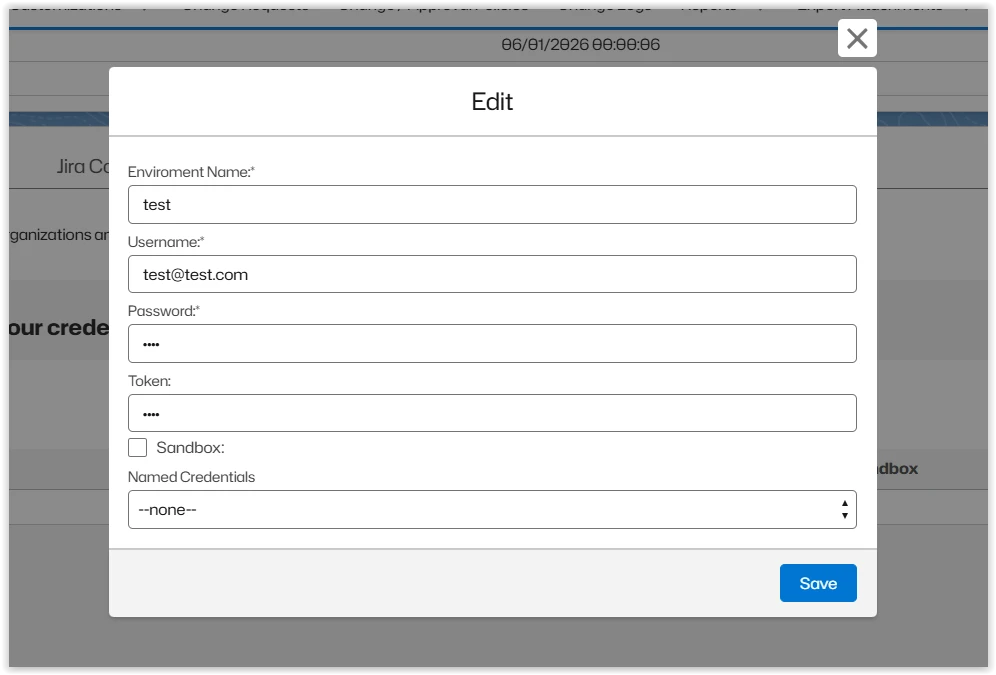
- Enter or edit the environment and credential information. Check Sandbox if applicable.
- Click Save.
- Click Test Connection. A banner is displayed indicating either success or an error with the credentials.