Cleaning Up Change Logs
Use the Change Logs Clean Up tool to schedule an automatic clean up of old Change Logs. Cleaning up these old logs helps keep your orgs efficient and organized.
note
Netwrix recommends using this clean up process as part of your Salesforce data backup and recovery plan. Discuss with your compliance team how many months or years of Change Logs to retain and how to split that data between live and archived storage.
-
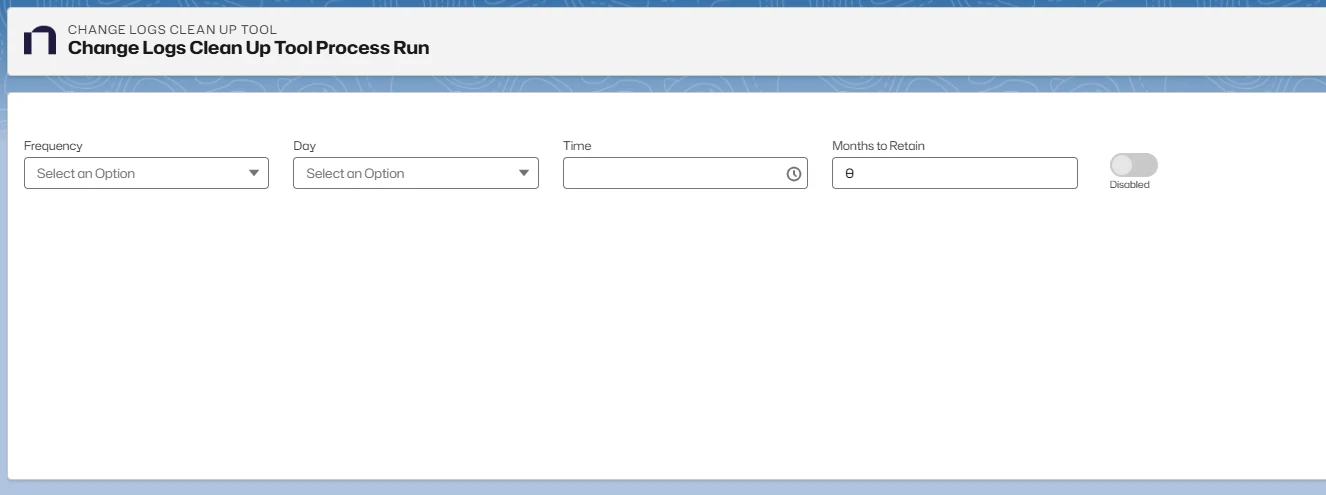
Open Netwrix Dashboard > Tools > Change Logs Clean Up
-
Set up the schedule to run the tool:
- Frequency can be set to Daily or Weekly.
- Day specifies the day to run the Clean Up if a Weekly Frequency is selected.
- Time specifies the time to run the Clean Up. Format is hh:mm AM/PM
- Months to Retain specifies the number of months before a Change Log becomes a Clean Up candidate.
-
Enable the schedule using the toggler.