DLU Configuration
Overview
The DLU Configuration tool provides comprehensive support for the Date Last Use (DLU) Scheduler in Netwrix for Salesforce.
Accessing DLU Configuration
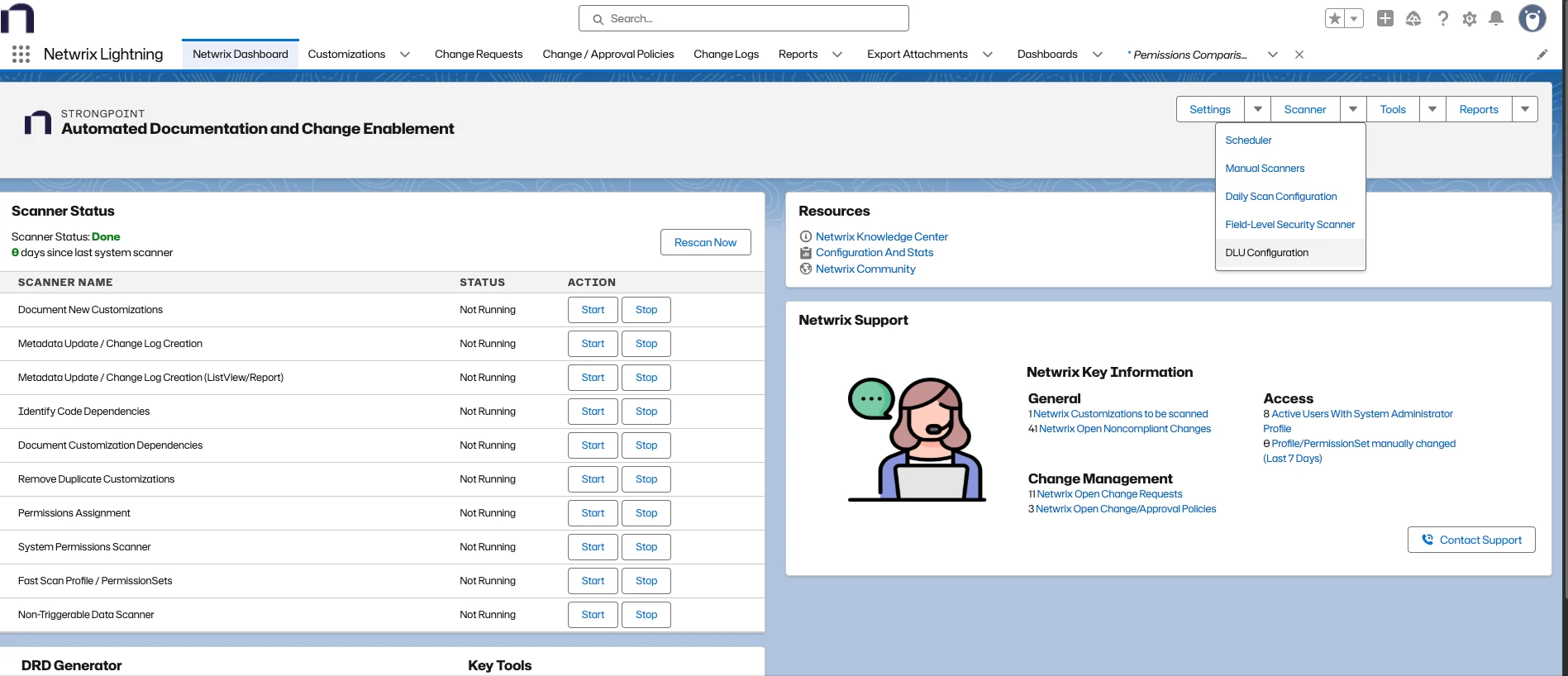
Navigate to Netwrix Dashboard > Scanner > DLU Configuration.
General Configuration
The General Configuration section allows administrators to select which Salesforce metadata types the DLU batches should process.
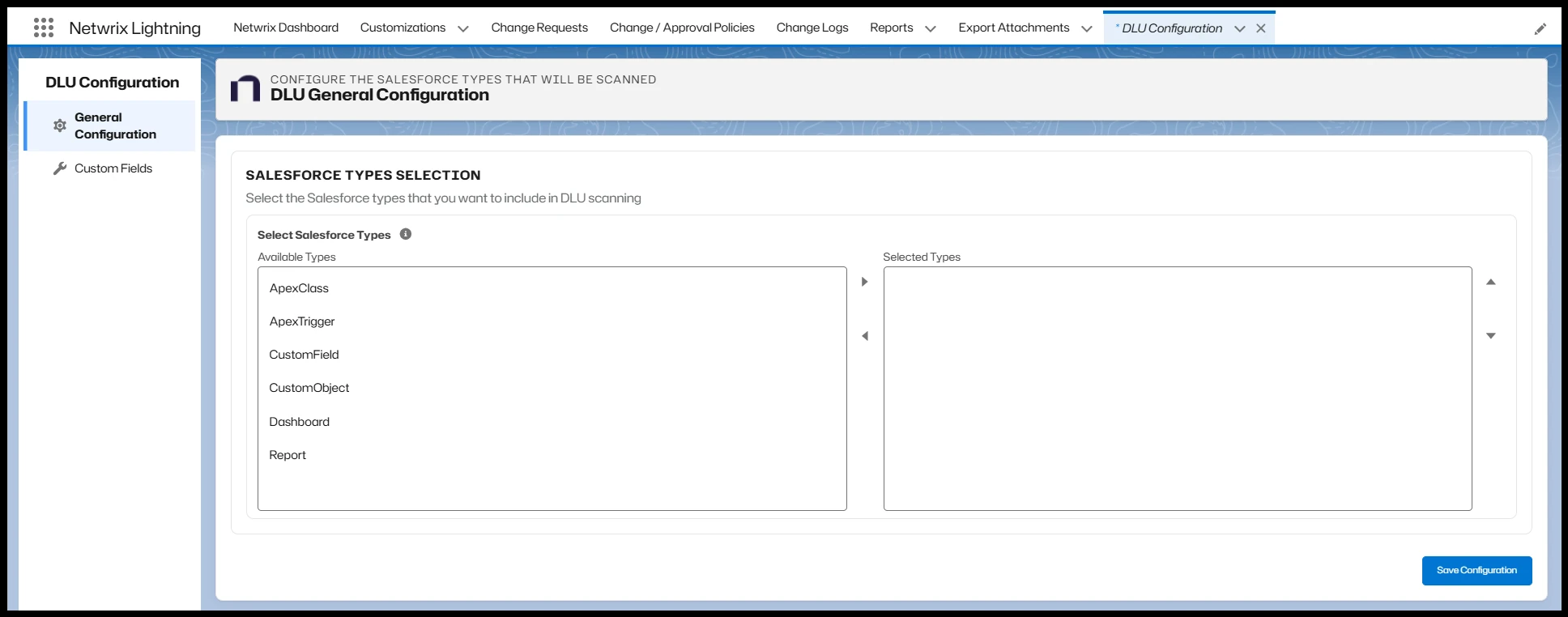
- The list shows only metadata types supported by the DLU Scanner. Unsupported Salesforce types aren't shown and can't be selected.
- Once selected, the scheduler processes only the chosen types. If no types are selected, the DLU Scanner processes all supported types shown in the list.
Custom Fields Configuration
The Custom Fields Configuration section provides granular, field-level control.
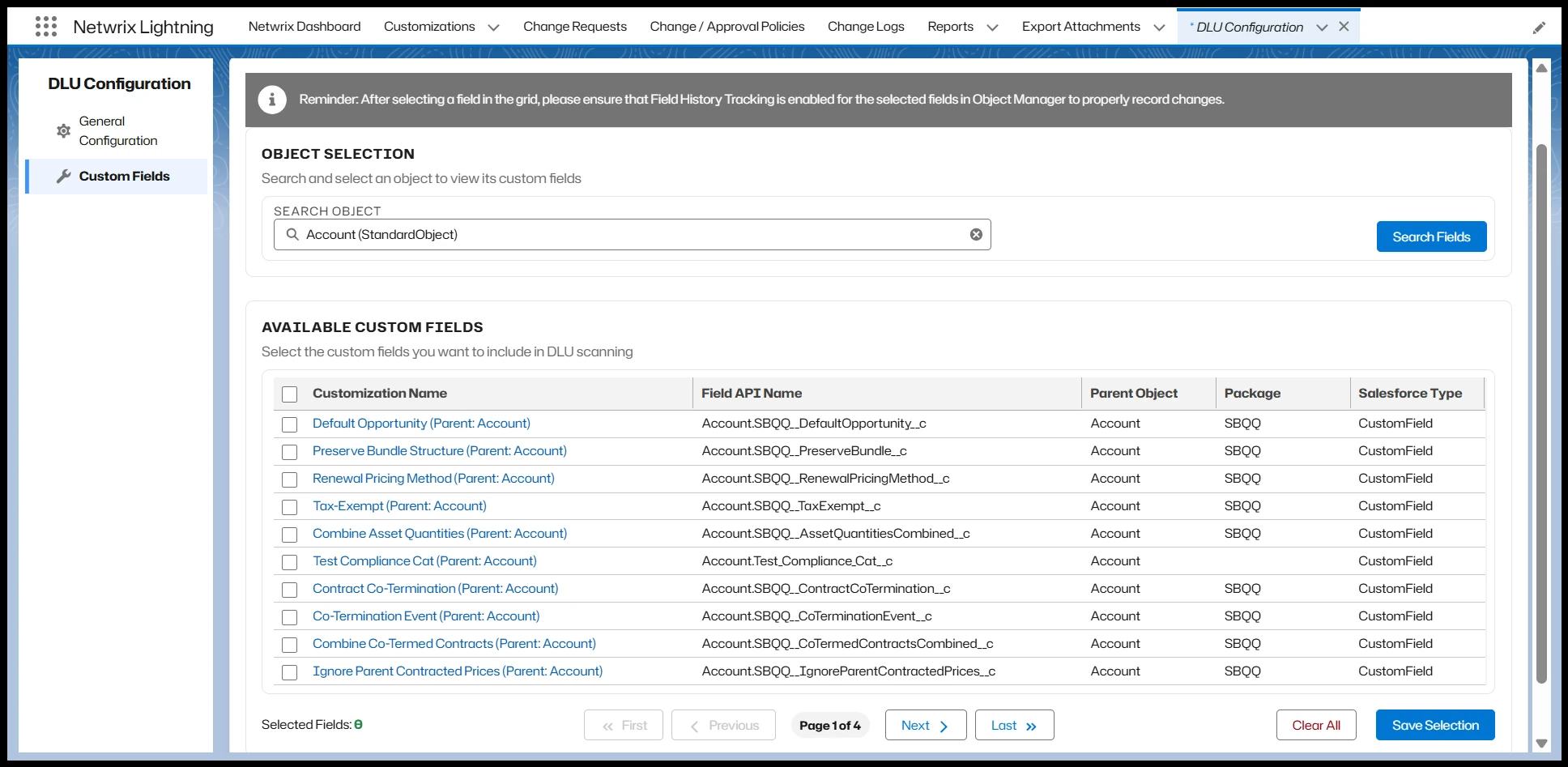
Administrators can:
- Choose whether to search for Standard Fields or Custom Fields
- Select specific fields
- Save their preferences
The DLU Scanner processes only the selected fields, reducing unnecessary processing.
How the configuration is used
The DLU Scanners use the saved configuration to determine which Salesforce metadata types, objects, and fields are included in each scheduled execution.
Changes made in the DLU Configuration apply to subsequent scanner runs.
DLU Scanner Scheduler Configuration
To ensure the DLU Scanner runs automatically, you must configure and enable the scheduler.
Configure the scheduler
-
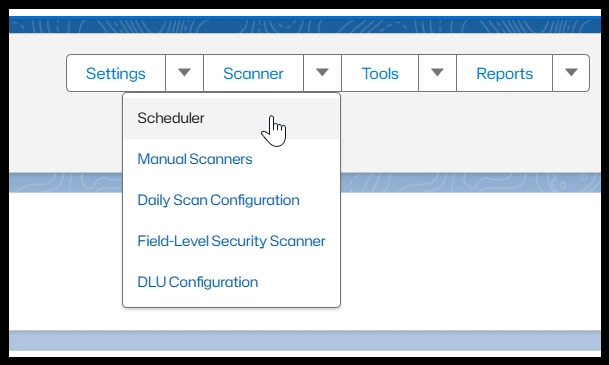
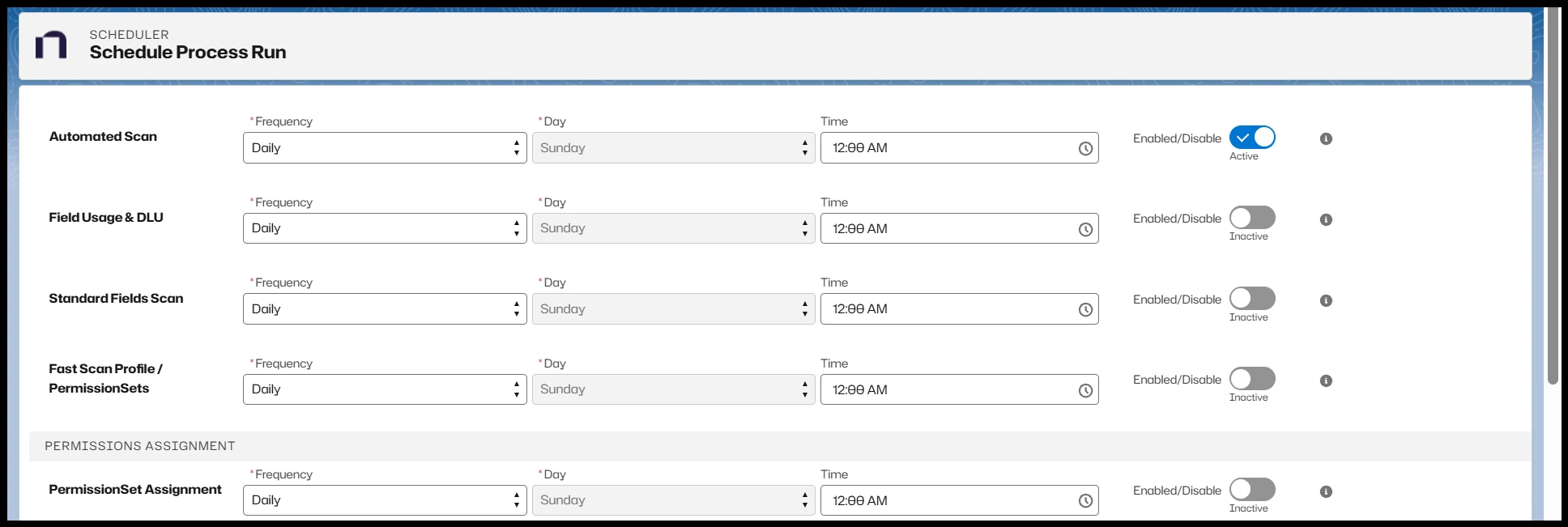
Navigate to Netwrix Dashboard > Scanner > Scheduler.
-
Locate the DLU Scanner in the scheduler list.
-
Configure the execution frequency according to your organization's requirements.
-
Enable the scheduler by selecting the highlighted option.
-
Save the configuration.
Once enabled, the scheduler executes the DLU Scanner according to the configured frequency and uses the settings defined in DLU Configuration.
If the scheduler is disabled, no DLU scans run, even if the DLU Configuration is correctly defined.