How do I disable elements in Office (Outlook, etc.) using PolicyPak and ADMX files?
First, download the Microsoft Office ADMX templates and disable any command from any group using their IDs.
The detailed spreadsheet of the commands and corresponding IDs are listed in Microsoft's Office 2013 Help Files: Office Fluent User Interface Control Identifiers excel spreadsheet.
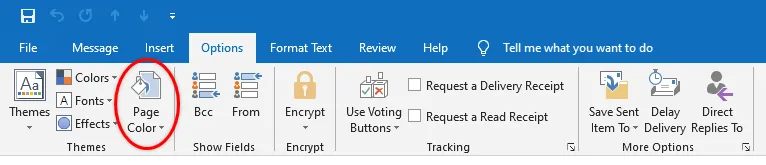
In this example we are disabling the Page Color command of the Themes group from the Options tab. As such, we are showing only those steps.
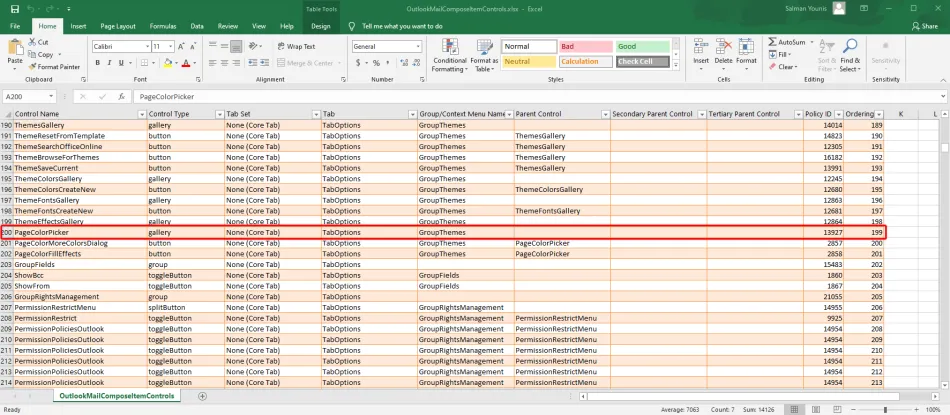
Here we can see the Policy ID for the Page Color command.
- Name of the Excel spreadsheet:
OutlookMailComposeItemControls.xlsx - Page Color command:
PageColorPicker - Page Color Policy ID: 13927
- Use Netwrix PolicyPak Administrative Templates Manager to deliver this ADMX settings to a targeted audience using Item-level Targeting filters
- User Configuration > Policies > Administrative Templates > Microsoft Outlook 2016 > Disable Items in User Interface > Custom
Follow the steps to disable the command bar buttons and menu items.
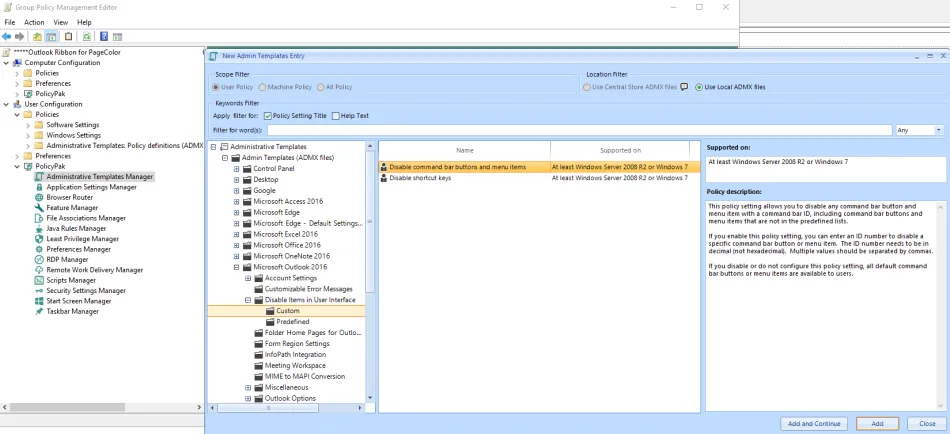
Step 1 – Configure the setting inthe PolicyPak Administrative Templates Manager.
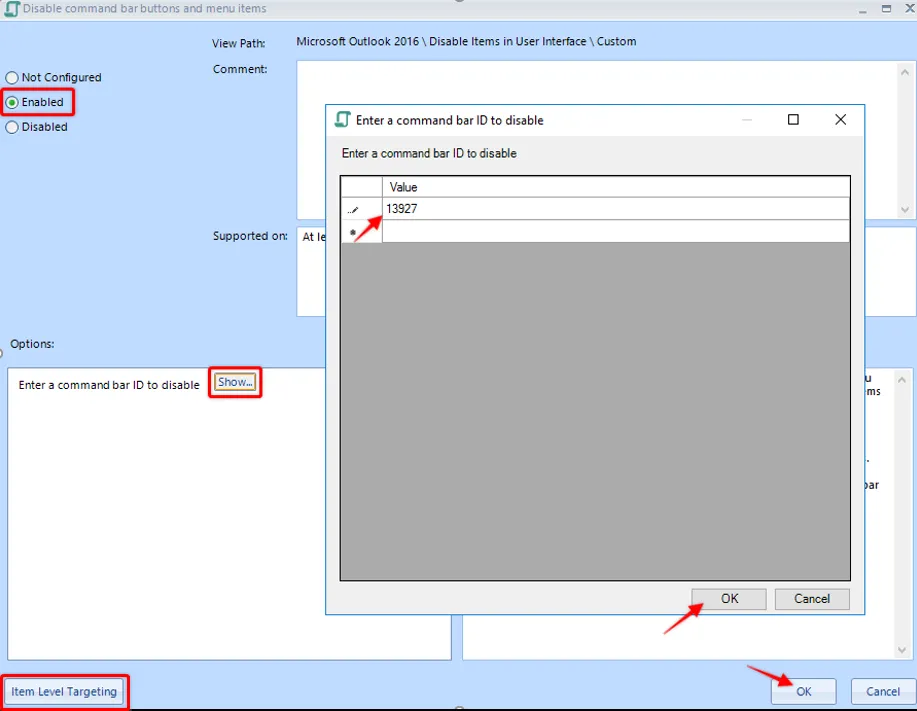
Step 2 – Set the command ID in this setting to disable any/ Page Color command.
Use Item Level Targeting filter to control the scope of this setting.
Step 3 – Run gpupdate at the client end to enable the changes you just made.
Step 4 – Click OK to save the changes made.
The command bar buttons and menu items are now disabled.