Administrative Templates Manager
Before reading this section, please see the Installation Quick Start topic for more information on the following:
- Install the Admin MSI on your GPMC machine
- Install the CSE on a test Windows machine
- Set up a computer in Trial mode or Licensed mode
- Set up a common OU structure
Optionally, if you don't want to use Group Policy, see the Using PolicyPak with MDM and UEM Tools topic for more information.
PolicyPak Admin Templates Manager enables administrators to harness the existing power of Microsoft's 3000+ Admin Template settings and a lot more.
See the PolicyPak Admin Templates: Collections and Item Level Targeting topic for more in formation on PolicyPak Admin Templates Manager.
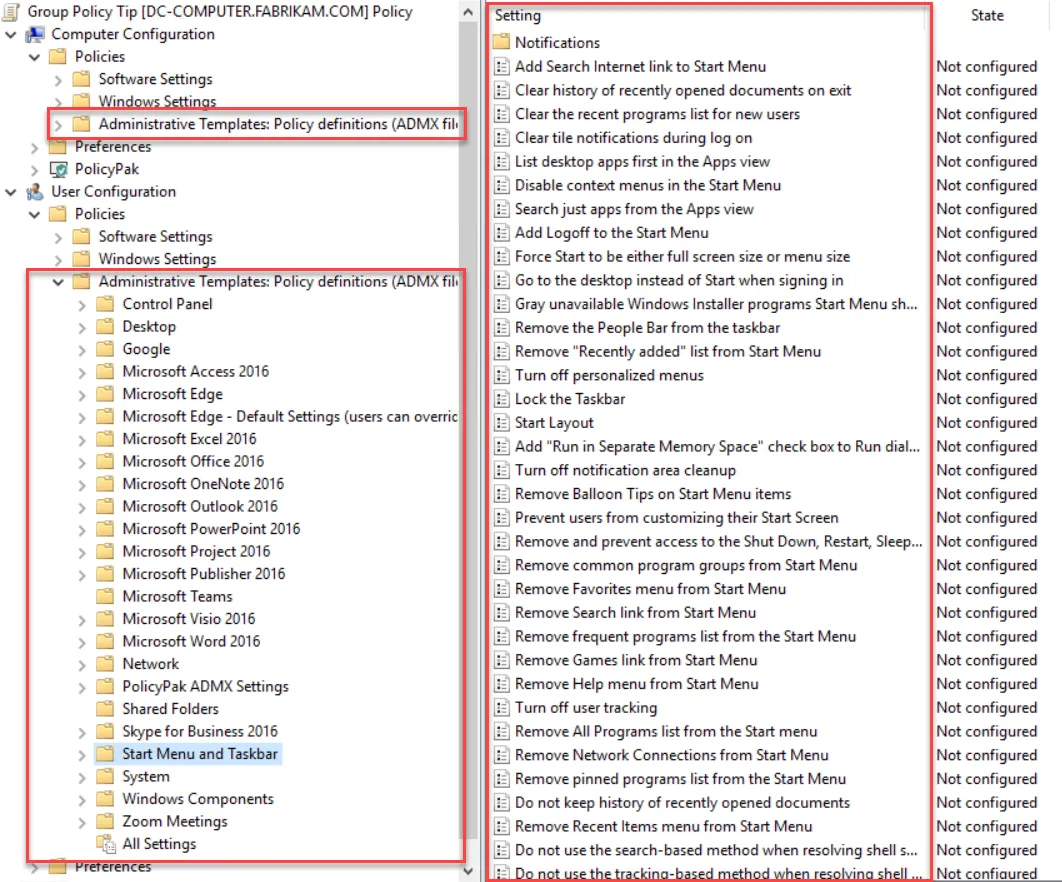
Here we can see some of Microsoft's Admin Template settings.
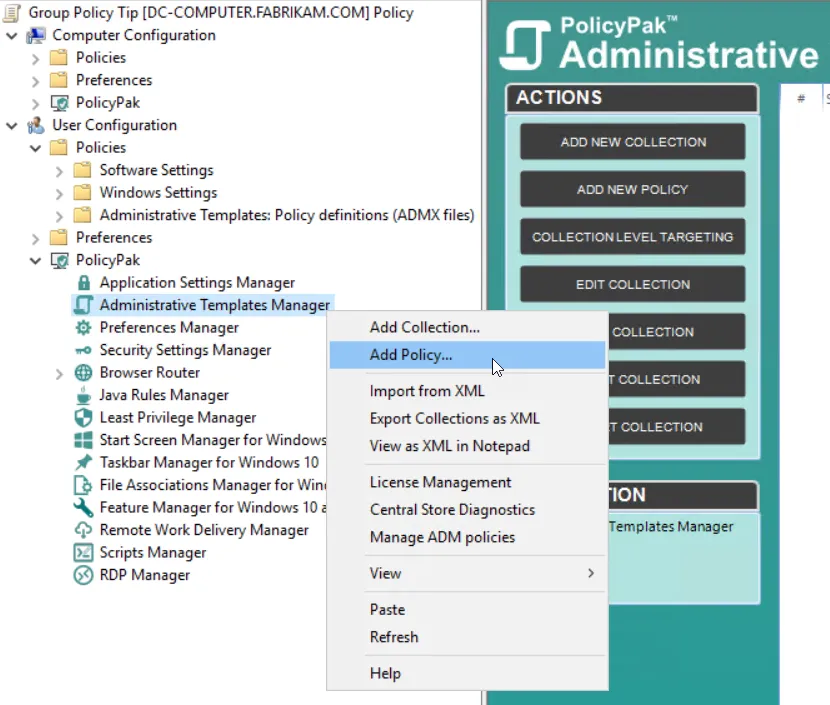
PolicyPak Admin Templates Manager is a node you see within every Group Policy Object (GPO) you create.
PolicyPak Admin Templates Manager enables you to perform the following functions:
- Assemble settings (policies) into collections
- Set Item-Level Targeting on policies and collections
- Deliver user-side policies to computers (without Group Policy Loopback mode)
- Use either Local Storage or Central Storage when choosing definitions
- Search for policies that match certain words in their titles or help text
- Export policies or collections as XML files (available with PolicyPak Exporter and PolicyPak Cloud). See the Using PolicyPak with MDM and UEM Tools topic for more information on using PolicyPak with MDM and UEM Tools.
The basic way to use PolicyPak Admin Templates Manager is as follows:
-
Create a Microsoft GPO using PolicyPak Admin Templates Manager. If you use Group Policy as the delivery mechanism, it is deployed to client machines.
-
If you do not use Group Policy, deploy the GPO using one of these other ways:
- Microsoft Endpoint Manager (SCCM and Intune)
- Your own systems-management software
- An MDM service
- PolicyPak Cloud service
-
The client machine embraces the directives and performs the work
PolicyPak Admin Templates Manager lets admins use Group Policy to deliver settings and also lets you use a mechanism other than Group Policy to get policies delivered.
Additionally, using the PolicyPak Cloud service, can even deliver Group Policy settings to non-domain-joined machines over the Internet.
Components
PolicyPak Admin Templates Manager has the following components:
- A management station — Start out by creating a standard GPO (which will be edited) and then use the PolicyPak Admin Templates Manager node.
- The PolicyPak client-side extension (CSE) — This runs on the client (target) machine. It is the same CSE for all PolicyPak products. There isn't anything separate to install, and the PolicyPak CSE must be present in order to accept PolicyPak Admin Templates Manager directives.
- Endpoints — Must be licensed for PolicyPak Admin Templates Manager using one of the licensing methods
- PolicyPak Exporter (optional) — A free utility that lets you take PolicyPak Admin Templates Manager and our other products XML files and wrap them into a portable MSI file for deployment using Microsoft Endpoint Manager (SCCM and Intune) or your own systems-management software.