Enterprise Mode
Video: For a quick overview of how to manage IE Enterprise Mode using PolicyPak Browser Router see the following video: https://www.policypak.com/video/endpointpolicymanager-browser-router-enterprise-and-document-modes.html
Enterprise Mode (also known as Enterprise Compatibility Mode for IE 11) is a different method for IE 11 to specify which websites go into an enhanced compatibility rendering engine. The following are helpful documents on IE Enterprise Mode:
- http://msdn.microsoft.com/en-us/library/dn640699.aspx
- https://blogs.windows.com/msedgedev/2016/06/14/new-enterprise-improvements-coming-to-ie11-on-windows-7-and-8-1/
- https://technet.microsoft.com/en-us/itpro/internet-explorer/ie11-deploy-guide/enterprise-mode-schema-version-1-guidance?f=255&MSPPError=-2147217396
- https://technet.microsoft.com/en-us/itpro/internet-explorer/ie11-deploy-guide/enterprise-mode-schema-version-2-guidance
PolicyPak enables you to create Enterprise Compatibility lists on the fly without the need for the following:
- Downloading extra tools
- Creating lists
- Saving files
- Creating multiple GPOs and pointing them to various lists
- Keeping lists up to date with their version numbers
- Knowing what versions of IE use the Enterprise v1 or v2 schema
In short, PolicyPak IE AppSet makes this process easy. You use the PolicyPak Browser Router component and not the PolicyPak Application Settings Manager component, as shown In the figure shown.
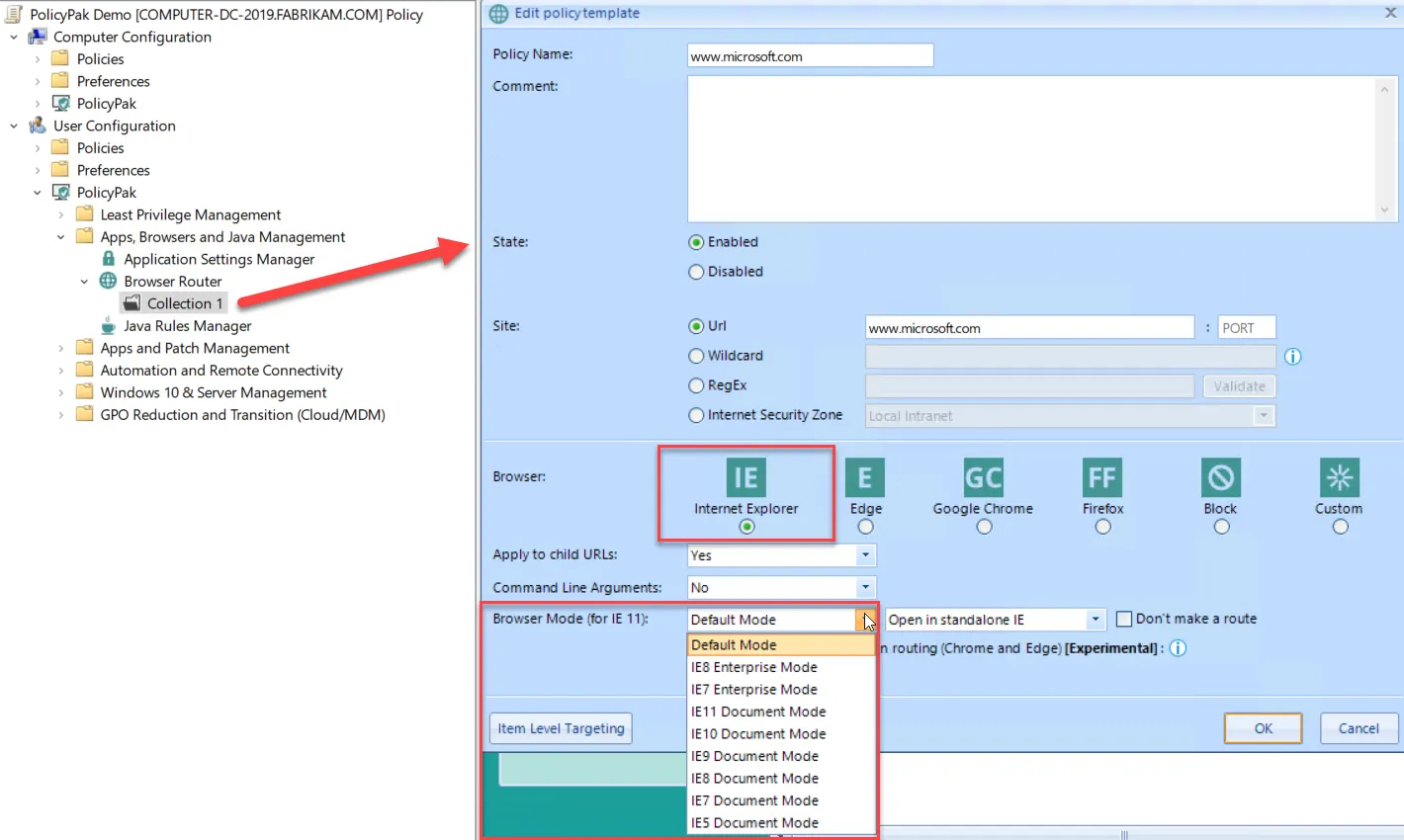
The figure shown. Setting up a dynamic list in Enterprise Mode using PolicyPak Browser Router.
Note that, as described in Microsoft's documentation (http://msdn.microsoft.com/en-us/library/dn640699.aspx), Enterprise Mode takes 65 seconds or a restart of IE the first time to see it take effect.