Modes
If you used the Quick Start guides, you now have a feel for some of the special modes in PolicyPak Application Settings Manager. PolicyPak Application Settings Manager modes are available on a per-attribute basis, which provides for excellent flexibility when deciding which elements to configure, enforce, and even disable or hide.
To see an overview of the Enforcement modes, watch this quick tutorial video: https://www.policypak.com/video/endpointpolicymanager-the-superpowers.html.
To see an overview of ACL Lockdown™ mode, watch this tutorial: https://www.policypak.com/video/endpointpolicymanager-acl-lockdown-for-registry-based-applications.html.
In the figure shown, you can see which modes are available when right-clicking a PolicyPak Application Settings Manager attribute with settings data inside.
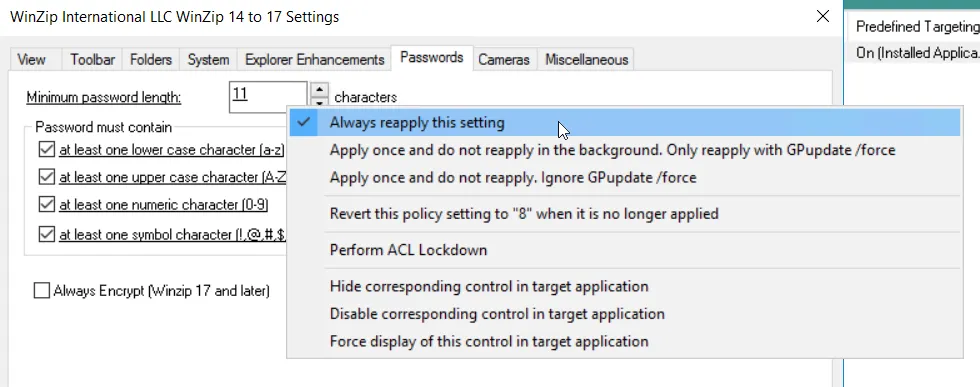
The figure shown. The modes available in PolicyPak Application Settings Manager.
Let's examine the areas of control for an element, as seen In the figure shown. You can see we've highlighted the following modes:
- Enforcement modes
- Reversion mode
- PolicyPak Application Settings Manager ACL Lockdown™ mode
- PolicyPak Application Settings Manager Applock™ modes
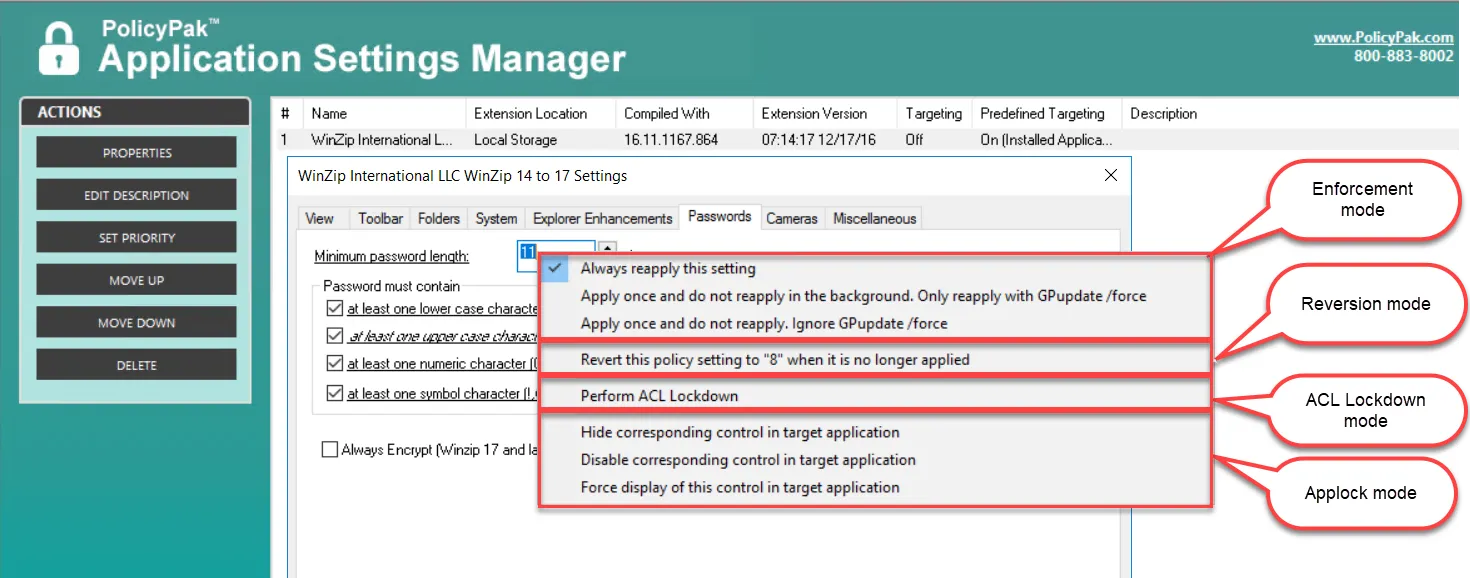
The figure shown. The areas of control for an element.
There is a special AppLock mode that you can apply to the entire tab to disable it. We'll discuss this in the "AppLock Modes" section.
We first need to discuss how to set and deliver settings and values.