What is meant by "Default Browser" within PolicyPak Browser router?
Pretend for a second you didn't have Netwrix PolicyPak and PolicyPak Browser Router installed.
A user on Windows 10 can then set his Default Browser from either within a browser, like Firefox, like this:

Or, they can go directly into Windows Default apps and set the Web Browser like this…

But as soon as you have PolicyPak Browser Router licensed and with ANY PolicyPak Browser Router rules enabled,you will see PolicyPak Browser Router Agent as the Web Browser inside Windows 10.

Then, using PolicyPak Browser Router, you can set what the Default Browser policies. Below are two examples on how to do find that.
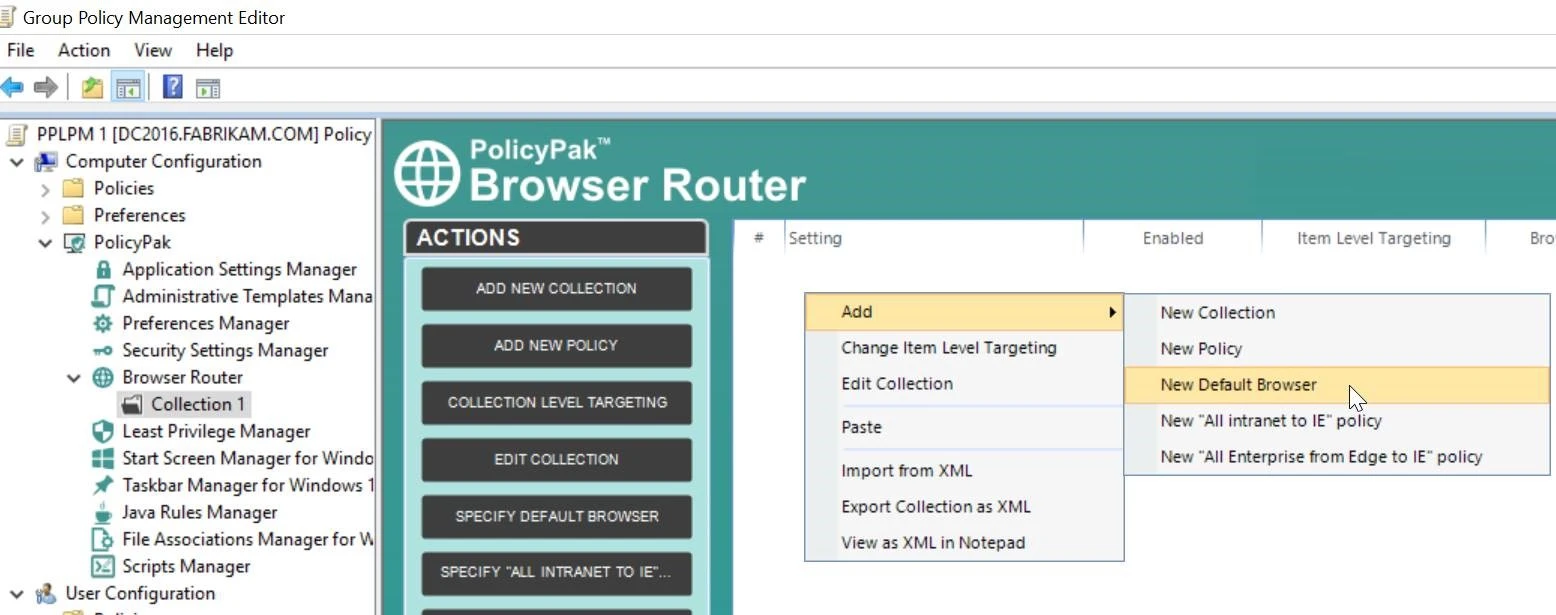
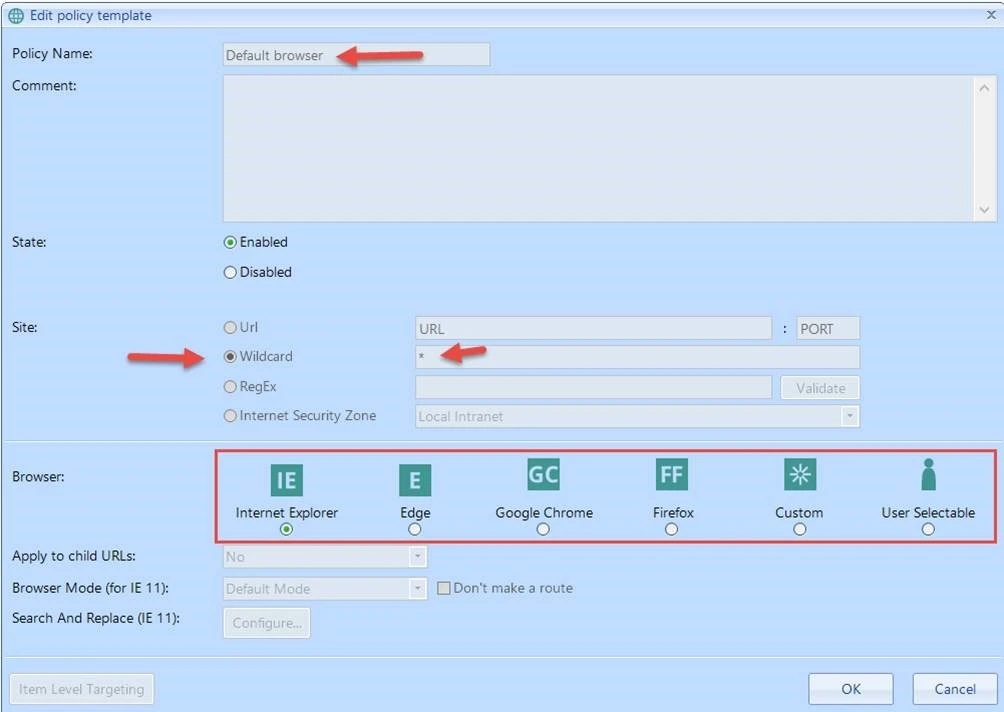
When you set the Default Browser using PolicyPak to IE, Edge, Chrome, or Firefox, the operating system will still showPolicyPak Browser Router Agent as the Web Browser.
But the user's perception of their Default Browser will be what you set here.
So, when a user clicks on any URL which does not have a route, the default browser, as defined from PolicyPak Browser Router, will open up.
there is a special Default Browser option available, called User Selectable PolicyPak Browser Router: Set the Windows 10 Default Browser (once) then drift.
You can get more information on theUser Selectable in the PolicyPak Browser Router manual. But in essence the steps are as follows:
Step 1 – After User Selectable is set, the user can choose their desired browser, for example, from within Firefox or via the OS selector.
Step 2 – The new setting is enacted with a GPupdate
Step 3 – PolicyPak Browser Router Agent is then replaced back in the OS again as the default.
Step 4 – The user will believe that their default browser is actually what has been set here.