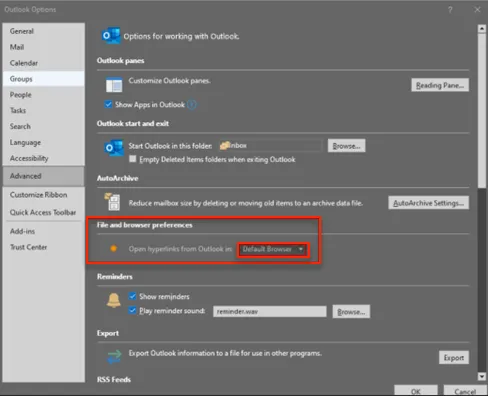
How to set "Choose which browser opens web links in Office365" so that Browser Router properly routes web links in Outlook
Netwrix PolicyPak Cloud already has the Office2016/Office365 ADMX settings available in the Cloud and they can be accessed via the PolicyPak Admin Templates Manager built-in cloud editor.
For the PolicyPak OnPrem version, you can download the Office 365 ADMX files from here - https://www.microsoft.com/en-US/download/details.aspx?id=49030 for use in your On-Prem environment.
Also, this policy will not work for Microsoft 365 Apps for Business, See Group Policy Support section in the table at the link below:

11 Limited to policies for web apps and privacy policies for client apps.
SCENARIO 1: Using PolicyPak Cloud
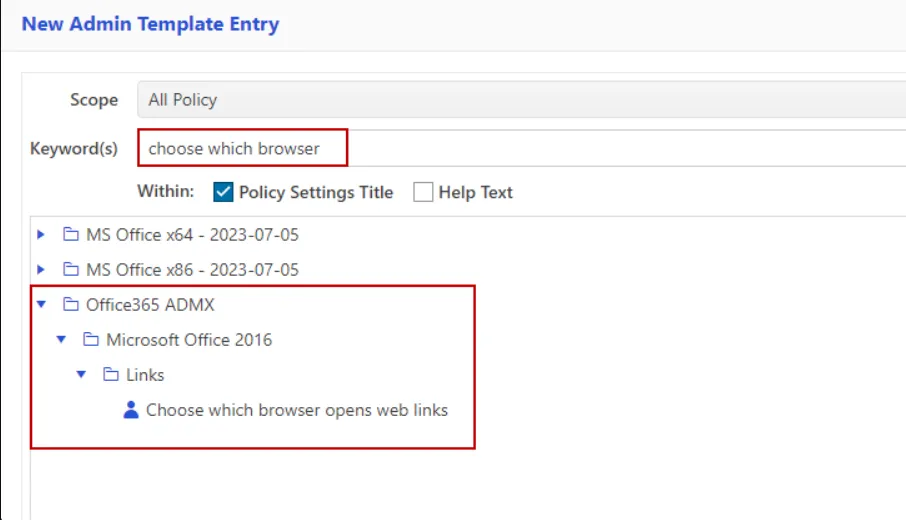
Create a new Admin Template policy with the appropriate setting from the ADMX template (use Keyword section to search):
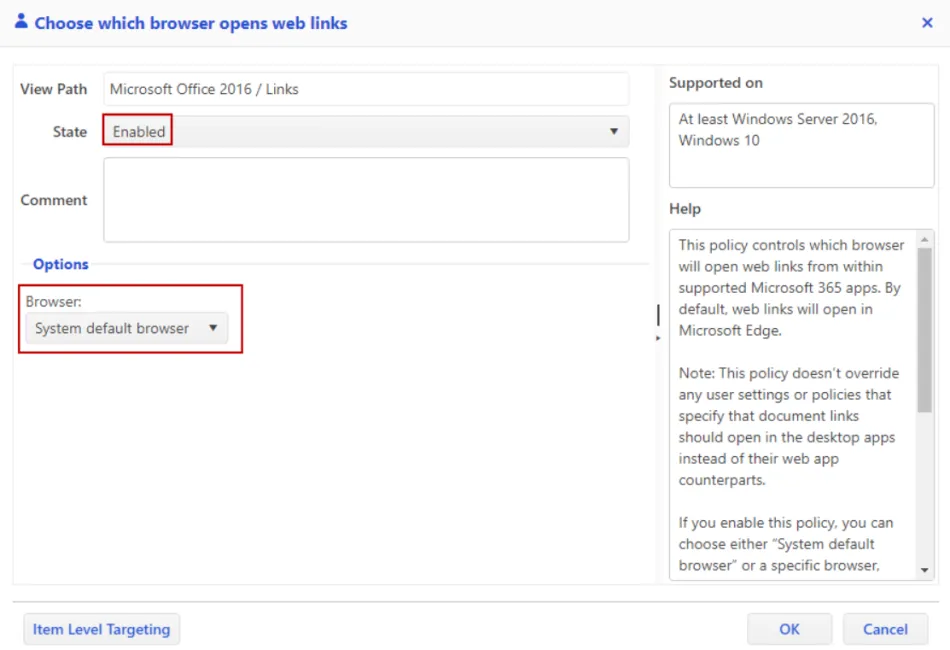
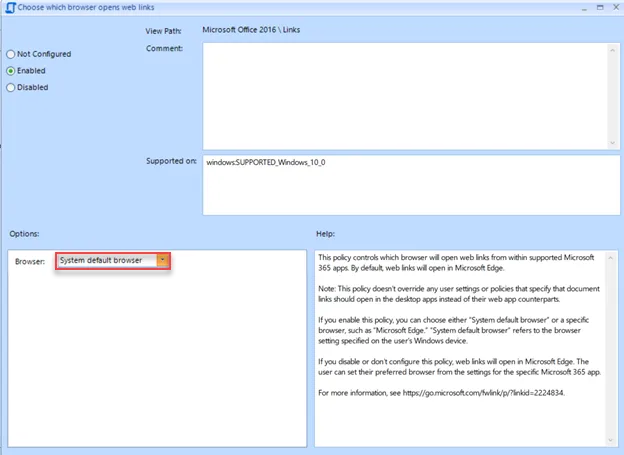
Now set the value to "System default browser" instead of "Microsoft Edge" in the policy:
SCENARIO 2: Using PolicyPak On-Prem
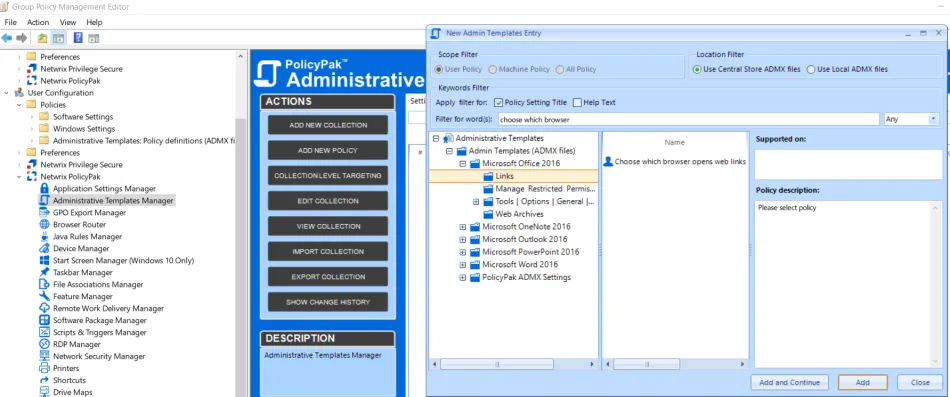
Once Office ADMX is deployed, create a new Admin Template policy with the appropriate setting from the ADMX template (use Keyword section to search):
Now set the value to "System default browser" instead of "Microsoft Edge" in the policy:
Verification:
BEFORE:

AFTER: