Exporting Collections
Advanced Concepts explains how to use the PolicyPak Exporter to wrap up any PolicyPak directives and deliver them using Microsoft Endpoint Manager (SCCM and Intune), KACE, your own MDM service, or PolicyPak Cloud.
To export a policy for later use using PolicyPak Exporter or PolicyPak Cloud, follow thee steps:
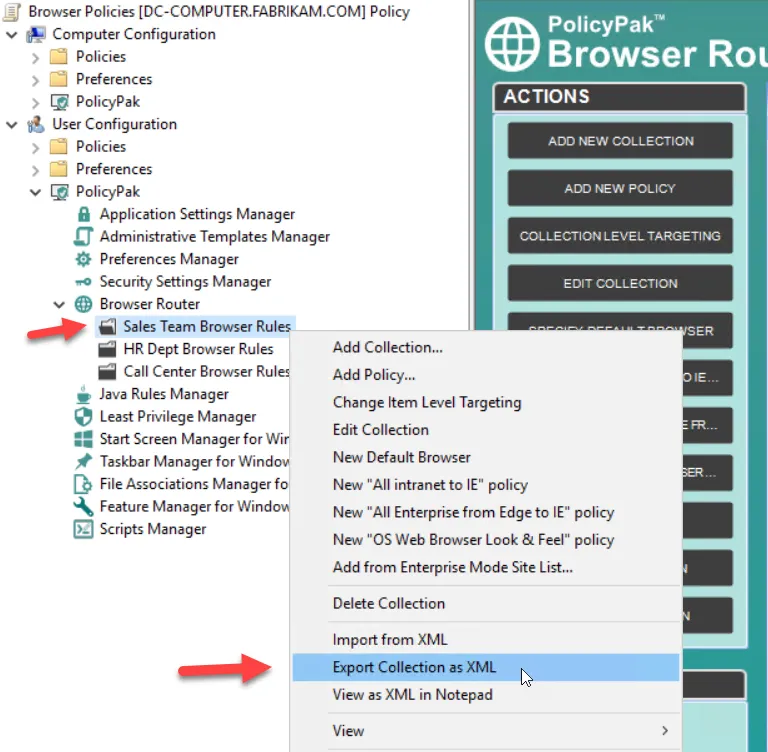
Step 1 – Right-click the collection or the policy and select Export to XML. This enables you to save an XML file for later use.
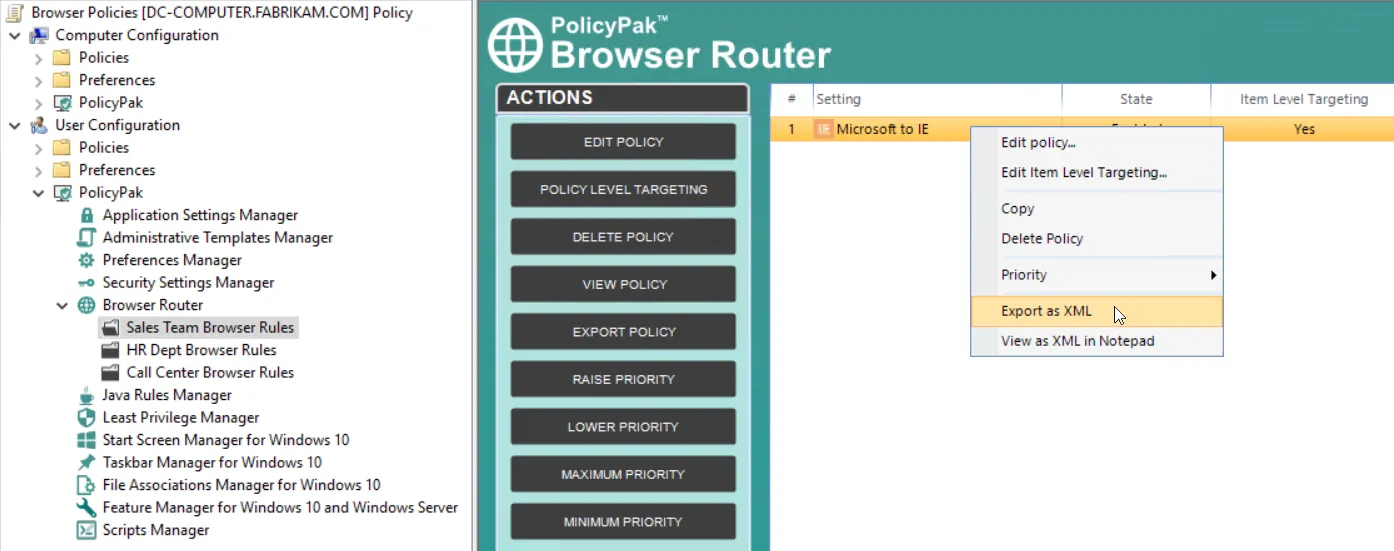
Choose a policy and select Export to XML.
Exported collections or policies maintain any Item-Level Targeting that is set. PolicyPak Browser Router policies are always contained within collections, even if you export one single policy. In other words, a collection is automatically created at the time of export if you export a single policy.