Using Preconfigured Collections and File Associations
Netwrix PolicyPak File Associations Manager ships with several preconfigured collections that you can use immediately. The PolicyPak Portal also has a download that contains some prepackaged file associations for selected common utilities (and their usual settings).
For a video overview demonstrating how to use preconfigured PolicyPak File Associations Manager items, see PolicyPak File Associations Manager: Use our preconfigured advice topic for additional information.
For instance, for all the common Adobe products, Adobe has some advice that we have we've repackaged as file associations for use with PolicyPak File Associations Manager. See Adobe's article Setting the Default PDF Viewer for additional information.. The image below shows their guidance on associating file types to ProgIDs.
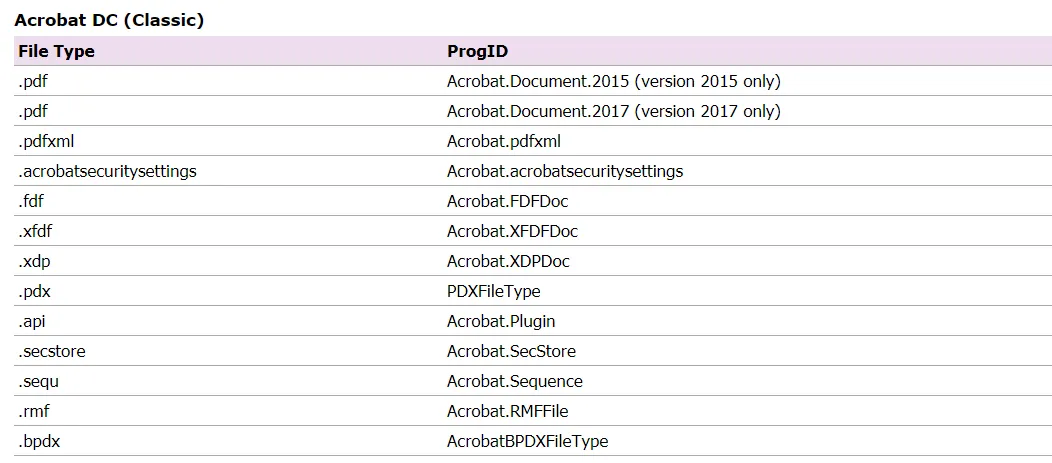
You could try to set all of this yourself, but here at PolicyPak, we've done the work so you don't have to. To locate the PolicyPak File Associations Manager preconfigured settings based on the manufacturer's guidance, follow these steps:
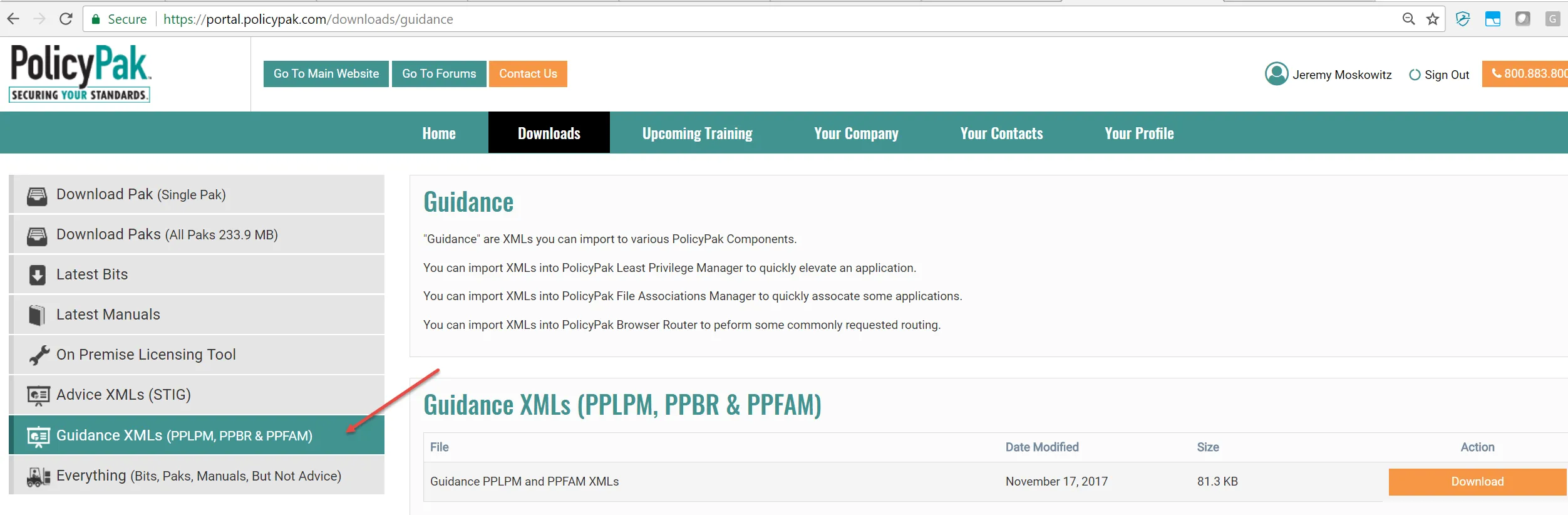
Step 1 – Go to the PolicyPak Portal and locate the Guidance XMLs ZIP file.
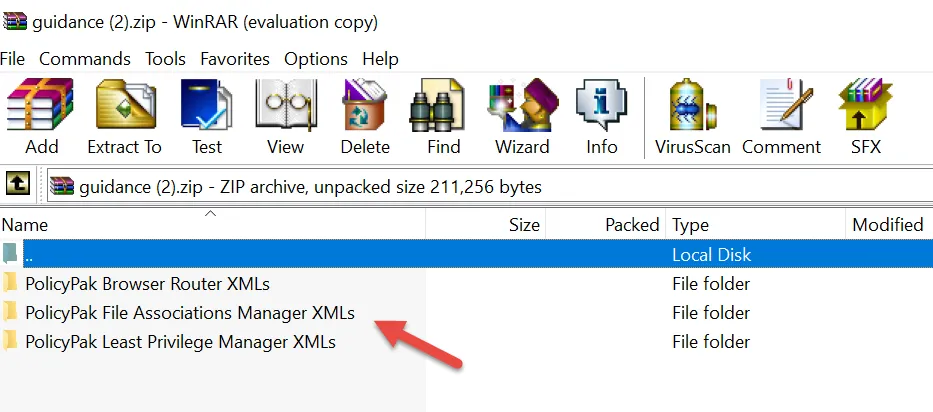
Step 2 – Download and unpack the ZIP file. Look for the folder called PolicyPak File Associations Manager XMLs.
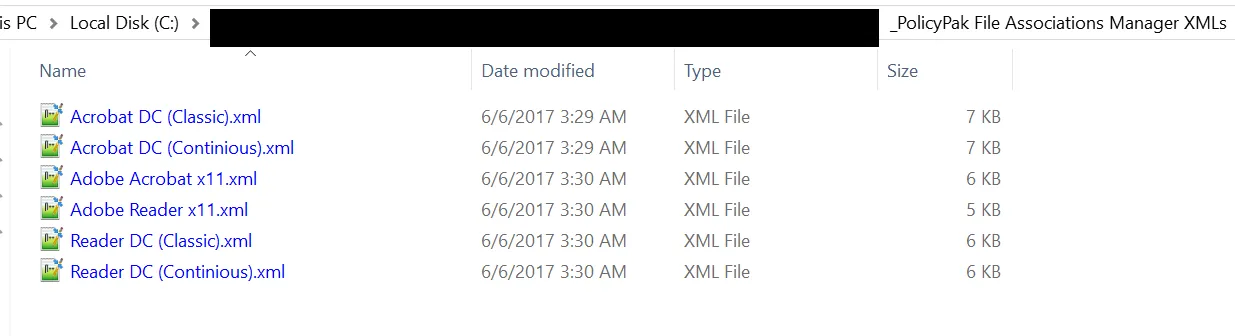
Step 3 – Inside that folder, you'll see XMLs, which are ready for immediate import into PolicyPak File Associations Manager.
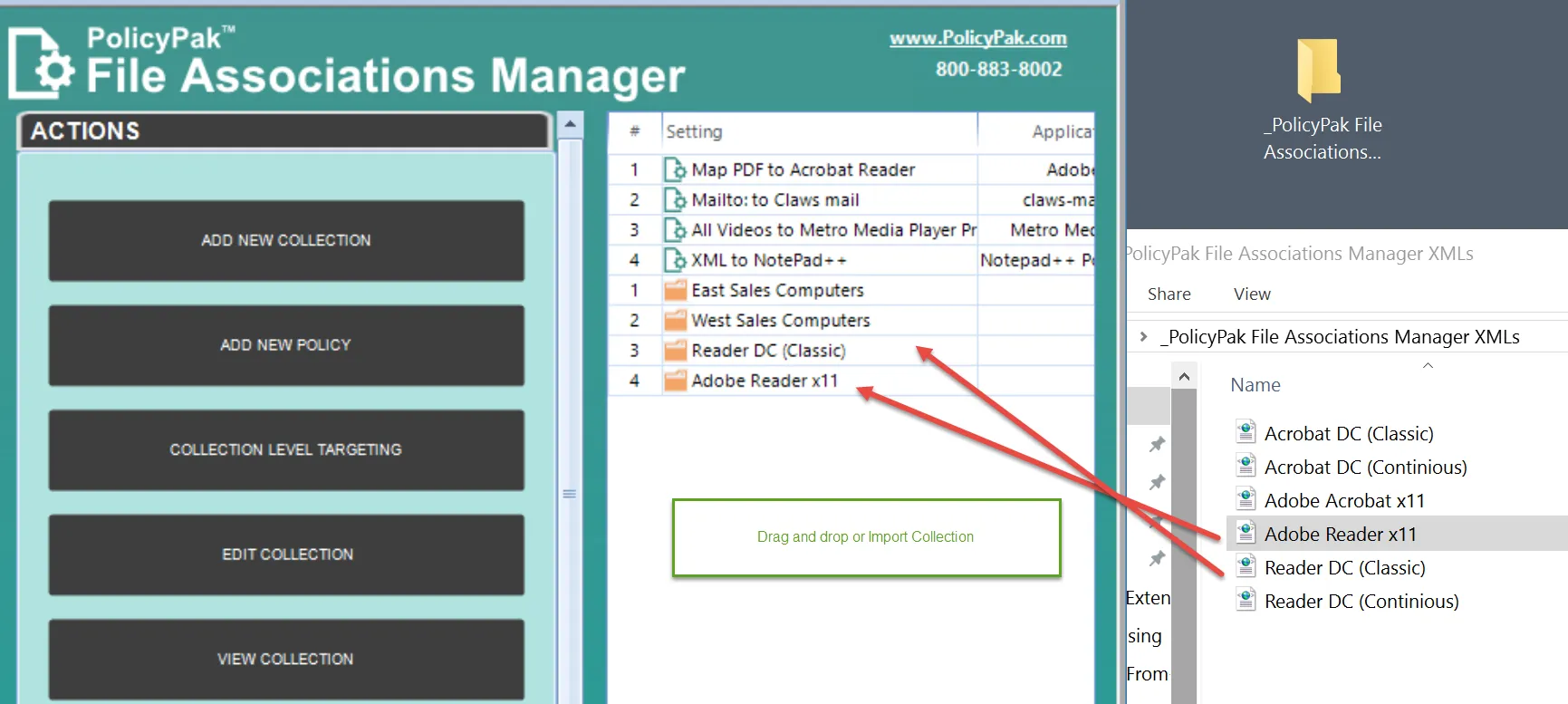
Step 4 – To import the XML files, drag and drop them into the PolicyPak File Associations Manager console. This creates a collection for applications such as Adobe Reader DC, Adobe Reader 11, and others.
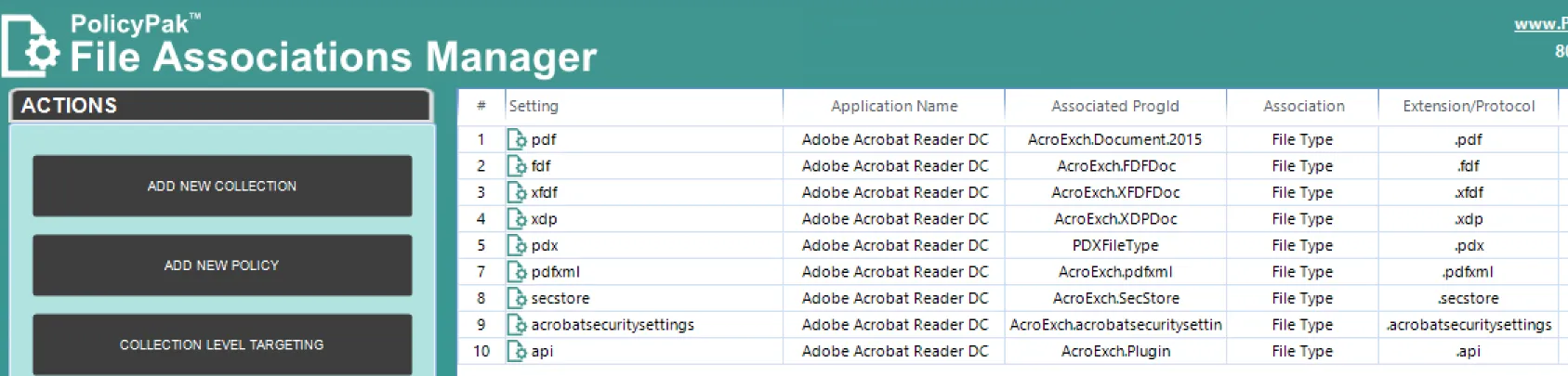
Step 5 – The orange color of the icon denotes that the collections have Item-Level Targeting on them to ensure that they will only apply when the application is actually present on the machine. If you enter a collection to see what is inside, you'll find something similar to what is show above.
In this way, it's very easy to download the files and immediately get started, without having to figure out how each file type should be mapped for an application. We're increasing the number of our PolicyPak File Associations Manager manufacturer's advice files, so check for updates periodically.