Checking the Log Files
Log files for PolicyPak Java Rules Manager are found in two places:
%Programdata%\PolicyPak\PolicyPak Java Rules Manager%appdata%\local\PolicyPak\PolicyPak Java Rules Manager
To see the \ProgramData\PolicyPak folder, run an admin command prompt as shown in Figure 35. PolicyPak Java Rules manager logs are contained within the PolicyPak Java Rules Manager folder.
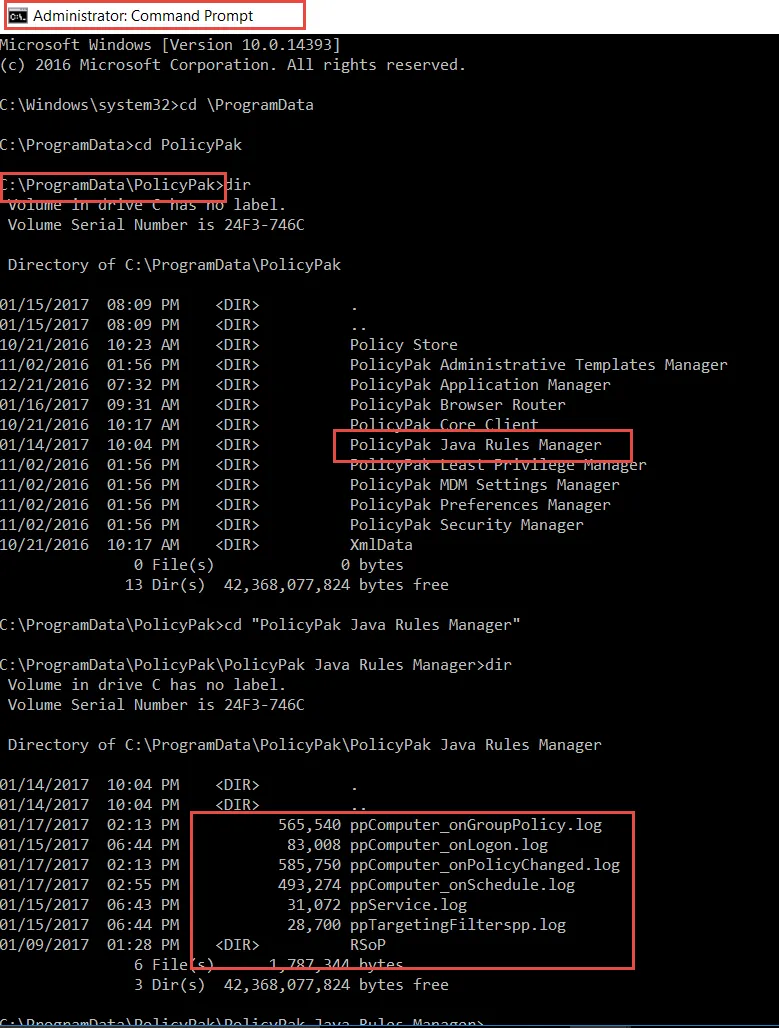
Figure 35. The PolicyPak Java Rules Manager logs are contained withinPolicyPak Java Rules Manager folder.
The log files can help determine processing occurrences. There is a different log file for each time Group Policy applies. The following list shows some of these logs:
ppComputer_onPolicyChangedis used when Group Policy, PolicyPak Cloud, and/or PolicyPak XML files (via PolicyPak Exporter) are used. This is your best bet to try first.ppComputer_onLogonis used when the computer starts up and processes initial GPOs.ppComputer_onGroupPolicyis used when Group Policy is processed.ppComputer_OnManualis used when PolicyPak's command ppupdate.exe is run.ppComputer_onScheduleis used when PolicyPak's internal processes attempt to look for any changes while offline (usually every 60 minutes).
Logs are automatically wrapped up and can be sent to support by opening a support ticket with the PPLOGS.EXE command on any endpoint
where the client-side extension (CSE) is installed. Since the main logs for PolicyPak
Java Rules Manager are in ProgramData, run an Elevated Command Prompt (as admin), and run
PPLOGS.EXE to obtain the data from the PolicyPak Java Rules Manager logs.