Theory of Operation and Moving Parts
In this section you will learn about two main things: the theory of operation and the moving parts for Netwrix PolicyPak Java Rules Manager. This will give you an overview before we start to use the product.
Theory of Operation
PolicyPak Java Rules Manager automates Oracle's own built-in Java Deployment Rule Set feature. To find more information on the Java Deployment Rule Set feature, visit the following websites:
- Older but more readable: http://docs.oracle.com/javase/7/docs/technotes/guides/jweb/security/deployment_rules.html.
- Newer but less readable: https://docs.oracle.com/javase/8/docs/technotes/guides/deploy/deployment_rules.html.
The Deployment Rule Set feature is useful but can be difficult to set up and keep updated enterprise-wide. The essence of the feature is a rule set, which must be created in XML. Then, a package must be digitally signed and deployed to endpoints. When the rule set is executed correctly (manually), the result looks similar to what is shown below.
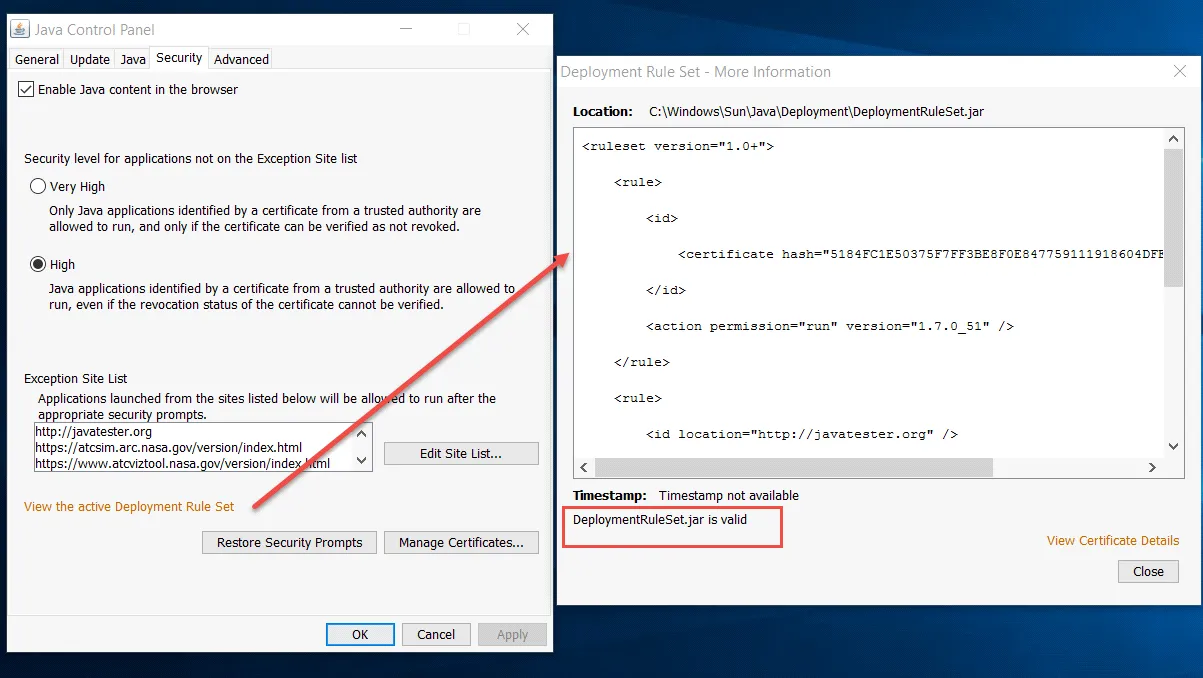
Automating and updating deployment rule sets anytime a site requires updating can be painful. Fortunately, PolicyPak Java Rules Manager automates the whole process. It reduces errors, enables change management using Group Policy, Microsoft Endpoint Manager (SCCM and Intune), or your own tool, and gets everything to work the first time.
Moving Parts
- A management station – You must install the PolicyPak Admin Console MSI on your management station where you create Group Policy Objects (GPOs). Then the PolicyPak | PolicyPak Java Rules Manager node will be visible.
- The PolicyPak client-side extension (CSE) that runs on the client (target) machine — This is the same CSE for all PolicyPak products. There is nothing separate to install, and the PolicyPak CSE must be present in order to accept PolicyPak Security Settings Manager directives when using Microsoft Endpoint Manager (SCCM and Intune), KACE, similar utilities, or PolicyPak Cloud.
- Endpoints — Endpoints must be licensed for PolicyPak Java Rules Manager using one of the licensing methods.
- PolicyPak Exporter (optional) — This is a free utility that lets you take PolicyPak Java Rules Manager and our other products' XML files and wrap them into a portable MSI file for deployment using Microsoft Endpoint Manager (SCCM and Intune) or your own systems management software.