System Settings Policy
note
See the PolicyPak for Mac / Least Priv Manager: System Settings policy video for an overview of this section.
Standard Users are prompted when they access System Settings in MacOS. For instance, trying to modify Date&Time or Wi-Fi settings prompts standard users for admin credentials.
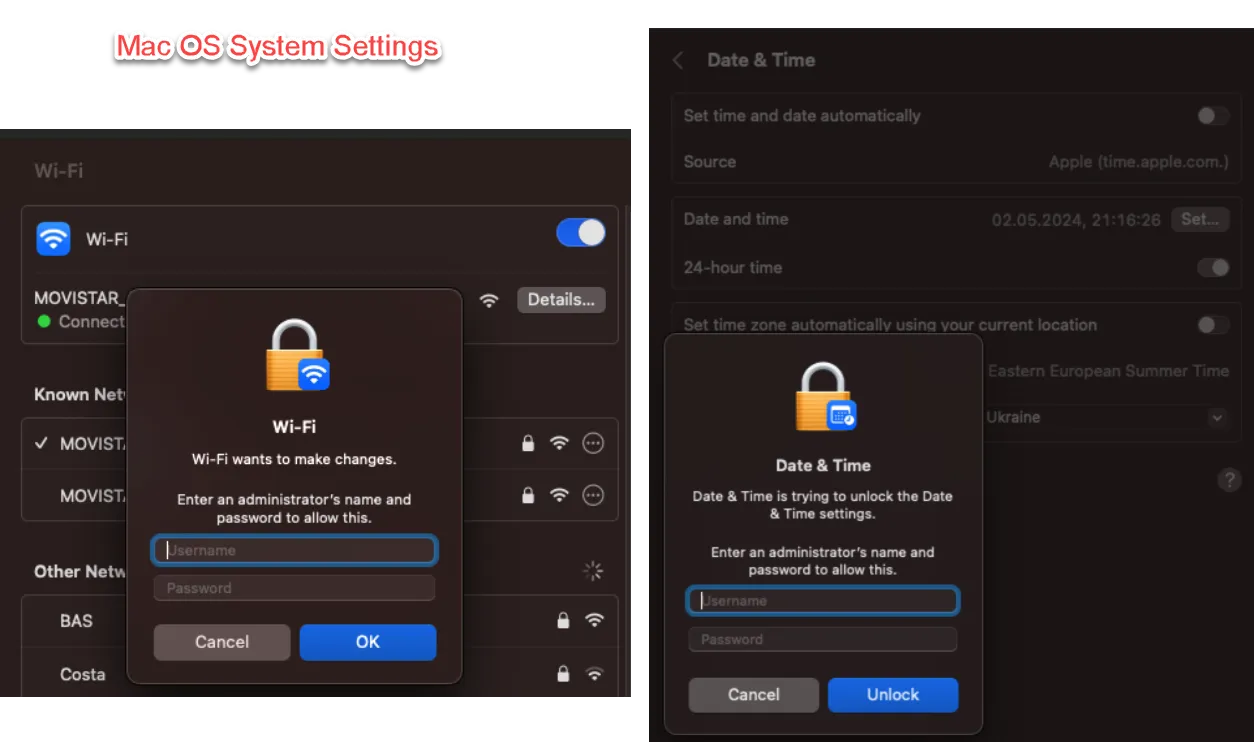
System Settings Policy enables you to:
- Deny Execution — Stop access to a System Settings
- Allow Execution — Operates in accordance with the system configurations (PolicyPak client logs actions)
- Elevate — Standard user can perform the operation where it would normally not be allowed.
In this example, we are permitting a Standard User to overcome restricted access to Date&Time and Wi-Fi System Settings.
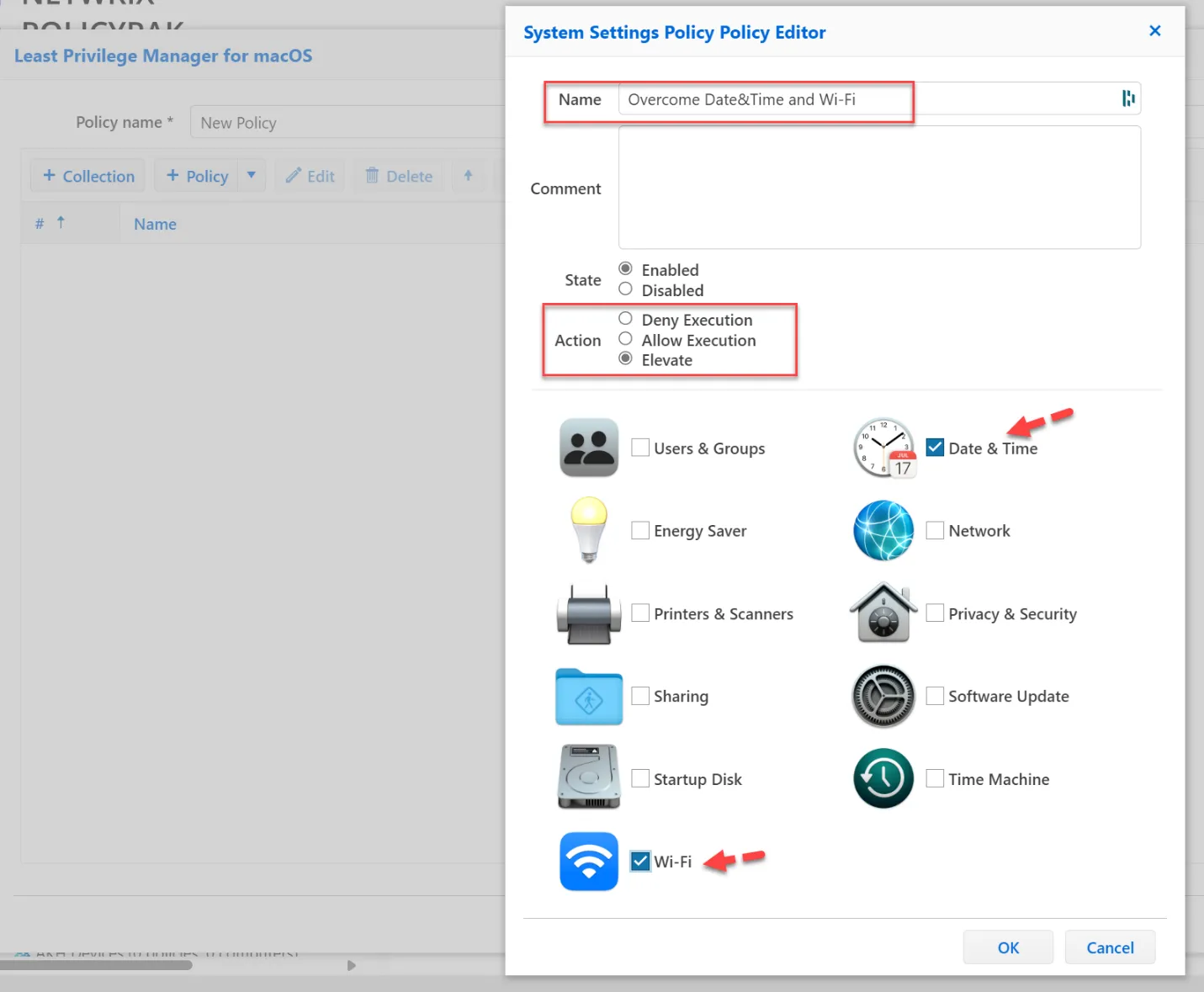
Without PolicyPak policy, the system asks for administrator confirmation to change system settings for the standard user. With PolicyPak you are able to provide the ability to change settings without administrator involvement.