Auditing Settings
Using PolicyPak Least Privilege Manager to remove admin rights or turn on SecureRun™ makes your machines more secure. However, that also means that some users might not be able to perform some actions with these two security measures in place. To mitigate this, you may need to research which privileges your users require. PolicyPak Global Settings Policy lets you set up auditing to find out what applications require extra privileges from standard users. There are five choices:
- Audit applications requiring elevation - Help you learn, in advance of a transition, which items require rules and what items will need rules to overcome UAC prompts.
- Audit elevated applications - Help you learn, after a transition, which items still need rules to overcome UAC prompts.
- Audit untrusted applications - Help you learn, in advance or after a transition, which items that would be automatically blocked by SecureRun™ are, in fact, blocked by SecureRun™ and will need rules to overcome.
- Audit unsigned applications - Help you learn, in advance or after a transition, which items that would be automatically blocked by SecureRun™ if trapping for unsigned applications.
- Audit Command Prompt inline commands - Help you learn, in advance or after a transition, which command prompt inline commands would be blocked by SecureRun™. See Discovery of CMD Inline Commands Blocked by SecureRun™ for details.
To begin the discovery process, add a New Global Settings Policy on either the user or computer side.
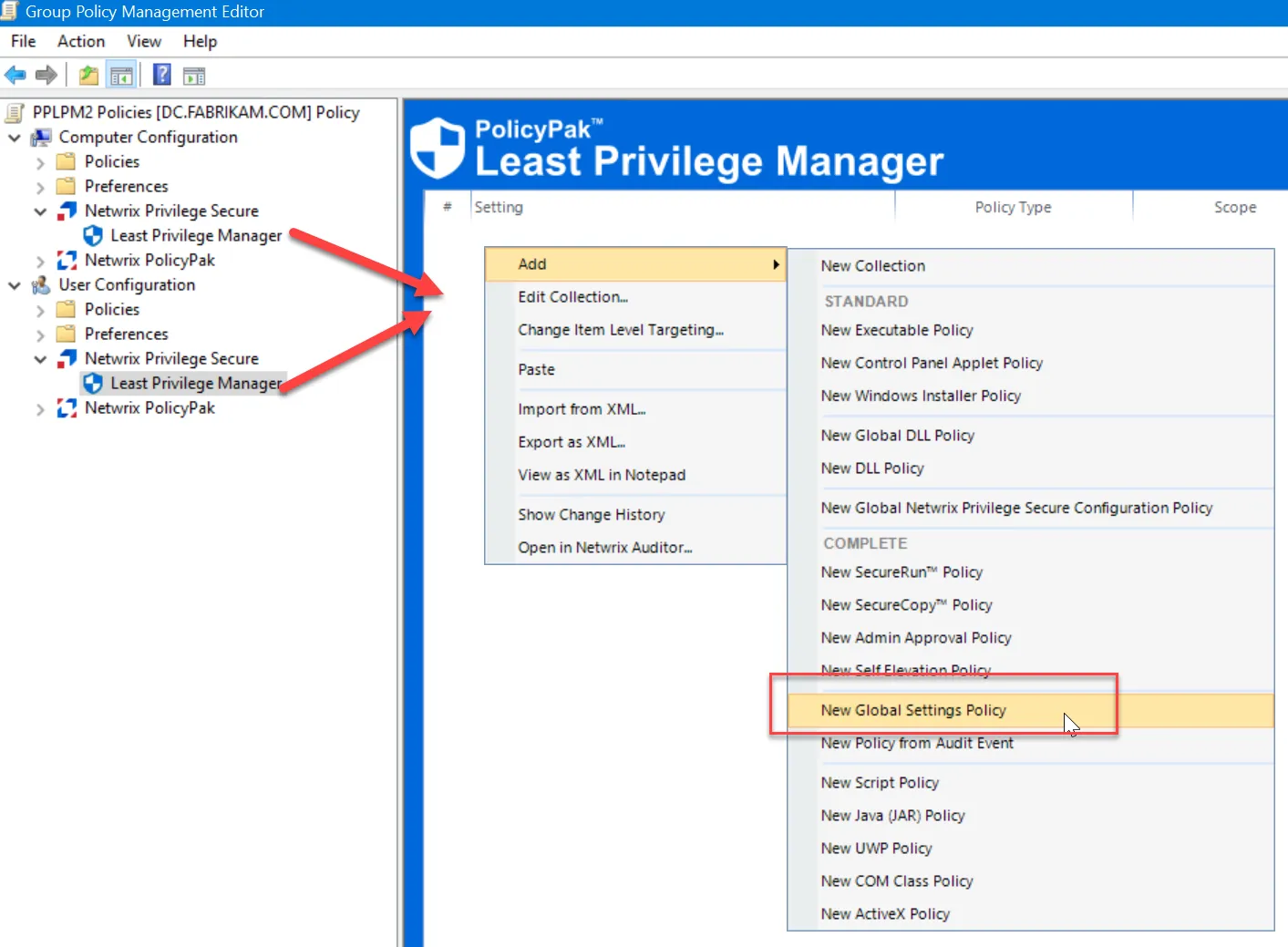
When you create a Global Settings Policy, you can choose to turn on the settings shown here.
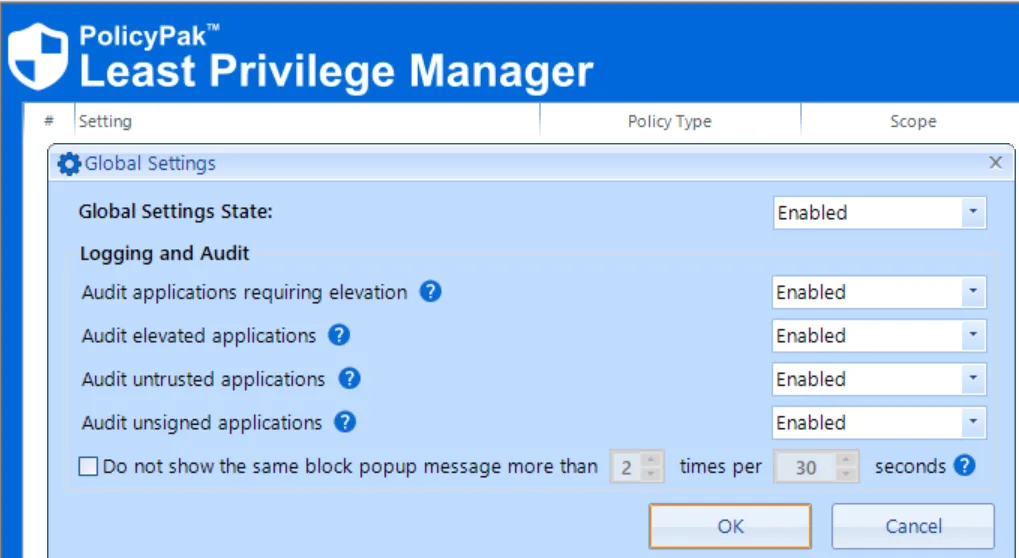
Enabling these settings will write special events to the event logs.
- Audit applications requiring elevation - Makes an audit log entry when a process isn't elevated, but PolicyPak Least Privilege Manager sees that it requires elevation. PolicyPak Least Privilege Manager can detect applications that specify "require elevation" in the manifest and applications that are a Legacy Installer (that is, a 32-bit app without a manifest and with a keyword—e.g. Install, Setup, etc.—in the file info). PolicyPak Least Privilege Manager doesn't support detection of dynamically elevated processes.
- Audit elevated applications - Makes audit log entries for processes that runelevated (i.e., successful runs after applications are elevated). This creates an event, regardless of the reason why the application runs elevated. Examples scenarios for this case could include apps that always require elevation, apps that require elevation only when run by an admin (e.g. regedit), or situations in which a user selected to run a file as an administrator. The only time this setting will not write an event to the event log (as an AUDIT event) is when there is a PolicyPak Least Privilege Manager rule in place to perform the elevation, in which case it would get its own event ID type.
- Audit untrusted applications - Discovers rules needed when SecureRun™ is turned on. If an application is attempted, but the item’s file owner isn't in the SecureRun™ list, then the application will be blocked when SecureRun is turned on.
- Audit unsigned applications - Discovers rules needed when SecureRun™ is turned on and the “Block all unsigned” option would block unsigned applications.
- Audit Command Prompt inline commands - Makes an audit log entry when a command prompt inline command would be blocked by SecureRun™. See Discovery of CMD Inline Commands Blocked by SecureRun™ for details.
The next sections discuss each of these auditing events.