Getting Started: GUI
There are two ways to get started with PolicyPak + Netwrix Privilege Secure:
- Starting with the Netwrix Privilege Secure download, or
- Starting with the PolicyPak download
This guide has so far assumed you have started with the PolicyPak download. However, you may have been directed here to get clarity on how to start with the Netwrix Privilege Secure download and proceed onward.
In the Netwrix Privilege Secure download you will find NPS for Endpoint Group Policy Snap-in x64 and x86 installers.

This MSI is meant to increase what is possible with a Group Policy editor and let you create NPS Endpoint rules (aka PolicyPak Least Privilege Manager) rules.
When you install the NPS Endpoint Group Policy Snap-In on a machine which has the Group Policy Editor and/or Group Policy Management Console, you will see the Netwrix Privilege Secure node and PolicyPak Least Privilege Manager within it. All GPOs have the same look and feel and editing ability.
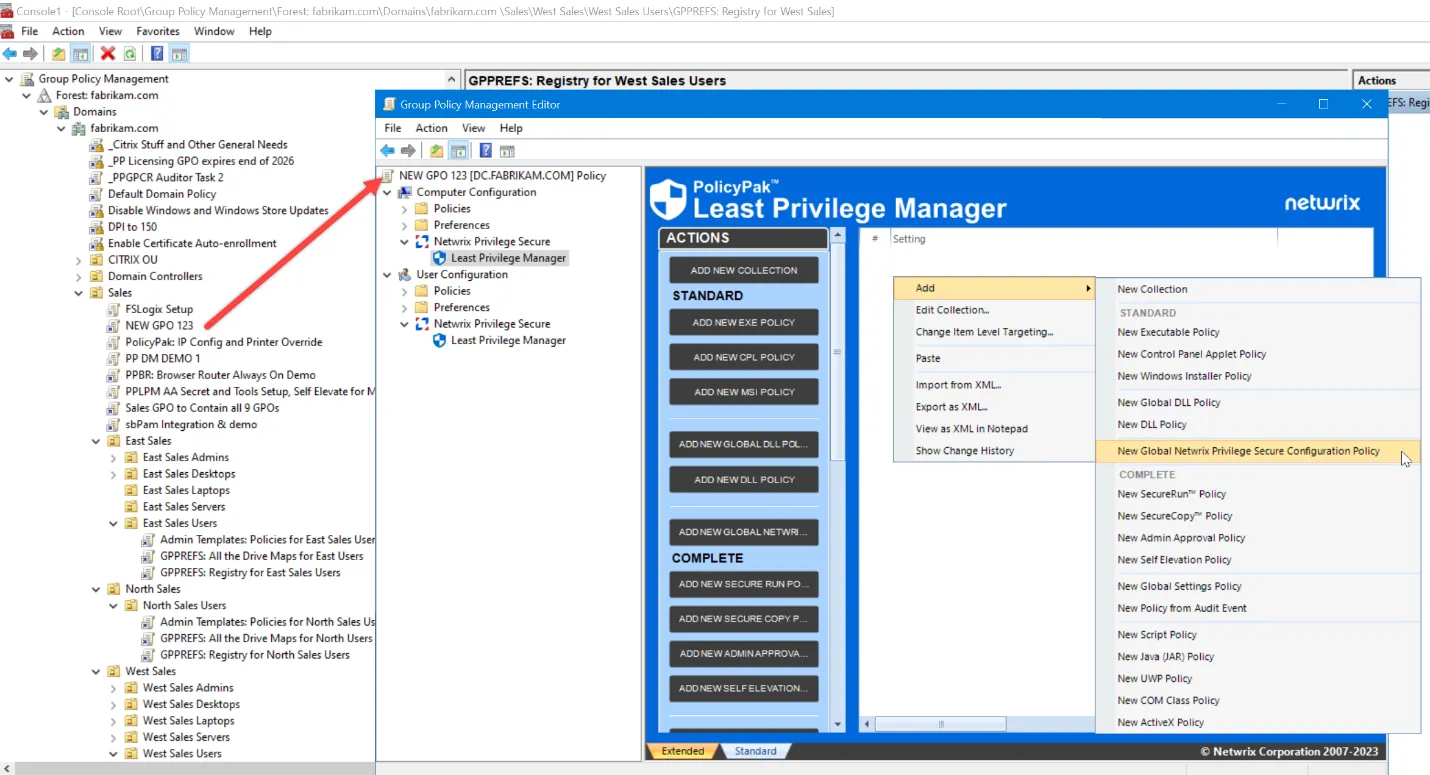
If you want to upgrade to PolicyPak and see both Netwrix Privilege Secure and all the other PolicyPak nodes, you need to install the PolicyPak Admin Console. This can be installed on top of the Netwrix Privilege Secure Admin Console, or, installed directly.

The result can be seen here with Netwrix Privilege Secure / Least Privilege Manager and all the PolicyPak nodes.
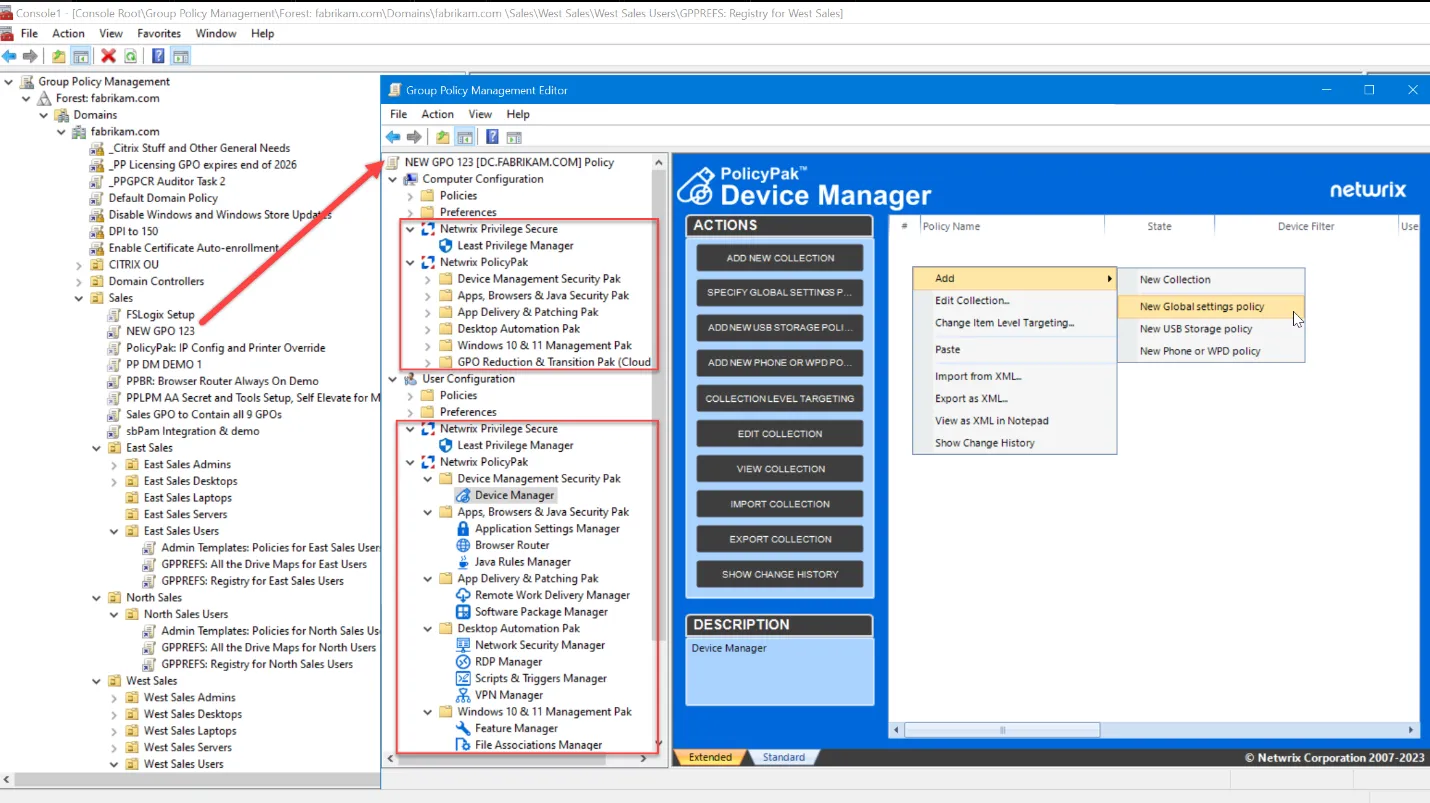
In other words, the PolicyPak Admin Console MSI is a superset of the Netwrix Privilege Secure Console MSI.
See the Netwrix Privilege Secure Client - Getting Started with MMC with/without PolicyPak video for a demo on the relationship between the Netwrix Privilege Secure and PolicyPak downloads and moving parts.
It is technically possible to upgrade to the latest version of the Netwrix Privilege Secure Console MSI after installing some version of the PolicyPak Admin Console MSI. If you do this, you will remove the PolicyPak nodes and be left only with the Netwrix Privilege Secure node. Any PolicyPak data and directives will still be in the GPO, and active. Therefore, it is recommended that if you upgrade to PolicyPak Admin Console MSI, you maintain your console with upgrades only via the PolicyPak Admin Console MSI and don’t attempt a re-install of Netwrix Privilege Secure Console MSI.