Elevating COM / CSLID Class Items
For an overview of COM Class Policies, see the COM Support video.
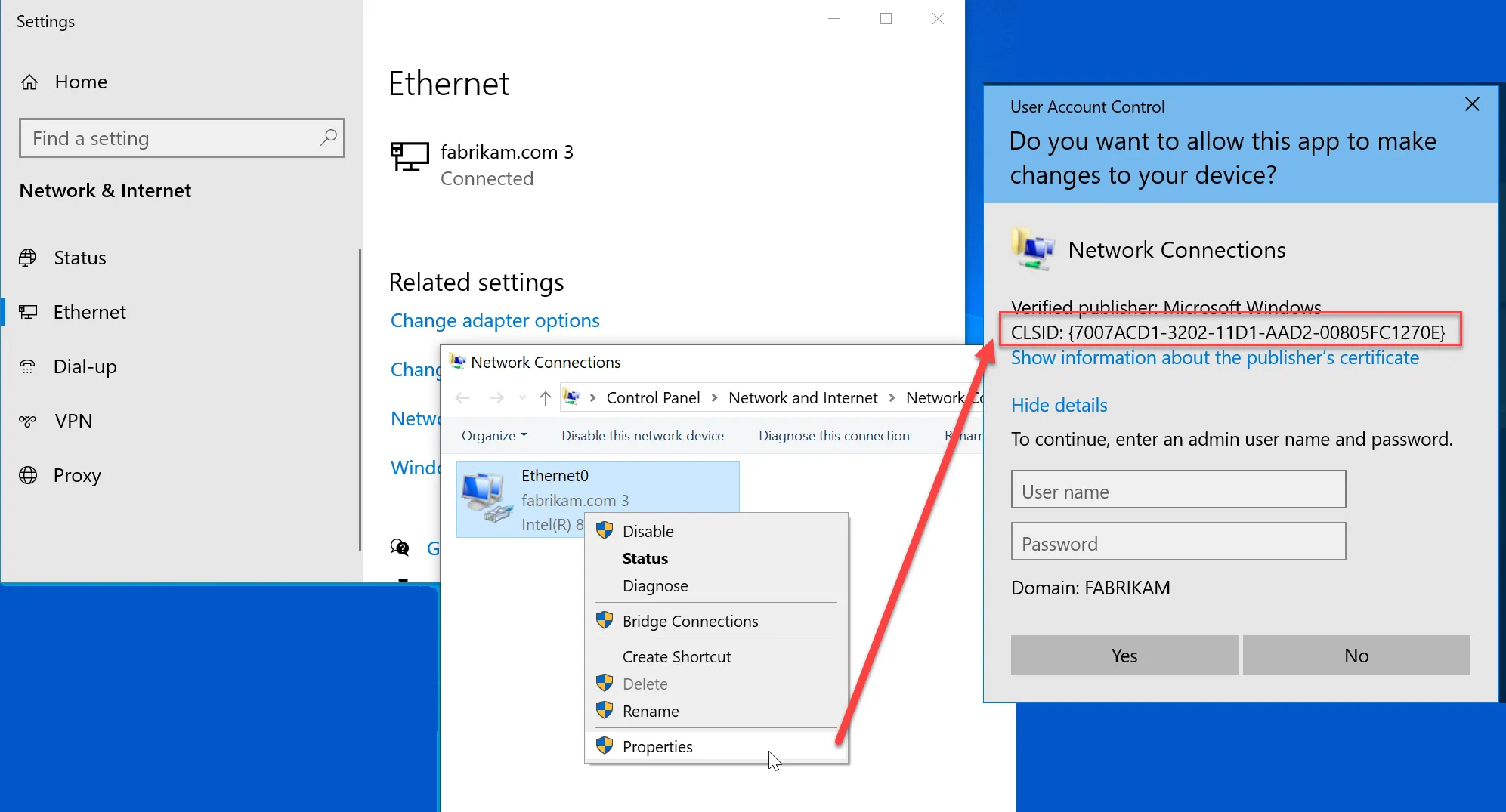
COM items are a special type of Windows process and PolicyPak can typically elevate them if needed. Start out by understanding the CSLID value you need to overcome. For instance the properties of Settings > Ethernet > Properties shows a UAC prompt for a COM / CSLID ID.
Carefully take note of the CSLID ID before proceeding.
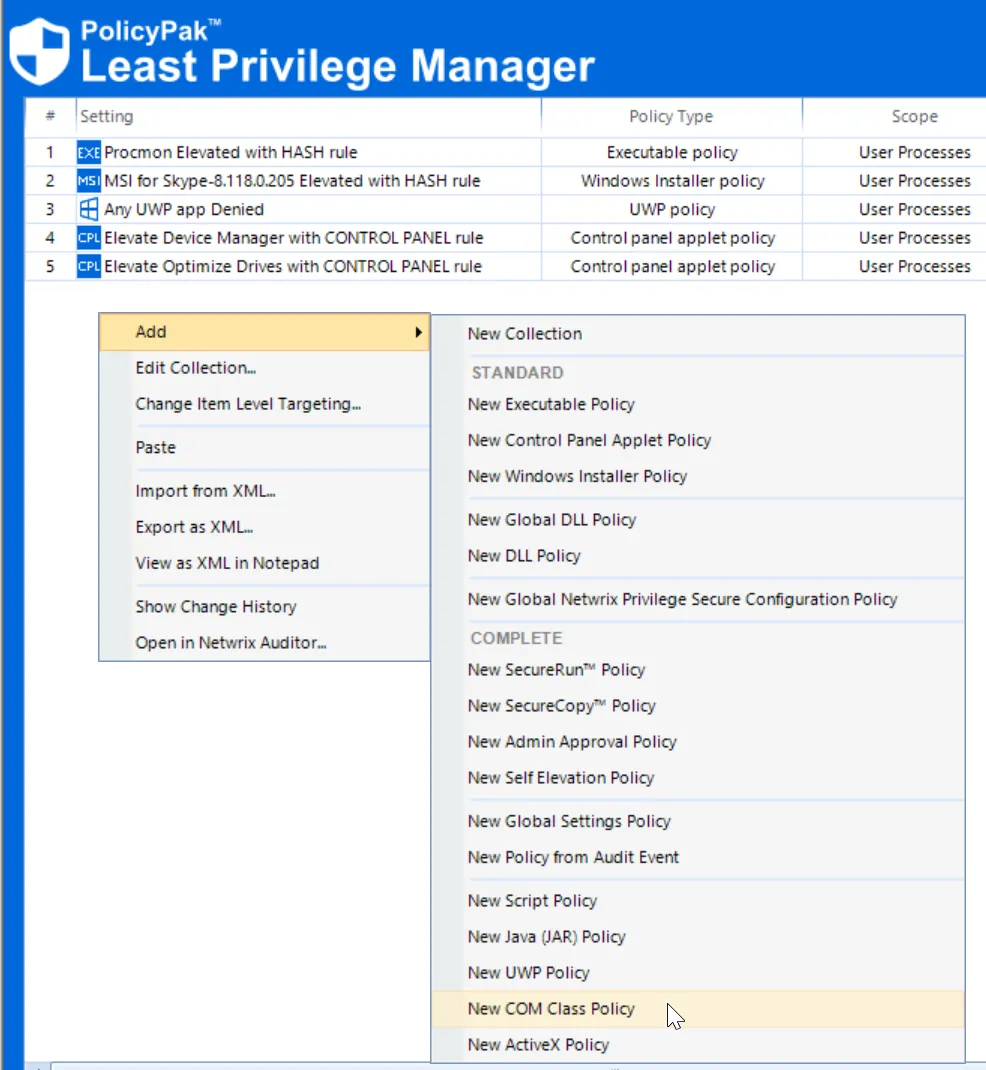
Then create the policy to overcome the UAC prompt by using New > COM Class Policy.
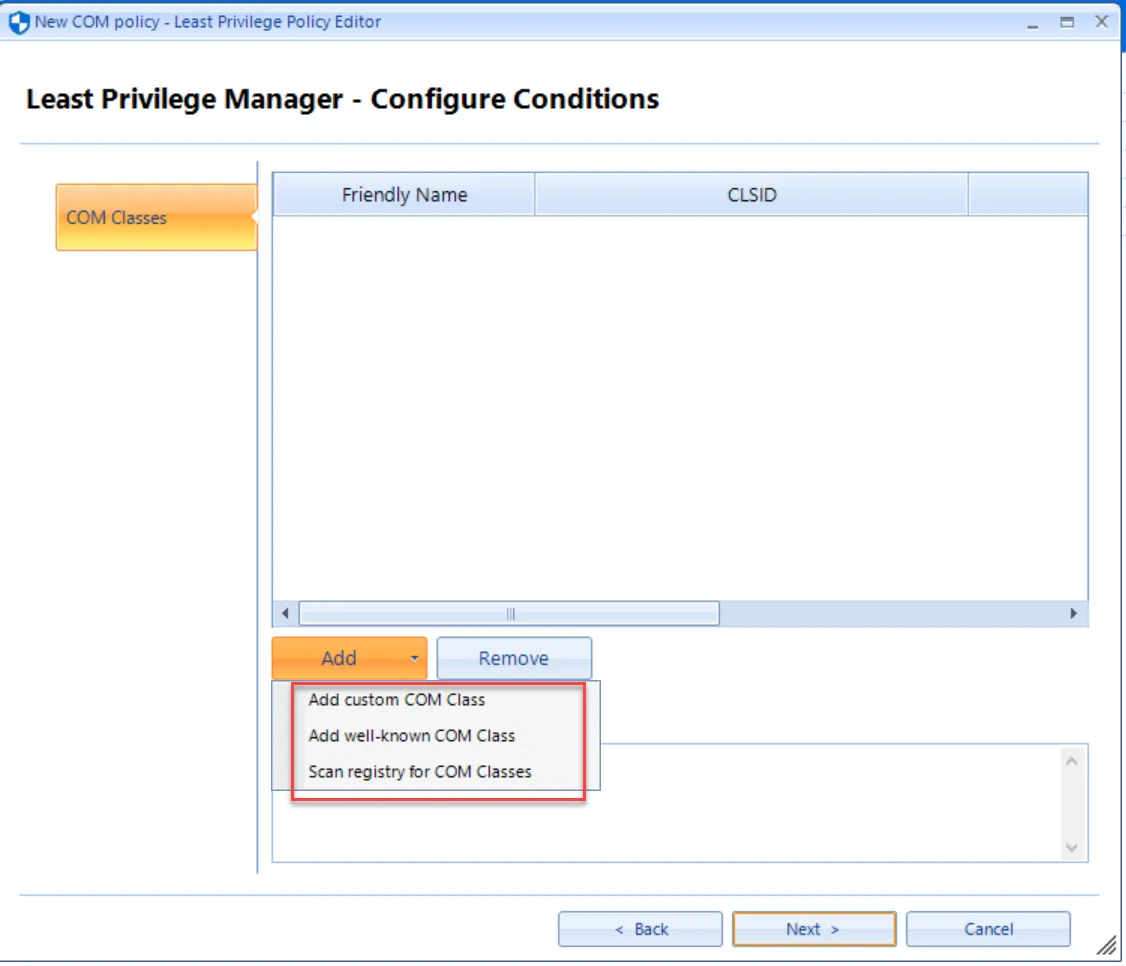
You can then use three methods to provide the CSLID number:
- Add custom COM Class - Typical for installed applications which have a COM function.
- Add well-known COM Class - Typical for operating system functions
- Scan registry for COM Classes - Helpful if you need to locate registered COM items from an example machine.
Those choices can be seen here.
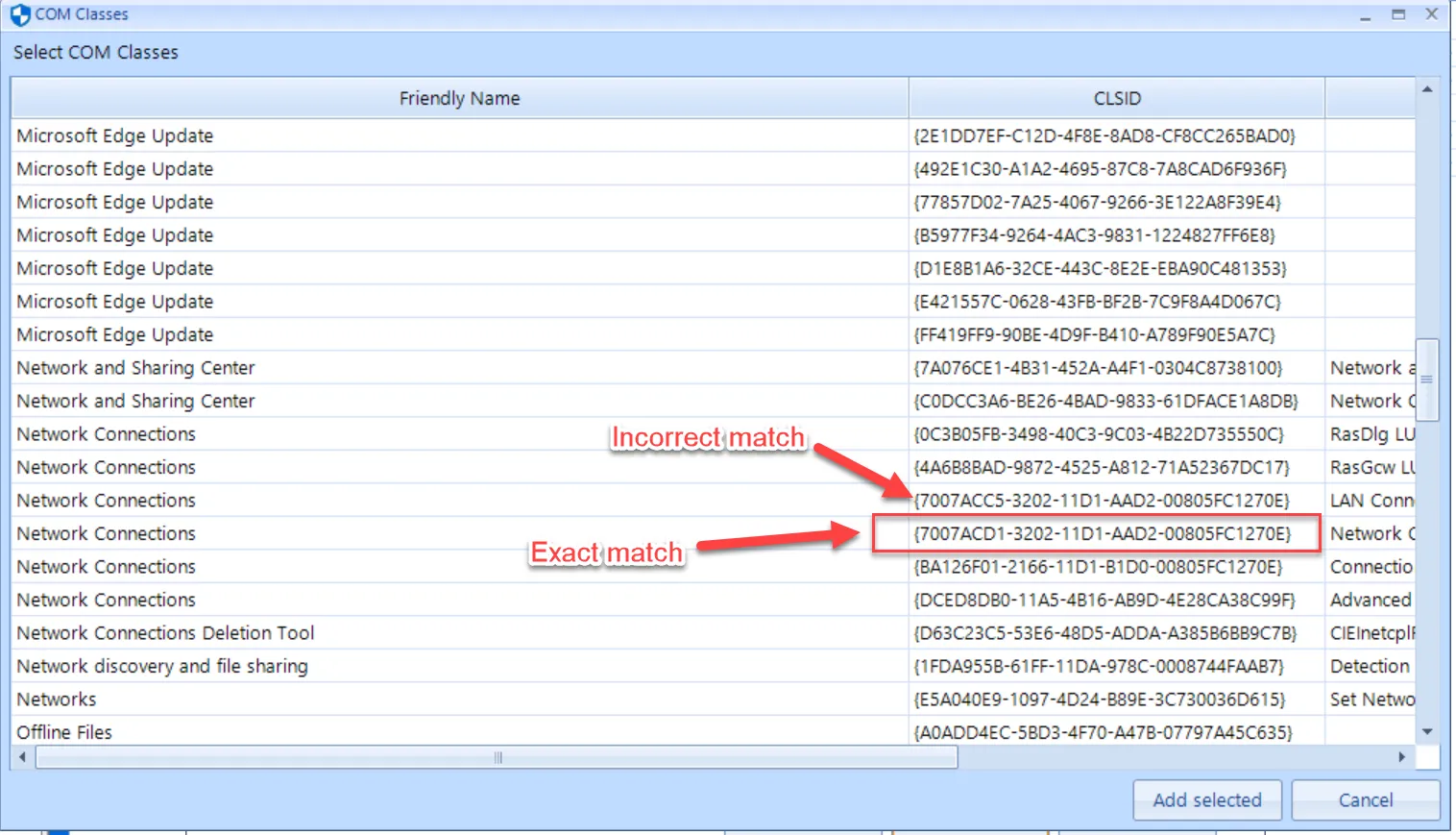
In this example we will Add well-known COM class. Be sure to select the exact match or the function will not work as expected.
After the policy applies, the COM item will have its UAC prompt overcome.