How can I change the behavior of "Run as Admin" with Least Privilege Manager and how has it changed from previous versions?
In 2022, Netwrix PolicyPak introduced a new feature that enables users to elevate the native printers’ dialog, known as elevating NTPRINT.EXE, and also the native Windows Settings control (SystemSettingsAdminFlows.exe). You can review examples of these changes in these two videos:
Least Privilege Manager: Install Printers via Native NTPRINT Dialog
Least Privilege Manager: Edit IP SETTINGS EDIT VIA WIN GUI
When we added this functionality, we also had to also change the behavior for any explicit elevation request normally handled by Run As Administrator requests.
Starting in PolicyPak CSE 3425, you can modify the Run As Administrator behavior depending on the goal you would like to accomplish. You can use PolicyPak ADMX settings to control it. Use this reference to get familiar with the PolicyPak ADMX first: Troubleshooting with ADMX files
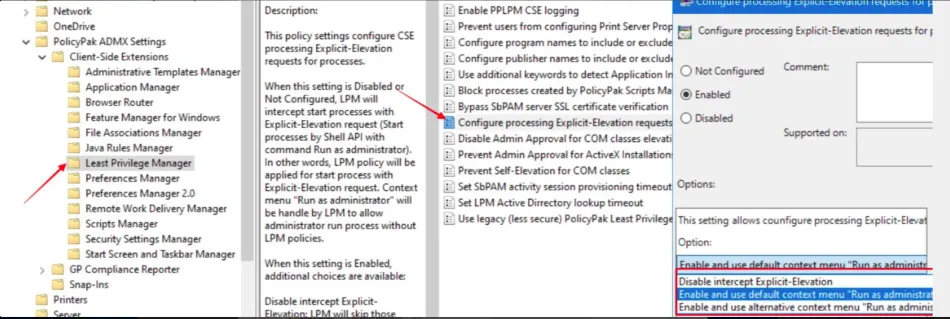
These ADMX settings are also built into PolicyPak Cloud and you're welcome to use those as well. The policy screen shots below in this article were all taken from PolicyPak Cloud.

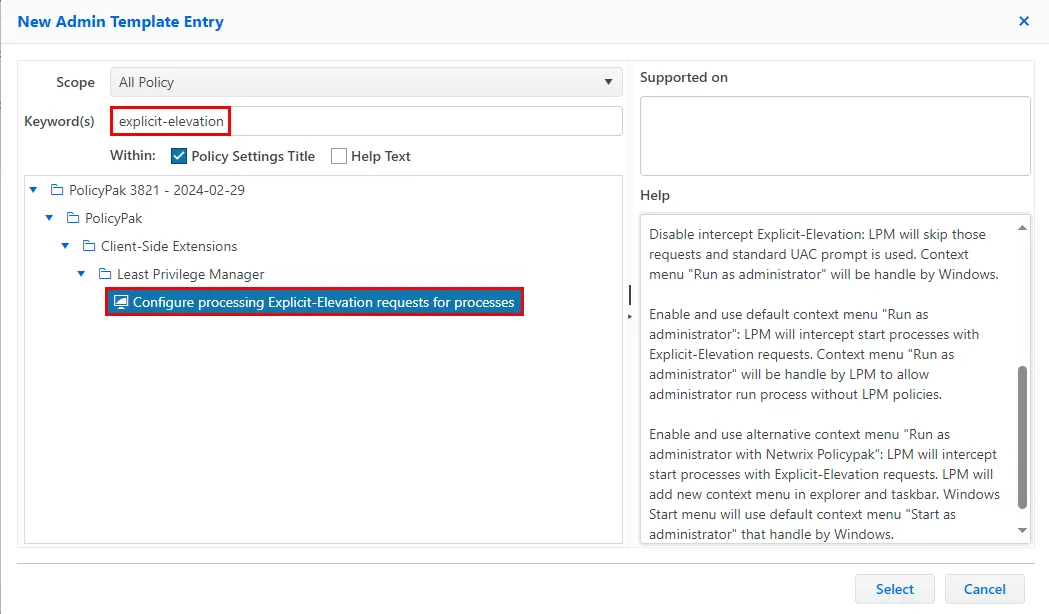
The corresponding Registry location for this setting is:
HKLM\SOFTWARE\Policies\PolicyPak\Client-Side Extensions{58DE0268-6384-49E0-A333-20EC46654B82}\Explicit Elevate
Scenario 1: I want to use the native tools to elevate printers (aka NTPRINT.EXE) and Windows Settings (aka SystemSettingsAdminFlows.exe) and I'm not concerned about Run as administrator issues in Start Menu/File Explorer.
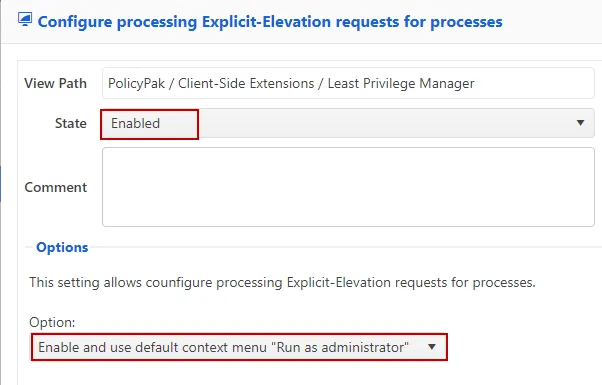
In this case, keep the defaults as-is with Not Configured. You may also set it to Disabled. Optionally, you can set it to Enabled + Enable and use the default context menu Run as administrator. All three of these methods will perform default PolicyPak behavior.
Below are examples showing this (using PolicyPak Cloud).
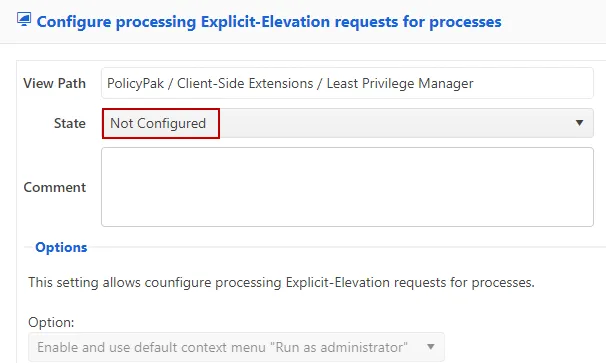
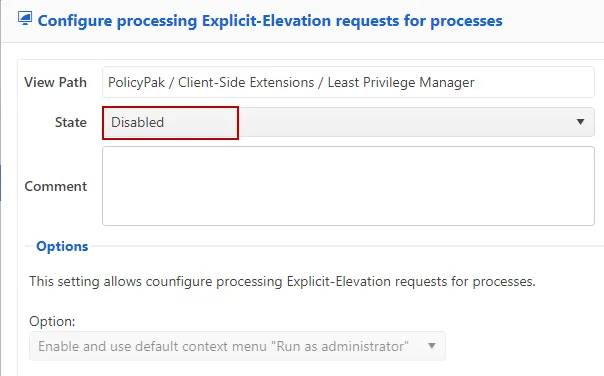
OR

Scenario 2: I don't need to use the native tools to elevate printers (aka NTPRINT.EXE) or Windows Settings (aka SystemSettingsAdminFlows.exe) and I'm having some issues with shortcuts and Run as administrator.
You might find that the default PolicyPak behavior is interfering with the way your users normally interact with Run as administrator commands. Here’s an example you might encounter (there are others, but this one is easy to see):
When right-clicking an executable and selecting Run as administrator, you receive the following error: “There are no more endpoints available from the endpoint mapper”.

If you want to work around this issue, you could specify Configure processing Explicit-Elevation requests for processes: Enabled + Disable intercept Explicit-Elevation.
This will turn off the new Intercept Explicit-Elevation behavior in LPM and revert the Run as administrator to Windows default behavior. As a result,Run as administrator requests will be handled by Windows OS and not PolicyPak.
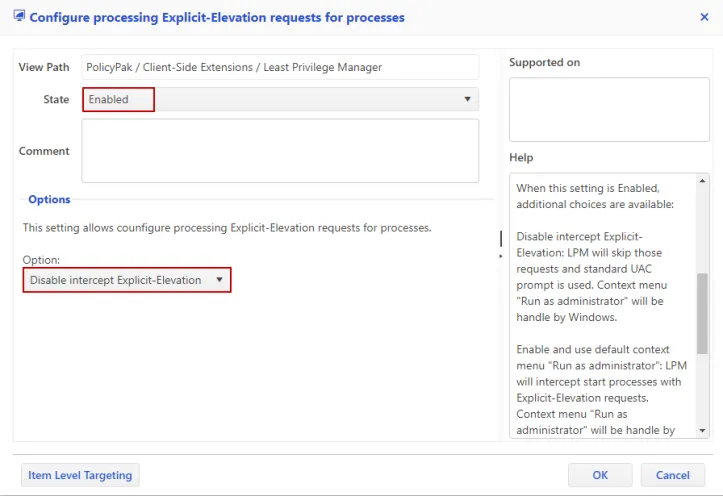

Because this method will ALSO turn off NTPRINT.EXE elevations, you can still use the legacy Printer elevation method within “PolicyPak Helper Tools” to perform Printer operations in this mode, because it doesn’t rely on the updated functionality to perform elevation directly upon NTPRINT.EXE. To see the PolicyPak Helper Tools in action to add printers, please refer to these videos: Least Privilege Manager > Video Learning Center.
Scenario 3: I want to use the native tools to elevate printers (aka NTPRINT.EXE) AND Windows Settings (aka SystemSettingsAdminFlows.exe) and I also sometimes need to perform Run as administrator operations.
In this case, use Enabled + Enable and use alternative context menu "Run as administrator with Netwrix PolicyPak".
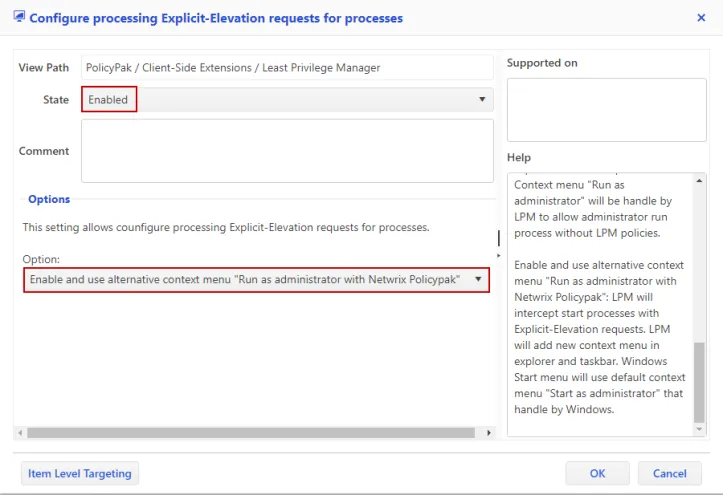

This will allow you to elevate NTPRINT.EXE operations. However, when a user selects the original Run as administrator menu option, it will be intercepted by PolicyPak Least Privilege Manager.
As a workaround, users will see, and should use, Run as administrator with Netwrix PolicyPak menu to ensure UAC works.
Here’s an example when this option is selected:

Now users can perform the same Run as administrator type of operation, but they will need to use the PolicyPak-supplied Run as administrator with Netwrix PolicyPak.