Remote Work Delivery Manager with PolicyPak Cloud and MDM Services
Netwrix PolicyPak Remote Work Delivery Manager works with PolicyPak Cloud like all other PolicyPak components. But there is a special way to make policies from within PolicyPak Cloud. Additionally, PolicyPak Remote Work Delivery Manager works perfectly with your MDM service to keep files automatically updated on endpoints. We'll explore both of these options in the following sections.
Remote Work Delivery Manager and PolicyPak Cloud Lite Policies
For a video showing how to create and use PolicyPak Cloud Lite policies with PolicyPak Remote Work Delivery Manager, watch: Deploy software with PolicyPak Cloud.
You may recall from other components' manuals that you must always do the following:
- Create a policy within the GPMC from an on-prem computer (usually a DC or computer joined to a DC)
- Export the policy from the GPO into an XML
- Upload the policy into PolicyPak Cloud
If you wish to deliver standard policies and web policies, this workflow is still required. After the policy is created, you can click the policy, and select Show Policy Settings to see the result of the policy you just created.
Remote Work Delivery Manager and MDM Services
See Copy files and keep them up to date with your MDM servicefor additional information on how to use PolicyPak Remote Work Delivery Manager and your MDM service to keep files up to date
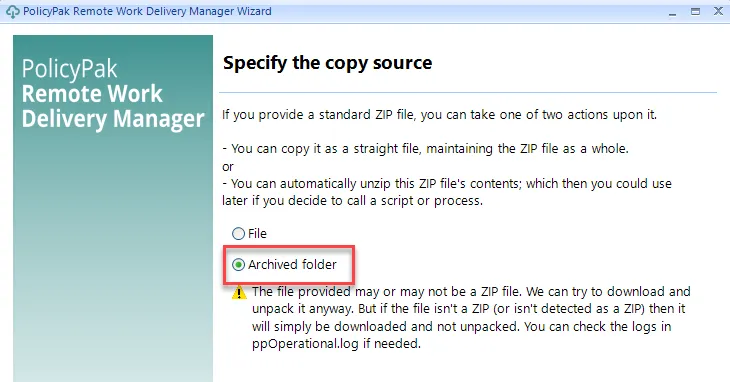
You get a special superpower when using PolicyPak Remote Work Delivery Manager with your MDM service. Specifically, you can make and deliver a policy one time, which will deliver one or more files and will keep them updated. By itself, your MDM service has no way to deliver just one file, or multiple files. But with PolicyPak Remote Work Delivery Manager you are able to pre-stage your files on a file service of your choice, like Amazon S3 or a ZIP file. Then, you can make a web policy to deliver that file, which will periodically look for changes and make sure those changes are made automatically on endpoints. For instance, if you created a web policy, and used a .zip file, then you can select Archived folder.
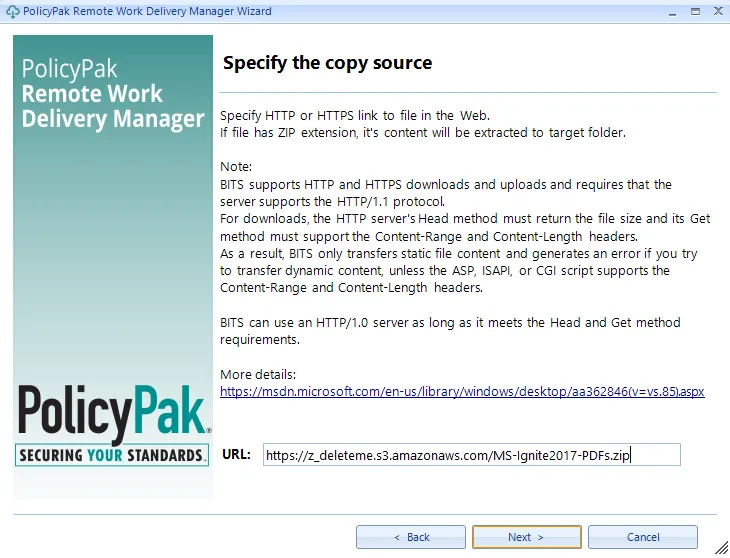
Next, specify the overwrite mode.
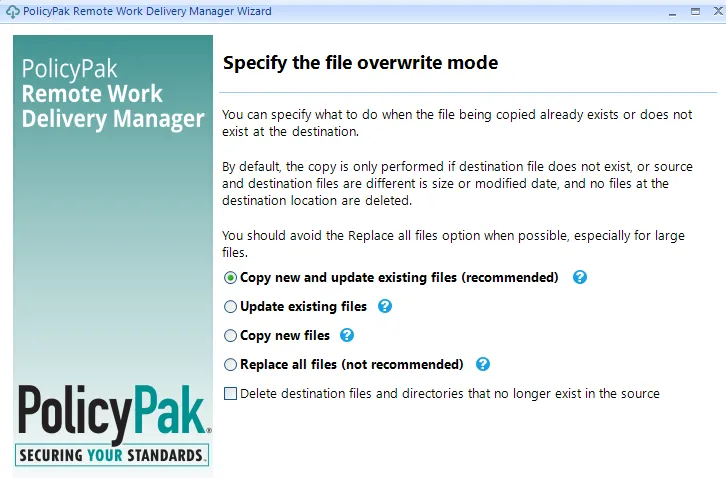
After the PolicyPak Remote Work Delivery Manager policy setting is delivered one time using your MDM service, all you need to do is update the ZIP file as needed. PolicyPak keeps those files updated on your endpoints.