Getting to Know Scripts & Triggers Manager
Netwrix PolicyPak Scripts & Triggers Manager is contained within the PolicyPak node, as demonstrated in Figure 4. PolicyPak Scripts & Triggers Manager MMC snap-in enables you to create a new PolicyPak Scripts & Triggers Manager policy or collection.
You will only see the PolicyPak Scripts & Triggers Manager node when the latest Admin Console MSI is installed on the management station.
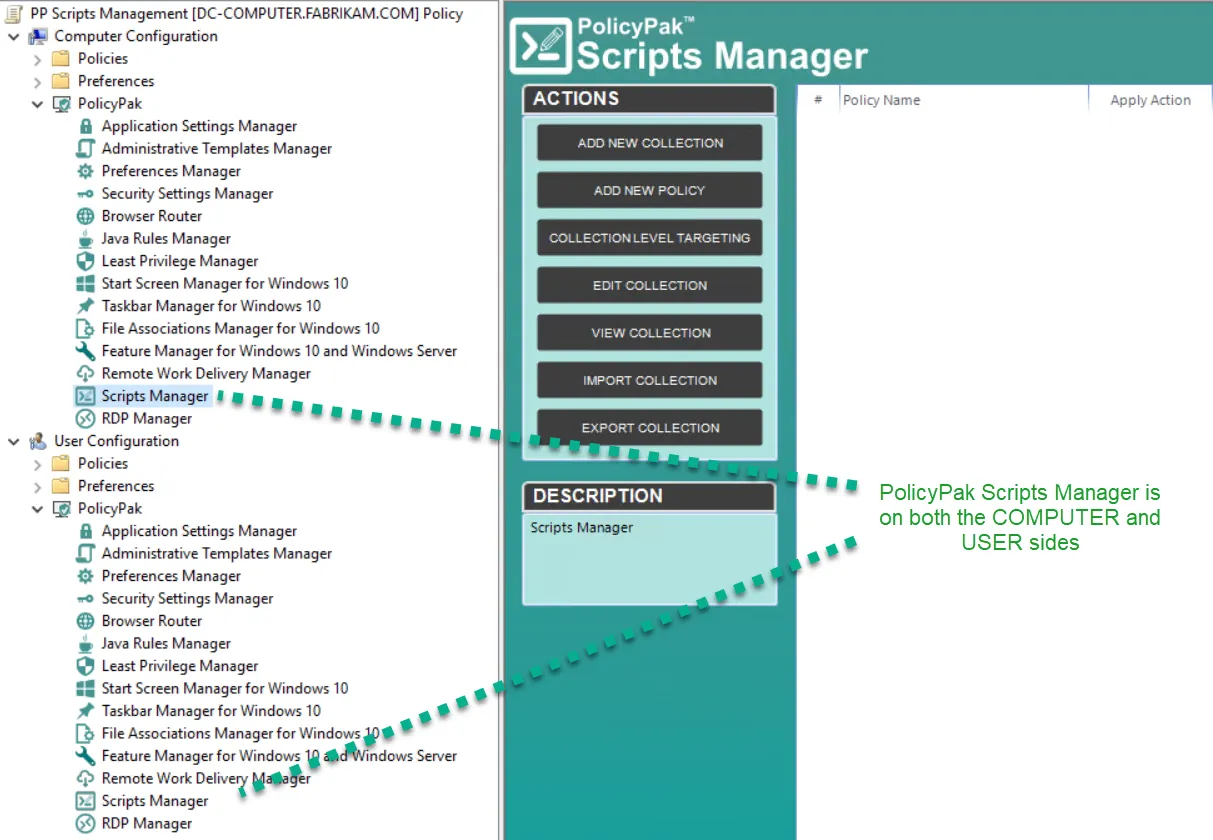
Figure 4. The location of the PolicyPak Scripts & Triggers Manager.
The functions of collections and policies are as follows:
- Policies are the rules that perform the work.
- Collections are groupings of policies.
The next section provides a Quickstart to using PolicyPak Scripts & Triggers Manager. We suggest you download the sample scripts that we've provided on our website to your management station and follow along. Select the Guidance XMLs and Scripts category, then download them, as seen in Figure 5.
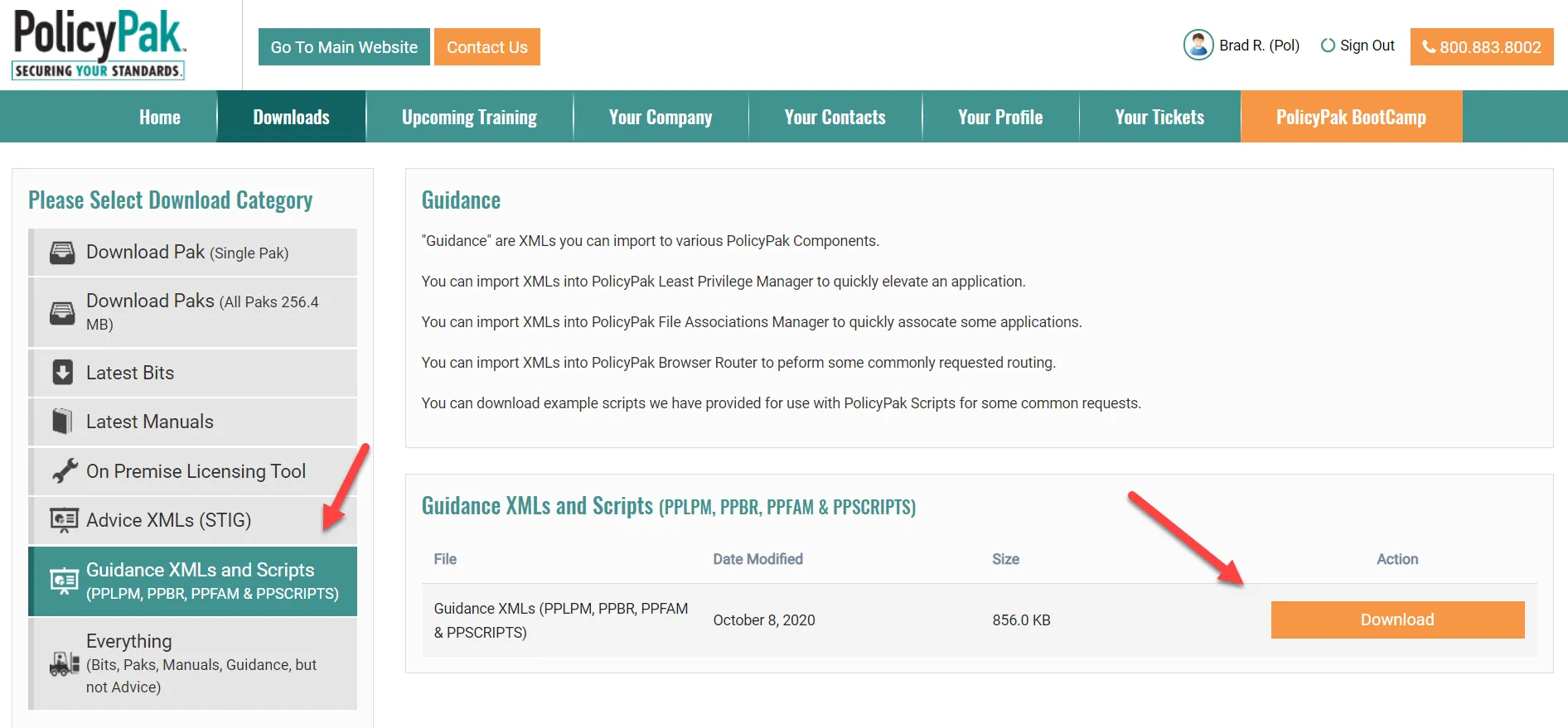
Figure 5. Download the PolicyPak scripts from the Guidance XMLs location in the PolicyPak Portal.
Before continuing, make sure you have the downloaded script examples unpacked and ready to go. You should have a folder that looks similar to what's seen in Figure 6.

Figure 6. PolicyPak script examples unpacked.