Troubleshooting
The most common problem with Netwrix PolicyPak Scripts & Triggers Manager happens during the initial application. Here are some tips when trying to troubleshoot PolicyPak Scripts & Triggers Manager.
PolicyPak Scripts & Triggers Manager's log files are found in the following folder:
%Programdata%\PolicyPak\PolicyPak Scripts Manager. This is because PolicyPak Scripts
& Triggers Manager affects the Computer side (and all users on that computer). It's also possible
there might be some user-side logins in the following folder:
%appdata%\local\PolicyPak\PolicyPak Scripts Manager. But these will not be useful since all
PolicyPak Scripts & Triggers Manager work happens on the Computer side.
There are several files to check in the folder:
%Programdata%\PolicyPak\PolicyPak Scripts Manager. These files are as follows:
ppUser_OnLogon.log: New data is added to this log when Group Policy applies at the time of login (and items are set for the user, not the computer).ppUser_Switched.log: New data is added to this log when Group Policy applies at the time of login (but items are set for the computer).ppUser_OnGroupPolicy.log: New data is added to this log when Group Policy applies in the background (on GPupdate or when Group Policy applies in the background).ppUser_onPolicyChanged.log: New data is added to this log when Group Policy applies in the background or when a method other than Group Policy is used (Microsoft Endpoint Manager [SCCM and Intune], PolicyPak Cloud, and so on).
Step 1 – Start with troubleshooting to verify that you are set up with the following scenarios:
- You have the group policy object (GPO) or file.
- You have a collection within the GPO.
- You have the policies within the collection.
Figure 33 shows an example of a PolicyPak Scripts & Triggers Manager log with some annotations.
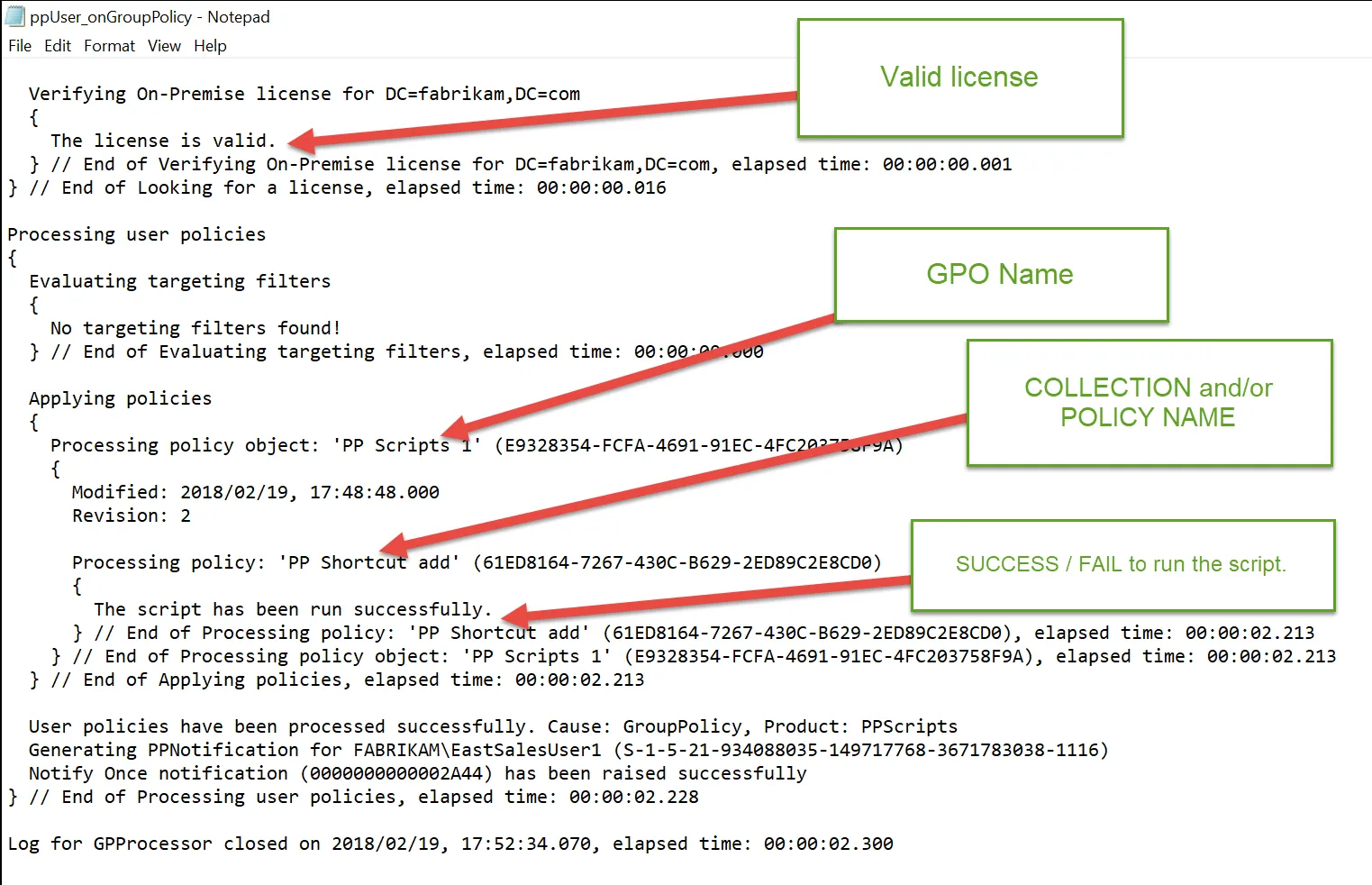
Figure 33. An example of a PolicyPak Scripts & Triggers Manager log.
Step 2 – If needed, logs are automatically wrapped up and can be sent to support by opening a support ticket using the PPLOGS.EXE command on any endpoint
where the client-side extension is installed.