Exporting Collections
Appendix A: Using PolicyPak with MDM and UEM Tools explains how to use the PolicyPak Exporter to wrap up any PolicyPak directive and deliver it using Microsoft Endpoint Manager (SCCM and Intune), KACE, your own MDM service, or PolicyPak Cloud. For PolicyPak Cloud, you should automatically acquire a license as seen in Figure 50. For PolicyPak with an MDM service, the license should come in your MSI license bundle.
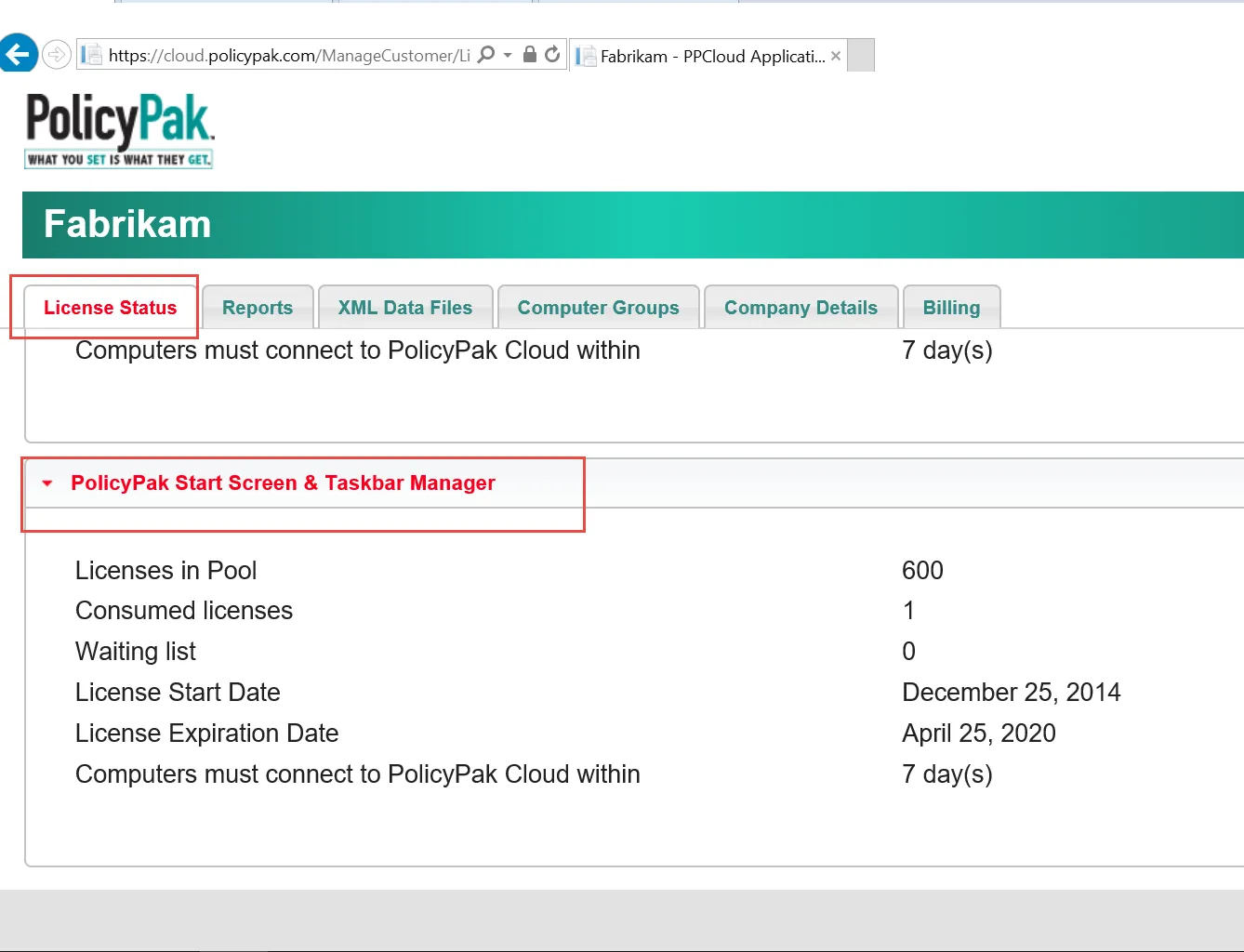
Figure 50. PolicyPak Cloud customers are licensed for PolicyPak Start Screen & Taskbar Manager.
For a video demonstrating the use of PolicyPak Cloud with PolicyPak Start Screen & Taskbar Manager, see PolicyPakStart Screen & Taskbar Manager: Manage non-domain joined machines using PolicyPak Cloud.
To export a policy for later use with PolicyPak Exporter or PolicyPak Cloud, right-click the Start Screen Manager node, or a collection, and select "Export Collections as XML," as demonstrated in Figure 51 and Figure 52.
For a video of exporting PolicyPak Start Screen & Taskbar Manager and using PolicyPak Exporter with an MDM service, watch PolicyPak and MDM walk before you run.
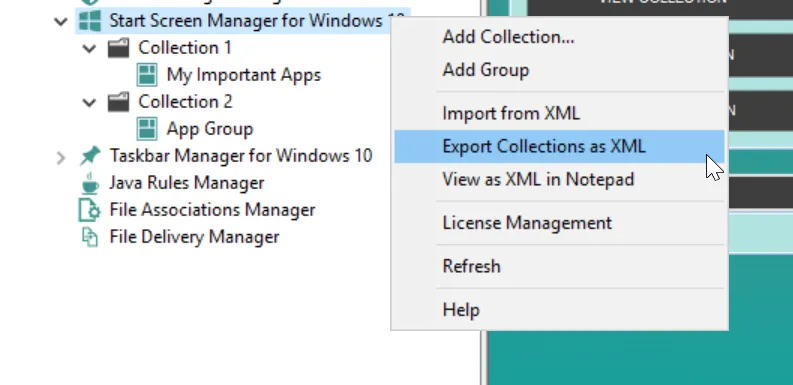
Figure 51. Exporting all collections for later use.
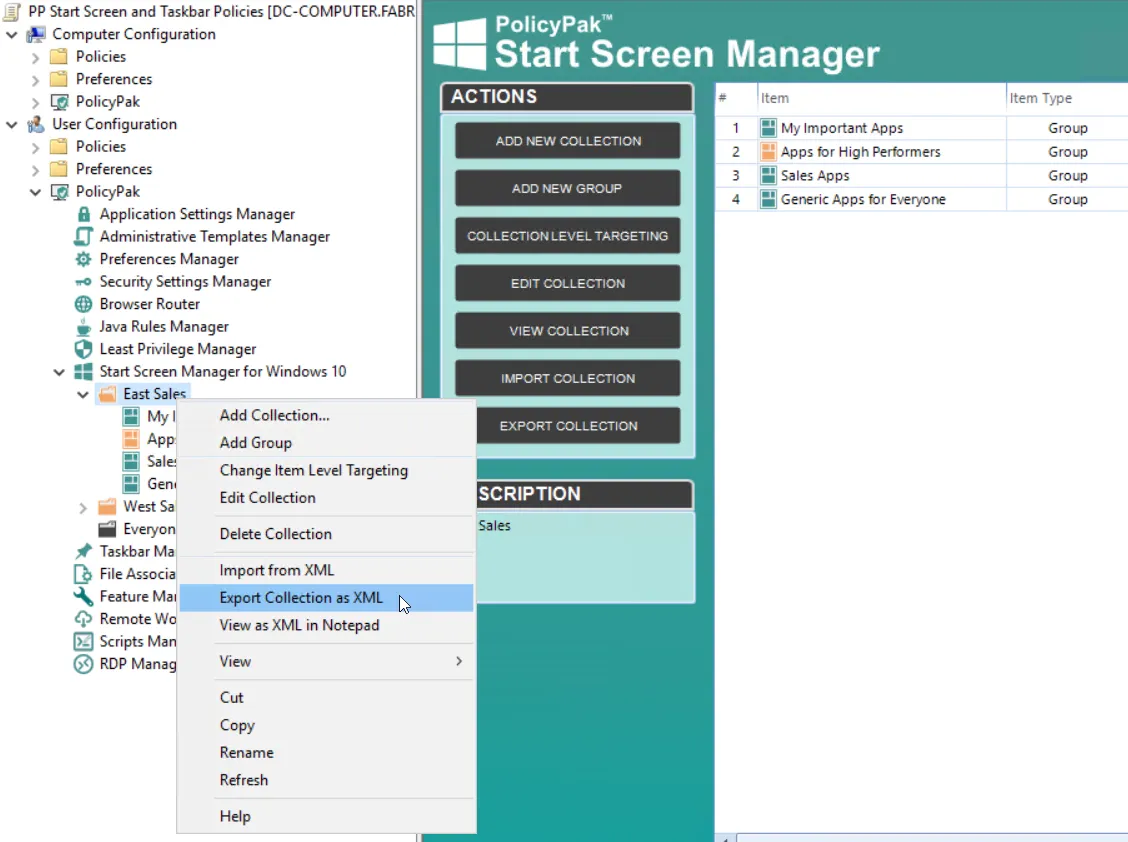
Figure 52. Exporting the policy for later use.
Note that exported collections or policies maintain any Item-Level Targeting set within them. If you've used items that represent Group Membership in Active Directory, then those items will only function when the machine is domain-joined. For more information about exporting settings and using PolicyPak Exporter utility, see Appendix A: Using PolicyPak with MDM and UEM Tools.