Microsoft August 2024 Updates Breaking New Item-Level Targeting in GPOs
Netwrix PolicyPak Item Level Targeting and Microsoft Item Level Targeting editors may be adversely affected when OS Build 17763.6189 or OS Build 20348.2655 is applied to a system with the Group Policy Editor. In short, the “User in Group” option is not available when editing new Group Policy Preferences or PolicyPak items or when editing old items.
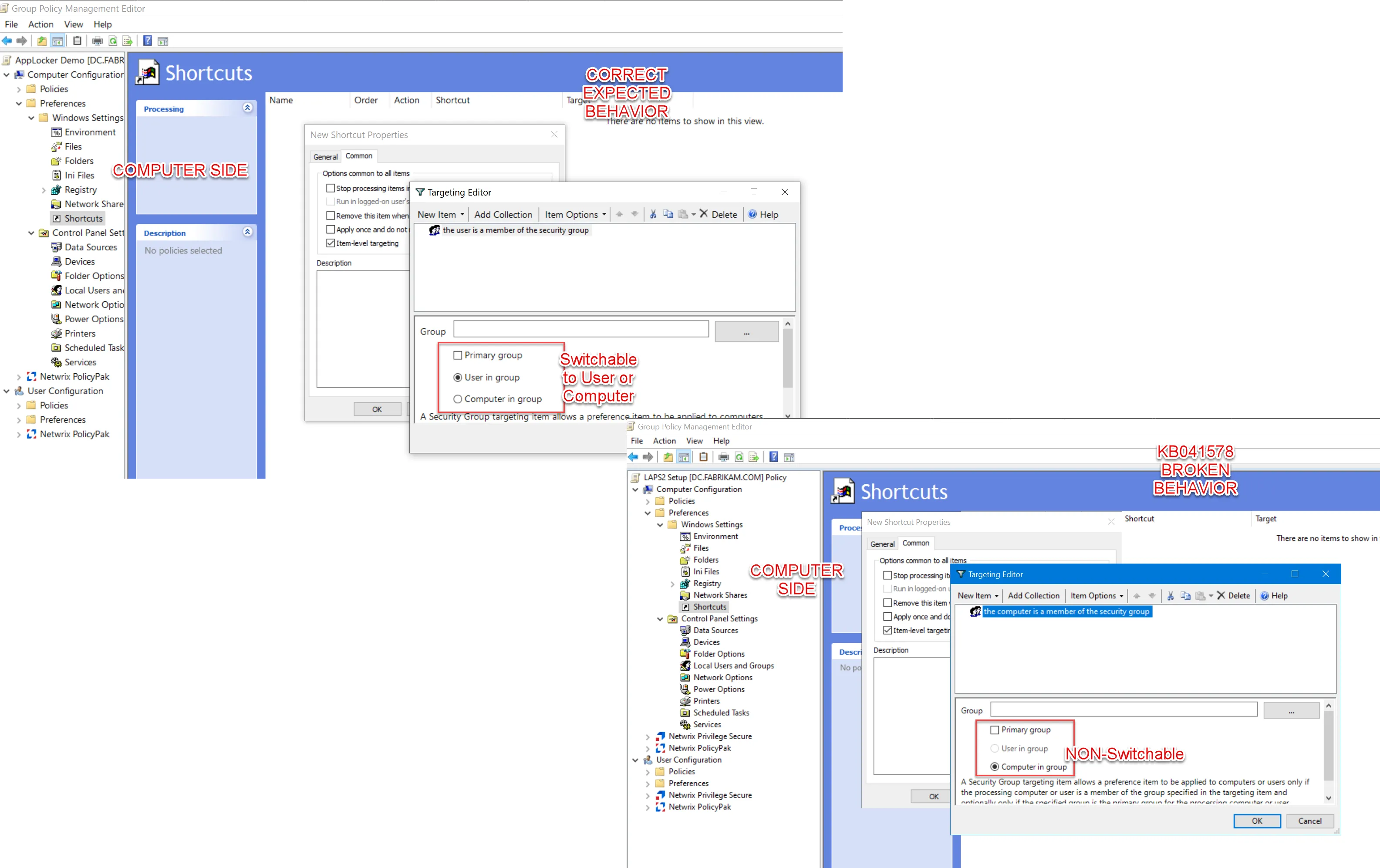
Workaround options
There are three workaround options that can be used to fix the affected GPOs. See the available options below.
Option one: Uninstall
Uninstall the affected KB items using Control Panel. This will revert the original editing behavior.
Option two: Modify Policy
Copy/Paste a Group Policy Preferences or PolicyPak Item with “already working” ILT and then modify the policy to perform the operation; leaving the “already working” ILT in place.
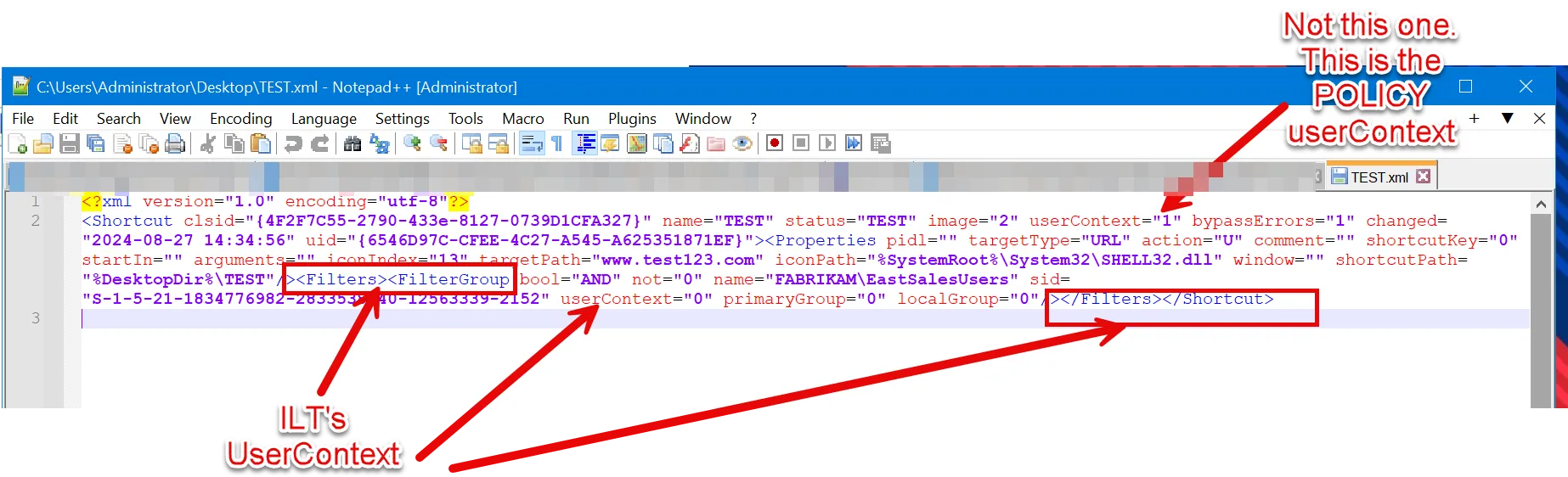
Option three: Hand Edit the XML:
Step 1 – Make your policy and get the ILT as close as possible using “Computer in Group” instead of “User in Group.”
Step 2 – Drop the XML to Notepad. Hand edit the policy to userContext="1" (0=Computer is in
Group).
Step 3 – Delete the original policy.
Step 4 – Drop in the modified policy.
The modified policy will process correctly, but the editor still wont magically show “User in group.”