Downloading On-Prem Software from the Portal
As part of your welcome kit to PolicyPak Cloud, you should have received a second email with access to the PolicyPak Customer Portal. The PolicyPak Customer Portal is not the PolicyPak Cloud service. The PolicyPak Customer Portal is where you can download the latest install files if you are also an on-prem customer. The Portal enables you to download the on-prem version of the software (the Bits), AppSets (for use with PolicyPak Application Settings Manager), manuals, and XML examples, which can be used with PolicyPak Least Privilege Manager, PolicyPak Scripts Manager, and so on.
You might be wondering why you need access to the Portal if nearly everything can be done within the PolicyPak Cloud service. You still need the PolicyPak on-prem "Bits" when using PolicyPak Cloud because you will need them to create some directives within the Windows 10 GPMC MMC console whenever there is no corresponding in-cloud editor for a component. As such, we recommend you download the Bits and organize them to create a small on-prem test lab. Your on-prem test lab is 100% free and can be used to test examples without PolicyPak Cloud possibly interfering. This also enhances quick troubleshooting. Moreover, there are always going to be some advanced policy creation items which can only be done in the MMC console first, then exported for use with PolicyPak cloud.
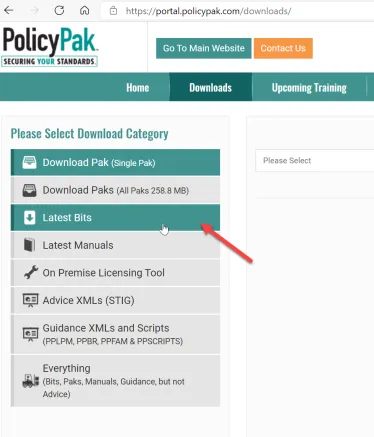
The main menu for the PolicyPak Customer Portal is shown below.
Video: For an overview on how to use the PolicyPak Customer Portal, please watch this video: https://www.policypak.com/customerportal.
For now, downloading the Bits is sufficient, but you are also welcome to download everything. If you do, you will get a ZIP file with the following:
- Manuals for this product and other products
- Examples to use in your PolicyPak Cloud Quickstart
- A ZIP file containing pre-configured AppSets for PolicyPak Application Settings Manager
- A ZIP file containing the CSE
- Our on-premise licensing utility (not used at all for PolicyPak Cloud)
The PolicyPak on-prem Bits files are shipped as an ISO so you can quickly make use of the download in virtual environments (which can easily mount ISO files) or to burn your own CDs.
Below you can see the list of files and directories that are inside the PolicyPak ISO download.
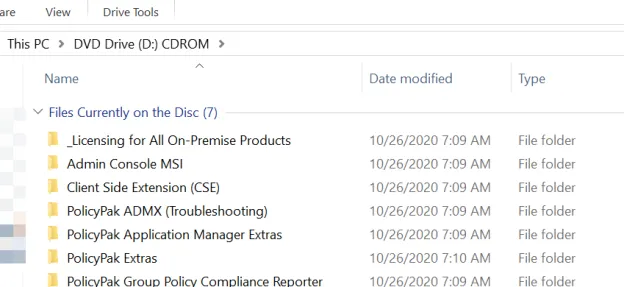
You won't need most of these items for PolicyPak Cloud. Indeed, the only folders you need are the Admin Console MSI folder and the Client Side Extension (CSE) folder, as explained in the next section.