XML Data Storage
Once the PolicyPak Cloud client MSI is installed, the following directories are
produced on the client %programdata%\PolicyPak\XMLdata folder, as shown in Figure 154:
- Cloud
- Computer
- Groups
- Users
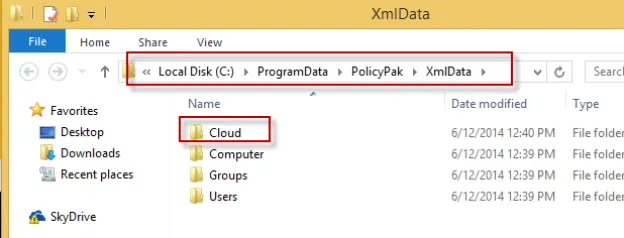
Figure 154. Directories in the XmlData folder.
When the PolicyPak Cloud client downloads XML data files from the PolicyPak Cloud service, it puts those files in the Cloud directory, as shown in Figure 155.
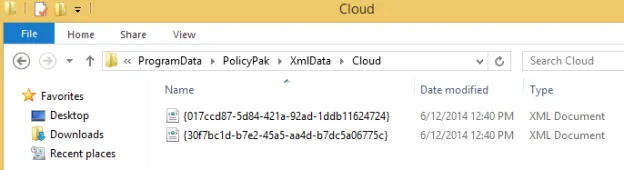
Figure 155. Downloaded XML data files.
Note that normal, standard, non-admin users do not have permissions in the
%programdata%\PolicyPak folder and cannot delete or change these directives. The PolicyPak system can receive settings from a variety of sources:
- PolicyPak Cloud
- Group Policy
- File-based XML data files (wrapped up via PolicyPak Exporter and delivered by SCCM or placed by hand)
All data sources are additive. This means you can have any number of Group Policy Objects (GPOs), XML data files, and PolicyPak Cloud policies, and they will all merge, unless there's a conflict between two directives. In that case, there is a precedence order. The specific order that PolicyPak uses to apply data is the following:
Step 1 – PolicyPak Cloud data is processed first.
Step 2 – XML data files are processed next in the following order:
- Group
- User
- Computer
Step 3 – Group Policy is processed next in the following order:
- User side
- Computer (switched) side
- Computer (not switched) side (rare case)
Therefore, for instance, if you delivered a setting using PolicyPak Cloud for Java, then undelivered that same setting using an XML data file, and then used Group Policy to re-deliver that same setting, Group Policy would always win. In short, directives delivered by PolicyPak Cloud have the least precedence, and Group Policy always wins.