MDM and UEM Tools Quick Start
You might want to use PolicyPak along with the following UEM tools:
- MEMCM (formerly known as SCCM) (video: Perform Desktop Lockdown using Microsoft SCCM and PolicyPak )
- Microsoft Intune (video: PolicyPak and Microsoft Intune)
- Symantec Altiris
- Dell KACE
- LabTech
- PDQ Deploy (videos: Deploy and Manage Firefox with PDQ Deploy and PolicyPak and Deploy and Manage WinZip with PDQ Deploy and PolicyPak )
- Specops Deploy
- Microsoft Group Policy Software Installation
- Manual installation (when running with admin privileges)
The wrapped up MSI files from PolicyPak should work with just about any other software distribution tool as well. Therefore, you can quickly deploy PolicyPak directives without needing to use Group Policy to deploy your settings. Just create the XML data file, use PolicyPak Exporter to make an MSI, and then use your software deployment tool of choice to deploy the MSI. Once the MSI is delivered to the target machines, the users will pick up the XML files in their own directories (or the Computers folder), and PolicyPak components will receive their directives. We've provided a handful of XML files you can use. You can find them in the PolicyPak Portal in the "Latest Manuals" section, as shown in Figure 1.
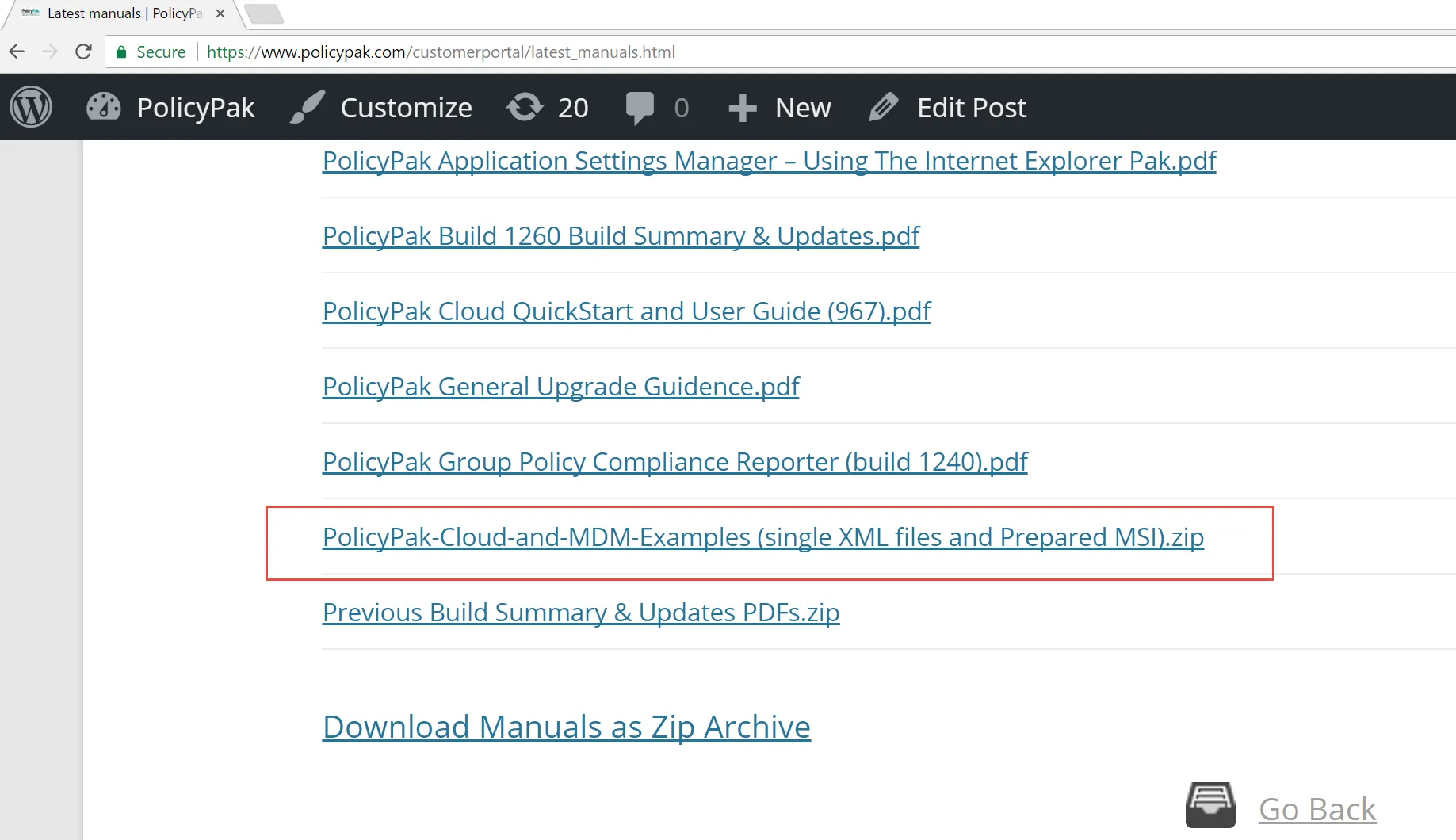
Figure 1. The list of XML files in the PolicyPak Portal.
Once unpacked, you should see a list of example XML files, displayed in Figure 2, which are wrapped into an example MSI.
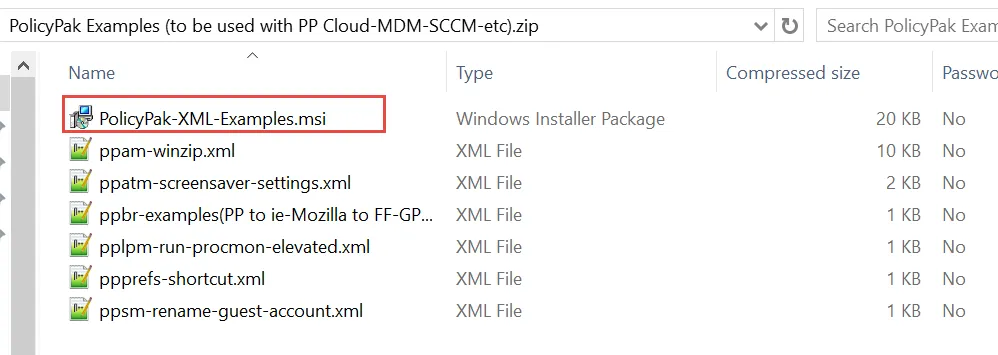
Figure 2. The wrapped XML file example.
The provided PolicyPak -XML-Examples.msi can be used immediately and contains a
wrapped-up version of the provided XML files. Below is a summary of what each XML example does:
Ppam-winzip.xmlchanges settings in the Password tab of WinZip 14.0 and 14.5.Ppatm-screensaver-settings.xmlsets the Windows screensaver to 17 minutes and forces the machine to be locked when it is powered back on.Ppbr-examplesmakes some sample PolicyPak Browser Router routes. Specifically, it will route policypak.com to Internet Explorer, GPanswers.com to Chrome, and Mozilla.org to Firefox, and it will block Facebook.com.Pplpm-run-procmon-elevated.xmlenables Process Monitor to bypass UAC prompts and run elevated.- P
pprefs-shortcut.xmlshows a PolicyPak shortcut item on the desktop. Ppsm-rename-guest-account.xmlrenames the local Guest account to ppGuest.
By starting your journey with our pre-configured examples, we can help you troubleshoot a lot faster than if you try other items, so we suggest you start with these examples.
Quick Start with MSI files and a UEM Tool
Below are two videos you can use to get familiar with how to export settings and then use them with a UEM tool.
- Deploy Real Group Policy using SCCM or Other Management System!
- Deploy PolicyPak Settings Using SCCM or Other Management System!
Quick Start with MSI files and an MDM Tool
To get started quickly with our sample MSI files and an MDM tool, we recommend watching the following video:
Then, you can learn more about how to use PolicyPak with your own MDM tool on this page: Getting Started with MDM > Video Learning Center.