Checking Success Events
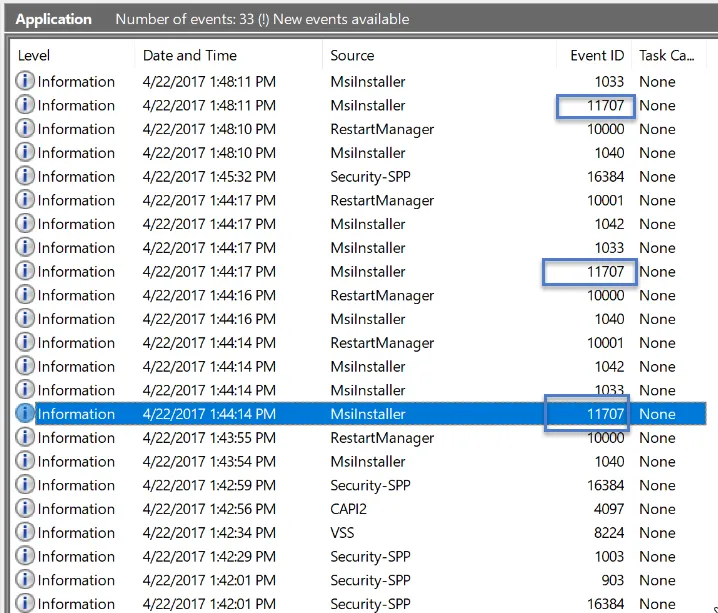
Because MDM does not notify you when something is wrong, the hardest part about using it with PolicyPak is getting each MDM service to reliably install all three PolicyPak items as expected. Go to Windows > Application log, and look for 11707 events, which are success events verifying that one, two, or all three of the items have been successfully installed. Those three items would be the PolicyPak CSE MSI, the PolicyPak license file MSI, and the PolicyPak wrapped up policies MSI. However, if 11707 events do not appear, it does not necessarily mean something has gone wrong. MDM could be taking a long time to install the MSIs.
If you want to take PolicyPak out of the picture and verify that your MDM service is correctly deploying any MSI, we recommend the following free MSI, called Terminals MSI. The starting page can be found at https://github.com/terminals-Origin/Terminals. While on that page, look for the link to Terminals Version 4.0.1.
By attempting to deploy the free Terminals MSI without any other PolicyPak MSIs, you can see if the problem is in the MDM deployment of MSIs in general. For instance, you might have the MDM targeting set up incorrectly or there might be some other MDM problem that you can work with your MDM vendor to solve.