XML Data Files from PolicyPak Feature Manager
PolicyPak Feature Manager settings can be exported as an XML file. You can export a
single policy, a collection, or the whole node. Feature Manager only supports computer rules. In
this example, we have created an install rule and an uninstall rule, and we are exporting the entire
collection by right-clicking Computer Configuration | PolicyPak | Feature Manager for Windows 10
and Windows Server and picking the collection we wish to export.
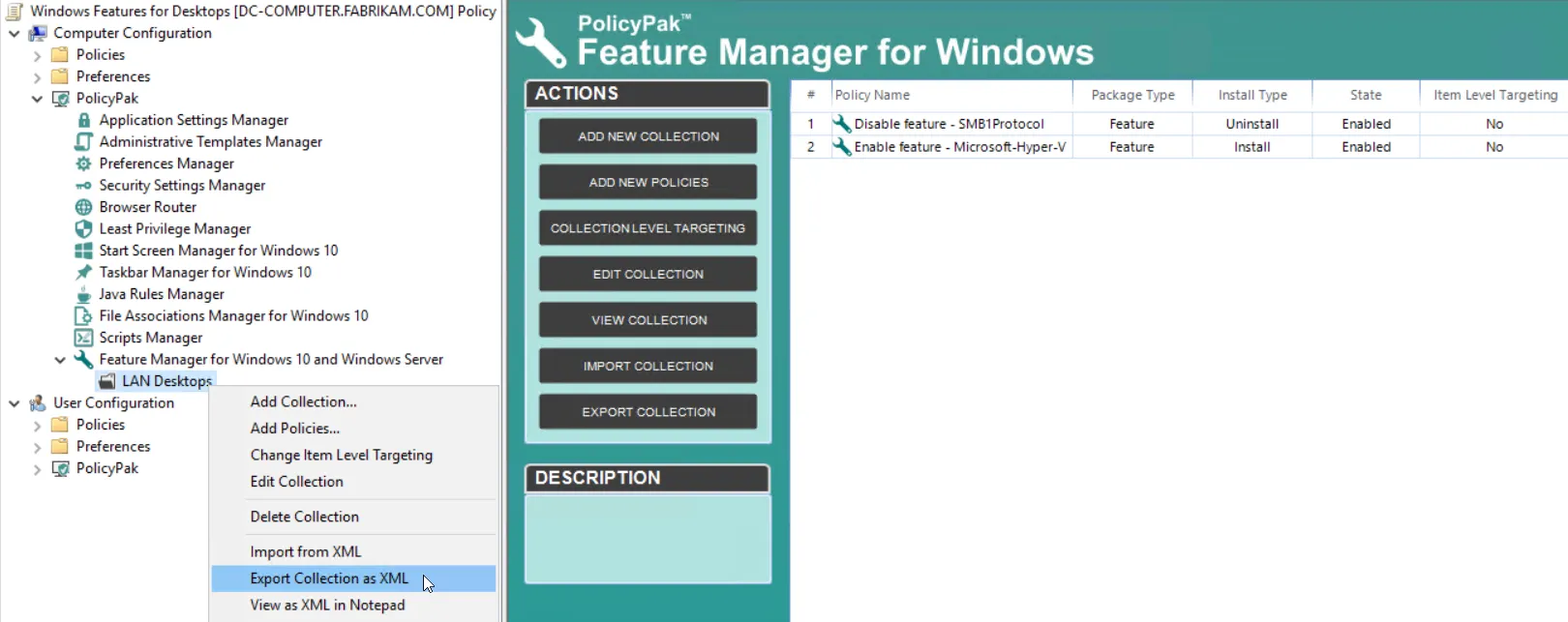
Figure 28. Exporting a whole collection using PolicyPak Feature Manager.
Alternatively, we could select a designated setting to export as well. Right-click
Computer Configuration | PolicyPak | Security Manager, and select the setting that is available in
the menu, as shown in Figure 29.
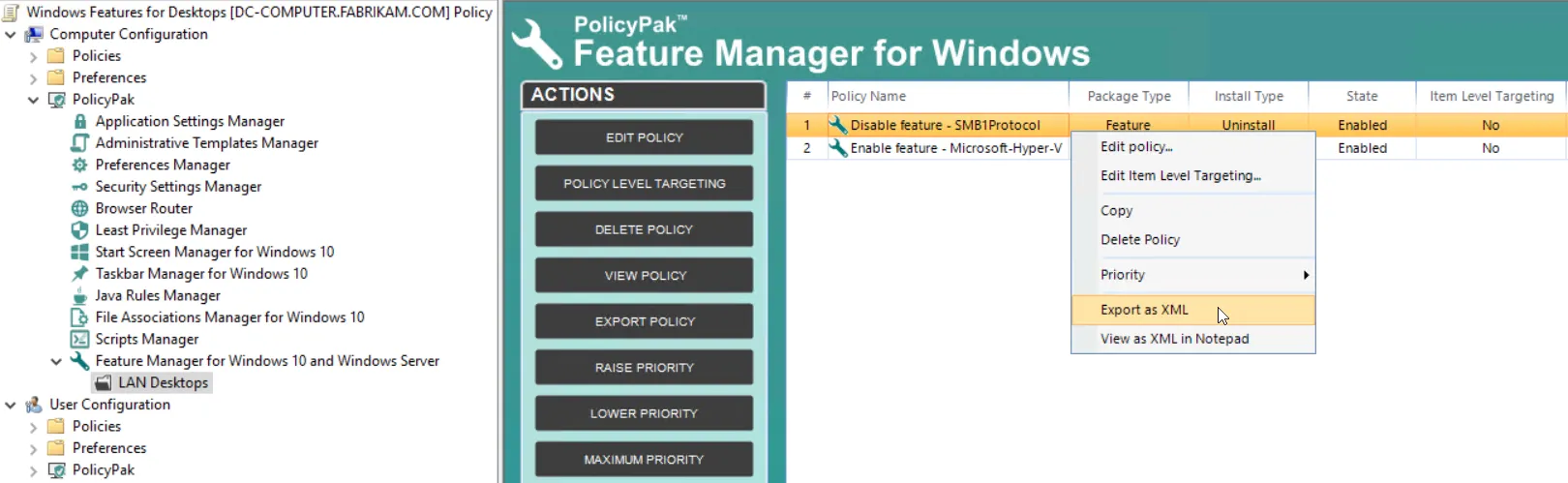
Figure 29. Exporting a single PolicyPak Feature Manager entry.