XML Data Files from PolicyPak Java Enterprise Rules Manager
PolicyPak Java Enterprise Rules Manager settings can be exported as an XML file. You
can export a single policy, a collection, or the whole node. For example, right-click
Computer Configuration | PolicyPak | Taskbar Manager for Windows 10 or
User Configuration | PolicyPak | Taskbar Manager for Windows 10, and pick the root node or
collection you wish to export, as shown in Figure 14.
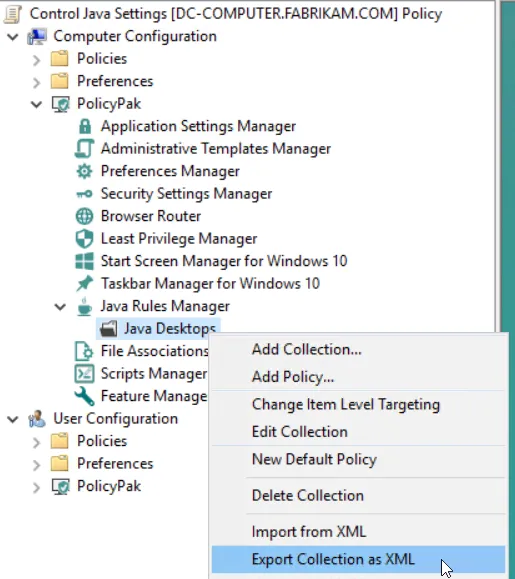
Figure 13. Exporting a whole collection using PolicyPak Java Enterprise Rules Manager.
Alternatively, you can export a single PolicyPak Java Enterprise Rules Manager entry, as is shown in Figure 14.
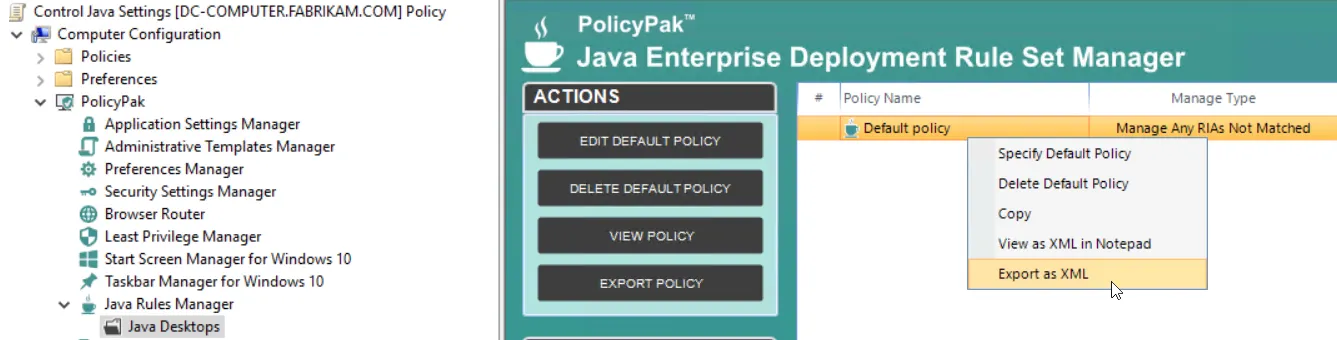
Figure 14. Exporting a single PolicyPak Java Enterprise Rules Manager entry.