Understanding the Difference Between PolicyPak and GPO Change Management Tools
Netwrix PolicyPak is not a "drop-in replacement" for Group Policy Object (GPO) change management tools such as Microsoft AGPM, Quest GPOADmin, Quest Active Administrator, NetIQ GPA, or SDM Software Change Manager. These tools belong to the category of "GPO Change Control" tools, which manage the lifecycle and control of GPOs.
PolicyPak's Goals
PolicyPak primarily manages the endpoint experience using a client-side extension (CSE). Its focus is on tasks like:
- Removing local admin rights
- Managing USB devices
- Controlling browser settings
- Managing file associations
In contrast, GPO Change Control tools focus on the management of GPOs themselves, with features like check-in/check-out workflows, offline GPO creation, and version control. PolicyPak does not aim to replace these tools.
GPO Change Management Goals
GPO Change Control tools help manage various aspects of the GPO lifecycle, such as:
- Check-in/check-out of GPOs
- Offline creation of GPOs
- Workflow management around GPOs
- Quick restoration of GPOs if needed
- Version history and comparison over time
These tools typically use a database to store GPOs, backups, and version histories. They also include additional database-level security controls, allowing you to define who can edit, deploy, or link a GPO (e.g., "Fred can edit a GPO" while "Wilma can deploy it").
Licensing Differences
- GPO Change Control tools: Licensed based on the number of servers and administrators who access the system.
- PolicyPak: Licensed based on the number of endpoints, with no additional cost for the number of admins using the system.
What PolicyPak Does (and Doesn’t Do)
PolicyPak doesn’t attempt to manage GPOs in the same way. It’s a client-only solution with no server or database, and it does not augment the security or workflow management of GPO lifecycles.
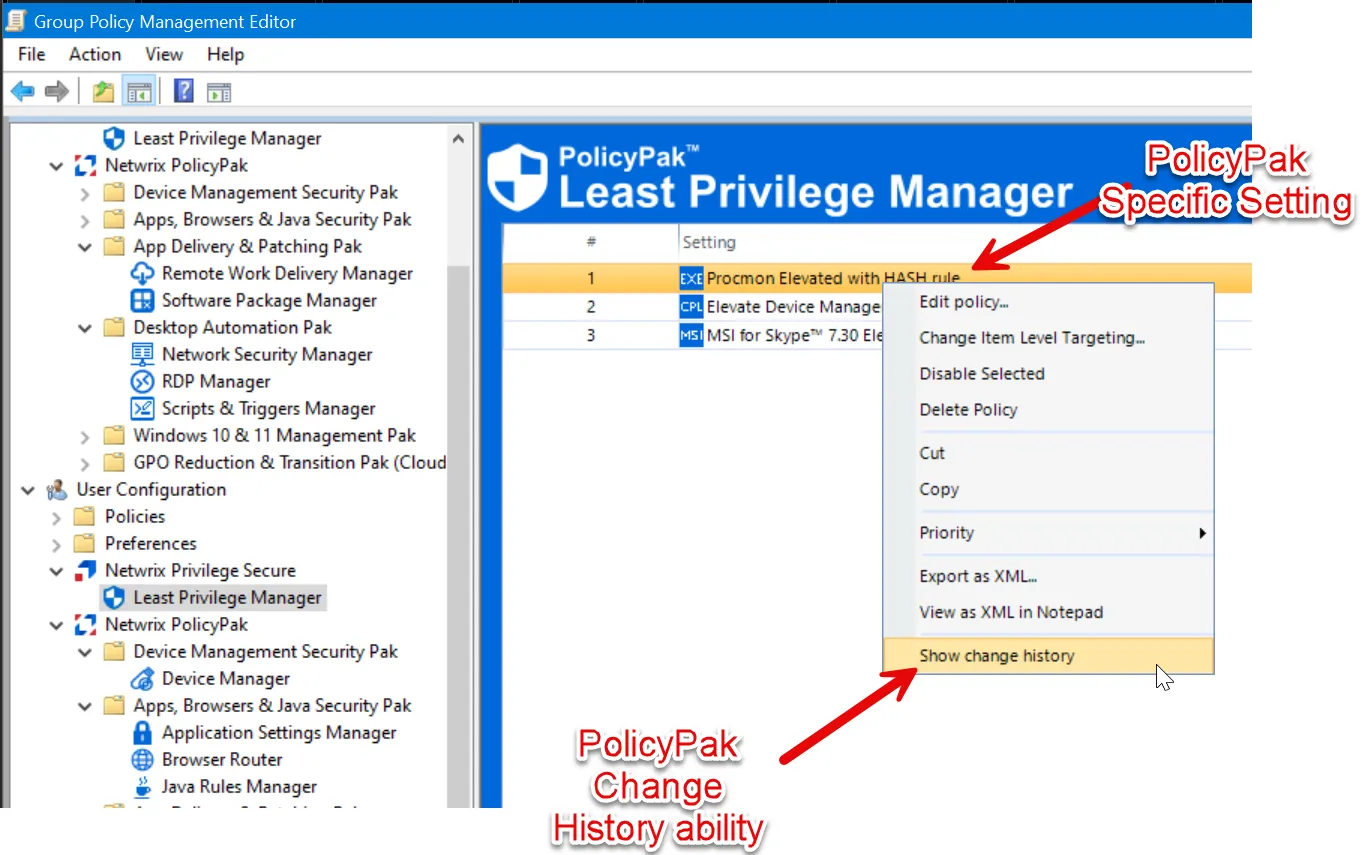
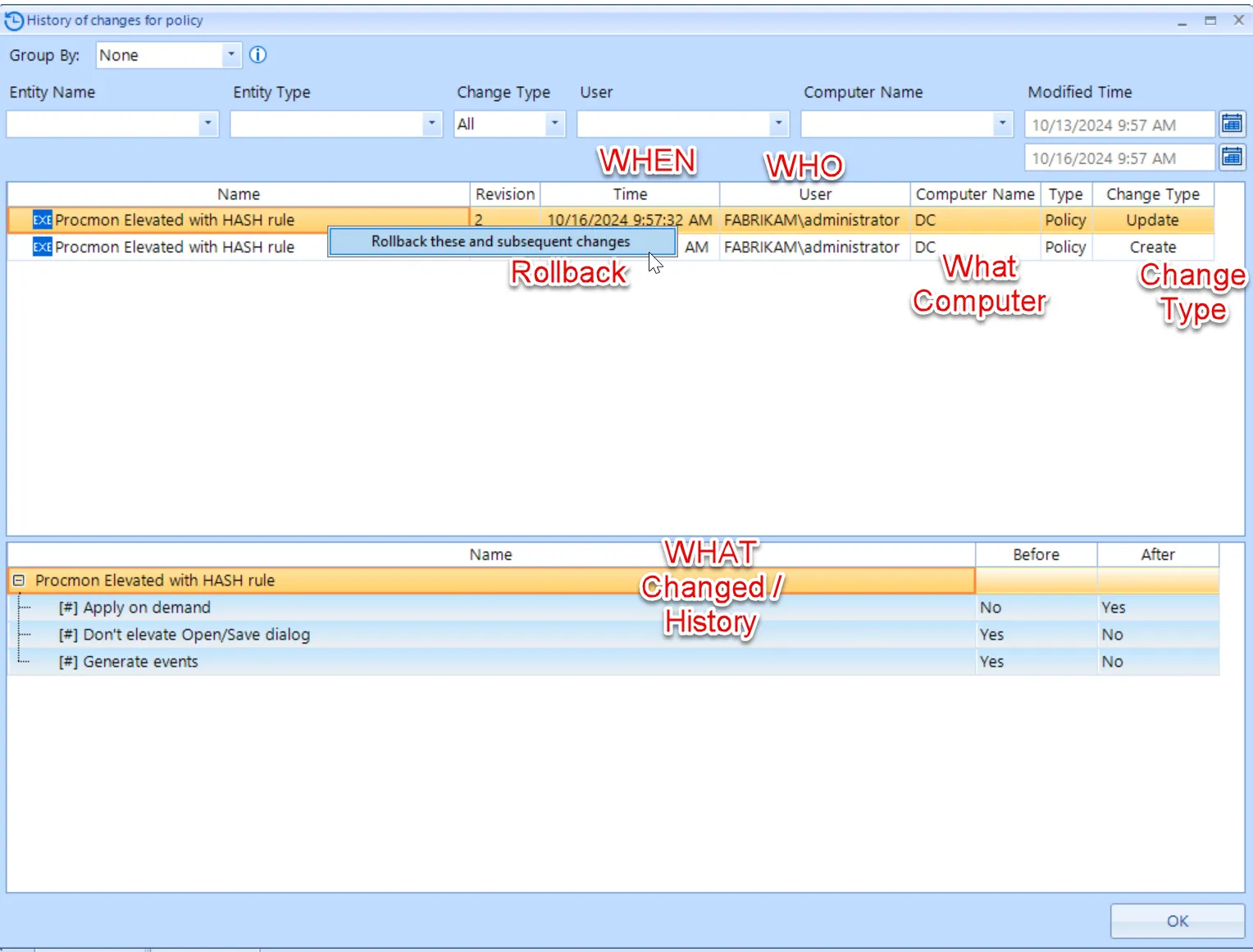
However, PolicyPak does have some overlap with GPO Change Management tools when it comes to managing its own settings. For example, when using the PolicyPak MMC editors, it tracks:
- Who made a change to a PolicyPak setting
- Which computer was used to make the change
- When the change occurred
- What was changed
Additionally, PolicyPak stores history and differences for PolicyPak-specific settings, and it allows you to rollback changes. Here's what you can do with PolicyPak-specific GPO settings:
- Who changed something
- When the change occurred
- What was changed
- History and differences of the changes
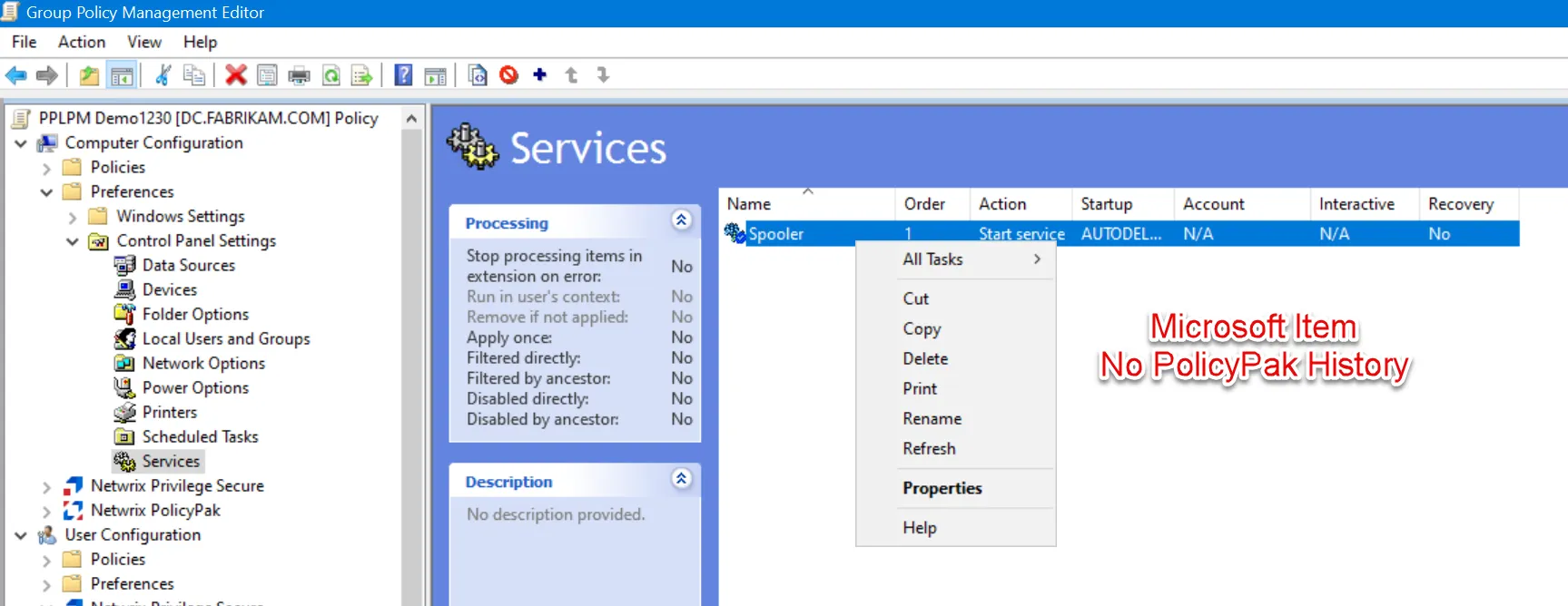
However, PolicyPak’s history and differences function applies only to its own settings. For instance, Microsoft Group Policy Preferences (like "Services") do not have a history function, as they are not managed by PolicyPak.
You can watch a demo of how PolicyPak stores and tracks changes in this video: PolicyPak MMC: Showing History of items you create.
Summary of PolicyPak vs. GPO Change Management Tools
PolicyPak is not trying to replace GPO Change Management tools like Microsoft AGPM or Quest GPOADmin. Those tools provide:
- Check-in/check-out functionality for GPOs
- Offline policy creation
- Quick GPO restoration if something goes wrong
- Change history for non-PolicyPak settings
Because PolicyPak focuses on managing endpoints, it is compatible with these GPO Change Management tools. PolicyPak works seamlessly alongside them when managing PolicyPak-specific settings.
Here are examples of PolicyPak working alongside popular GPO Change Management tools:
- PolicyPak with AGPM, see the PolicyPak and AGPM topic for additional information.
- PolicyPak with Quest's GPOADmin Tool, see the PolicyPak and Quest's GPOADmin Tool topic for additional information.
- PolicyPak integrated with NetIQ GPA, see the PolicyPak Integrates with NetIQ GPA topic for additional information.
- PolicyPak with Quest (ScriptLogic) Active Administrator, see the PolicyPak and Quest (ScriptLogic) ActiveAdministrator topic for additional information.
- PolicyPak with SDM Change Manager, see the PolicyPak and SDM CHANGE MANAGER topic for additional information.
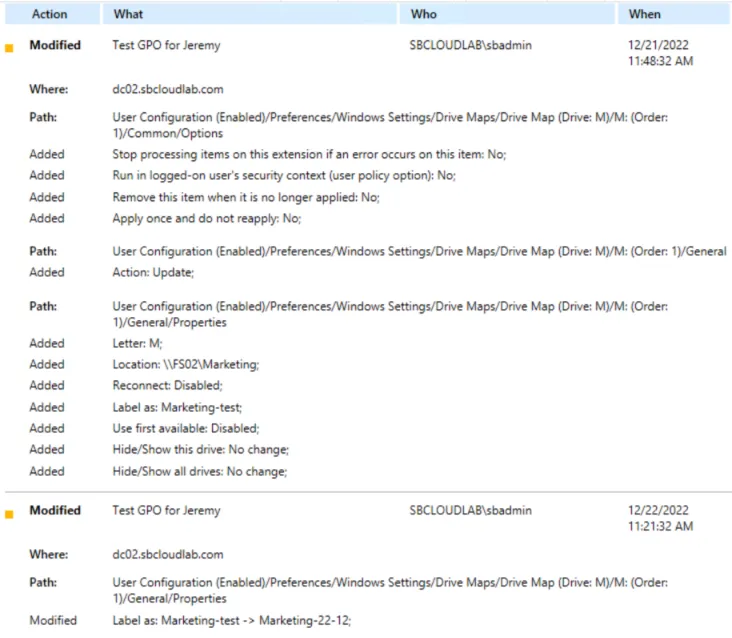
Additionally, tools like Netwrix Auditor can monitor all GPO changes for both Microsoft and PolicyPak-specific and alert you to unwanted changes.