How do I turn on Debug logging if asked?
Debug logging might be required by the Netwrix PolicyPak technical team, and goes beyond standard logging.
To turn on Debug logging:
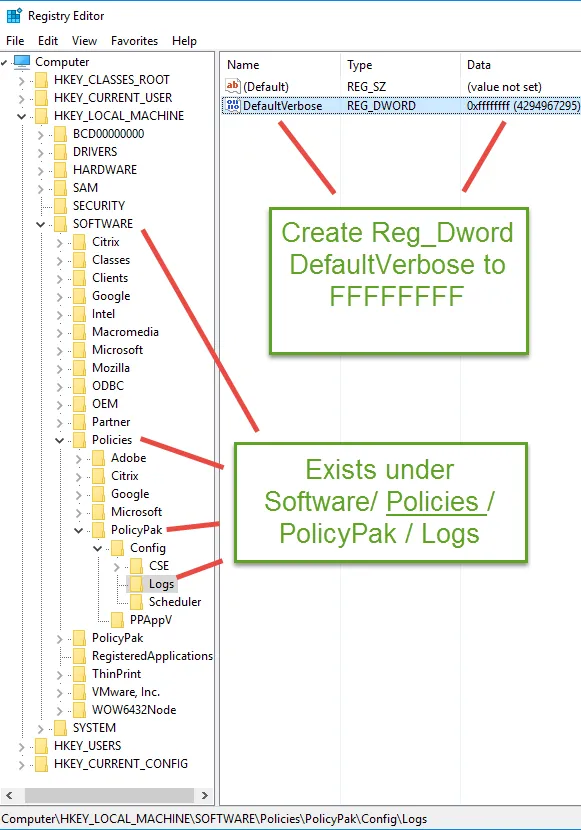
Step 1 – Please add a registry key in
HKLMSoftwarePoliciesPolicyPakConfigLogs as REG_DWORD called DefaultVerbose and set it to
0xFFFFFFFF as seen in this screenshot.
Step 2 – Then Reboot. (Very important.)
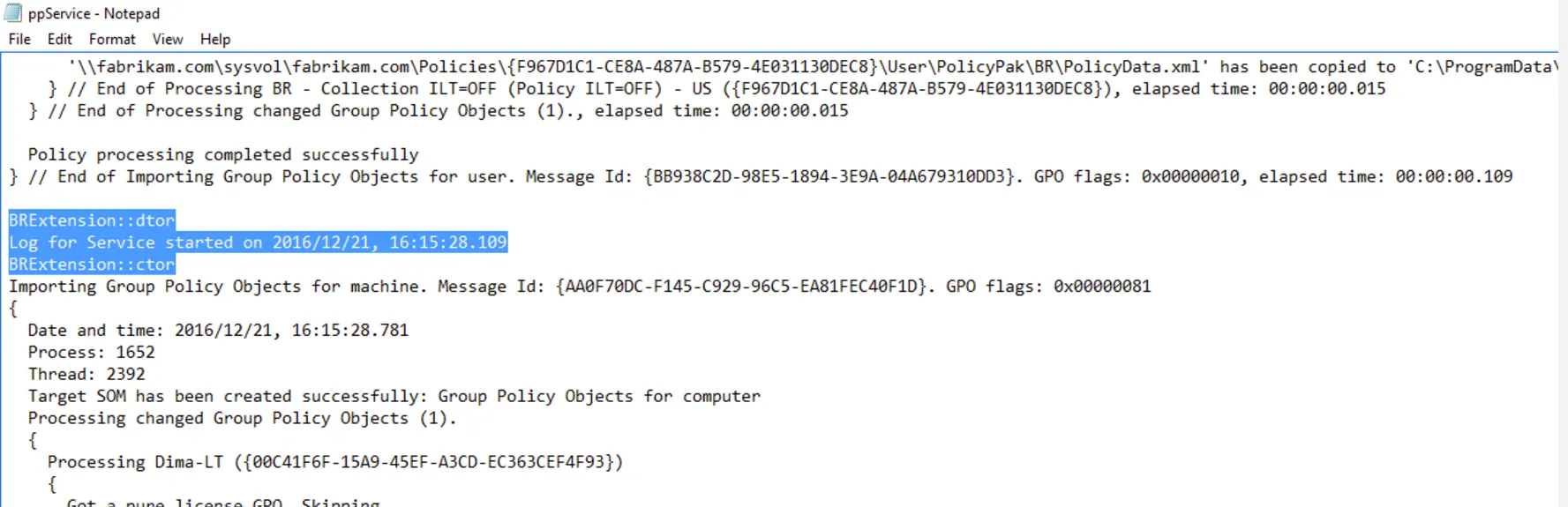
Step 3 – You know you'll have done it right, when special Debug messages appear in the logs
like BRExtension::dtor as seen here. For instance,
check %programdata%PolicyPakPolicyPak Browser RouterppService.log and look to see its been done
correctly.
Step 4 – After that, reproduce the problem, and run PPLOGS as seen in Step 3
What must I send to PolicyPak support in order to get the FASTEST support?
and attach to your support case.