How can I use Powershell to automatically say yes to the PPLOGS prompt?
Remember that two different logs are required to get on a computer in order to get Netwrix PolicyPak Support. Please review What must I send to PolicyPak support in order to get the FASTEST support?.
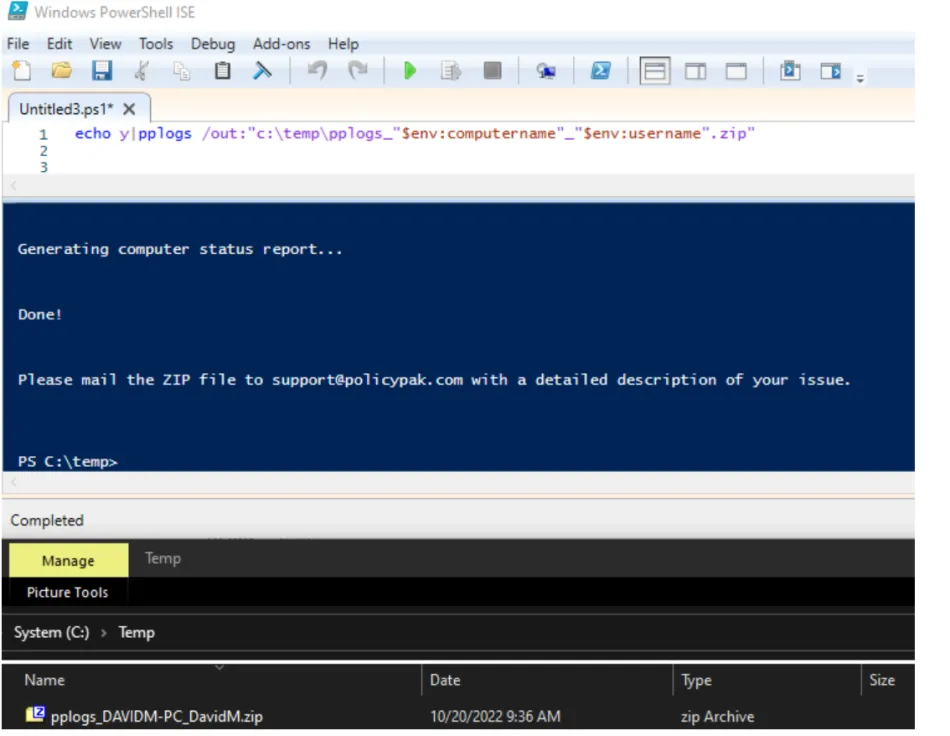
Then, when you're ready to automatically grab the logs from the machine please use the following commands (and see a sample result below.)
note
The commands must be run on the machine in question and will not work requesting the details remotely. Therefore you can run a command like this from a scripting tool or anything else where the command will execute on the machine itself.
echo y|pplogs /out:"c:\temp\pplogs_"$env:computername"_"$env:username".zip"
echo y|pplogs /out:"c:\temp\pplogs_"$env:computername"_admin.zip"