Step 3: Prepare a management station to create PolicyPak policies
PolicyPak Policies are always created in the Group Policy editor, even if you plan to use PolicyPak with an MDM service like Intune. You may use any management machine you wish (Windows 10 or later or Server 2019 or later) as your management station.
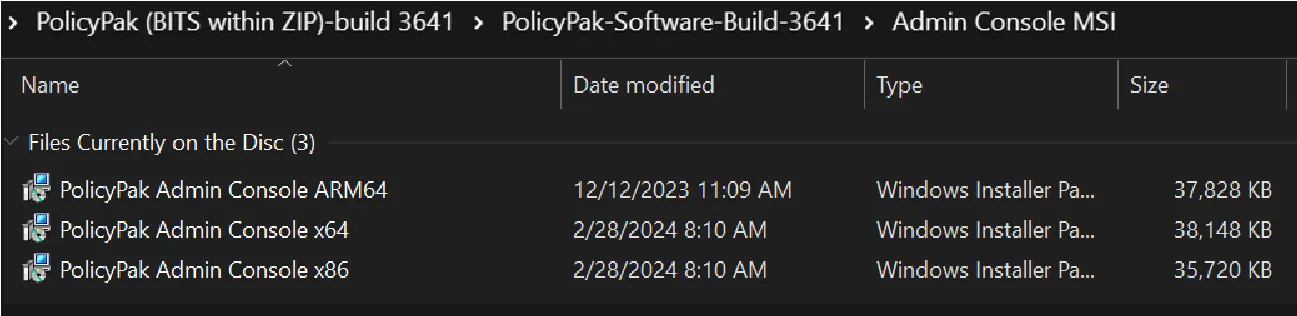
The PolicyPak Admin Console MSI can be found in the download. There is one for 32-bit machines, one for 64-bit machines, and one for Arm machines.
Option 1
Install on a management station joined to Active Directory. This would be the same machine you typically create and edit GPOs from. This machine must have the Microsoft Group Policy Management Console (GPMC) installed on it. Therefore, good candidates are your own management station, a “jump box” or, if you wish, you may install on a Domain Controller.
TIP: Use the instructions in the What are the two ways that can I install the GPMC on my Admin Station (Server or Windows 10) machine? topic if you do not yet have the GPMC on your management station.
The PolicyPak MMC Group Policy Snap-In does NOT require installation on a Domain Controller, it is simply an option. See the Does PolicyPak admin console need to be installed on Domain Controller (DC)? topic for details.
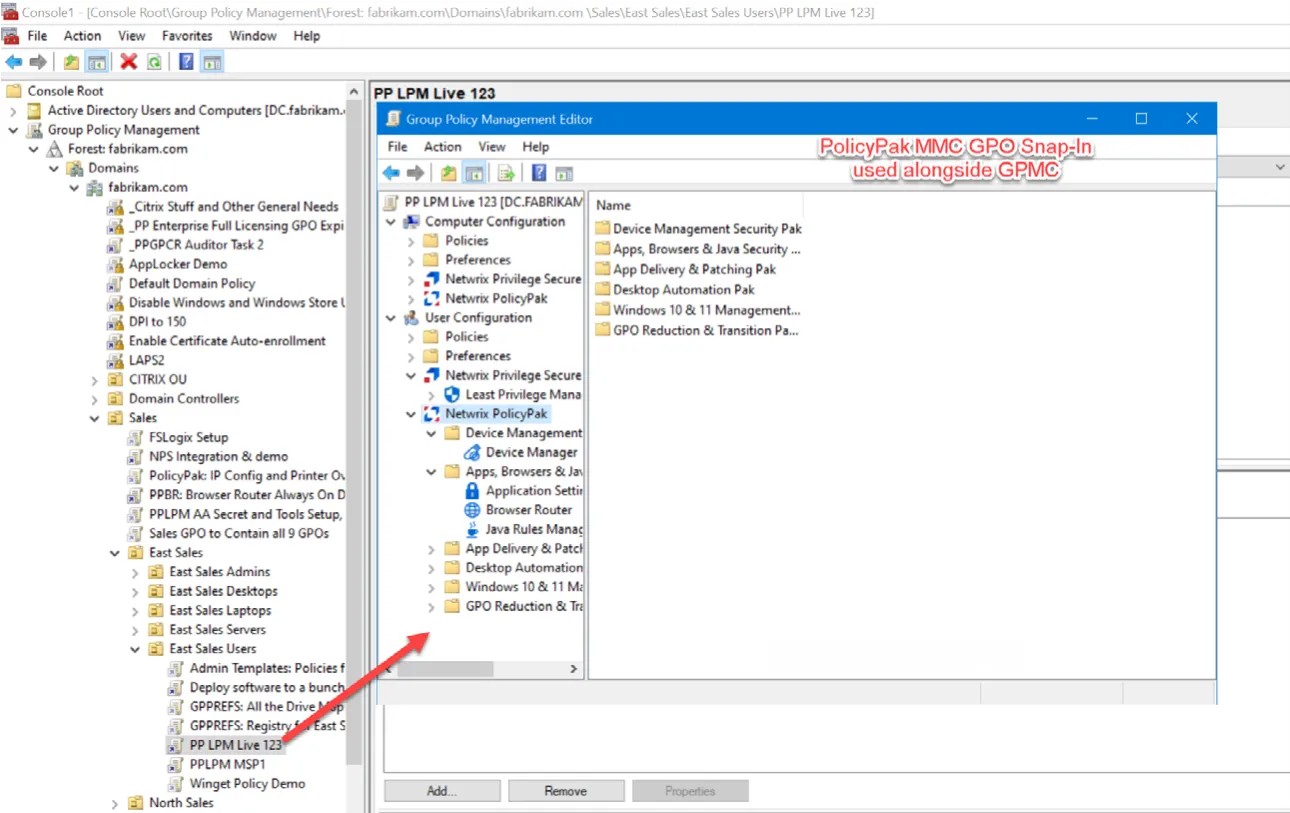
The result of installing the PolicyPak MMC Group Policy Snap-In on a management station joined to Active Directory will look like the example below. You’ll see the extra Netwrix nodes alongside the Microsoft nodes.
Option 2
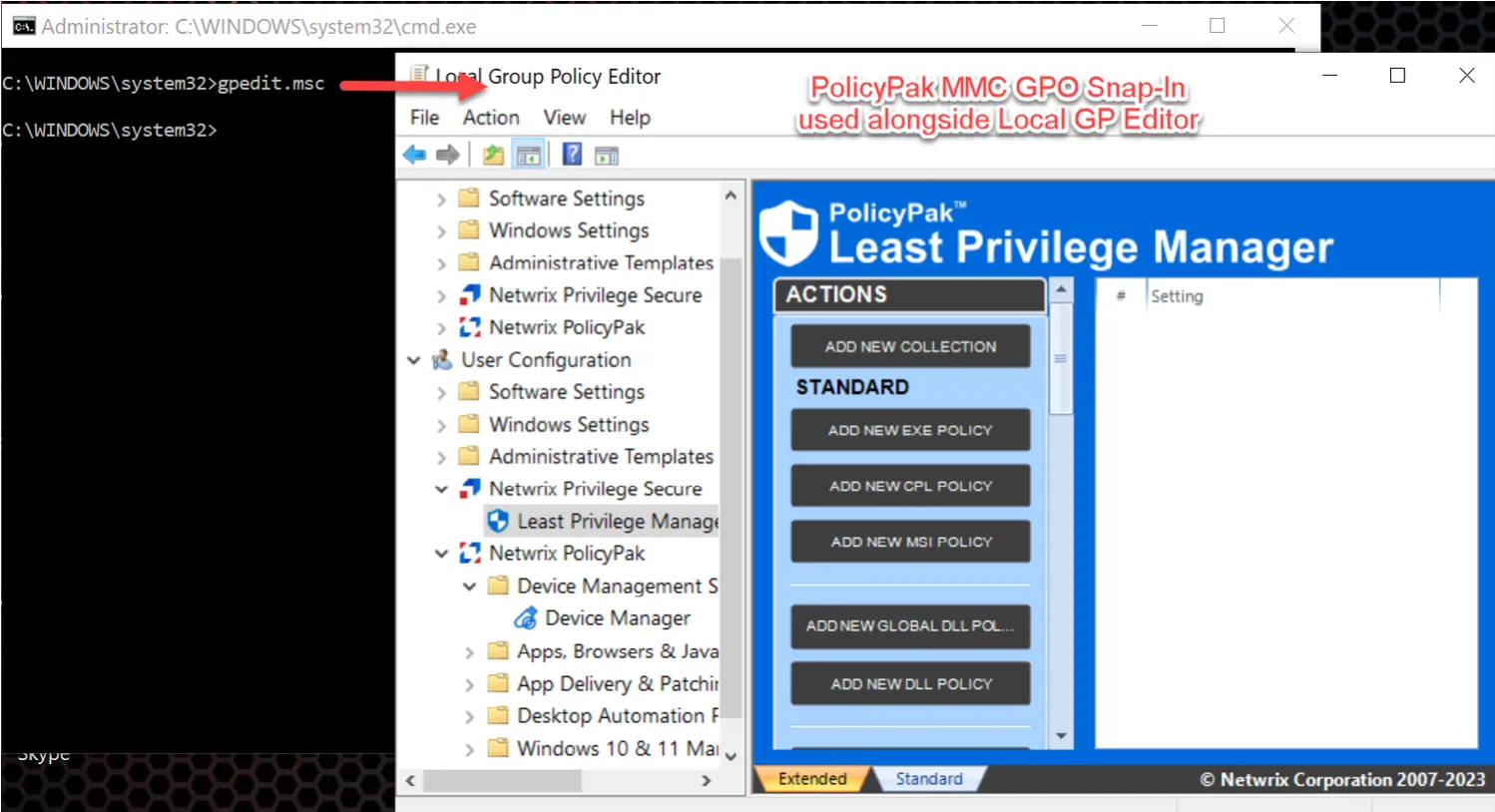
Install the PolicyPak MMC Group Policy Snap-In on the same machine you prepared in Step 2. If the PolicyPak MMC Group Policy Snap-In is installed on the same machine you prepared in Step 2, you must use the Local Group Policy Editor. This option is suitable if you want to test out PolicyPak and don’t have a domain at all. In this way you’ll use GPEDIT.MSC command (Local Group Policy Editor) to make policies and see them take effect on the same machine.
The result of installing the PolicyPak MMC Group Policy Snap-In on a local machine looks similar to the example below. When you run GPEDIT.MSC with an Administrator command prompt, you’ll see the extra Netwrix nodes alongside the Microsoft nodes.
Additional resources you may be interested in: