How does PolicyPakhandle right-click menus in Windows 11 / Why does "Copy with PolicyPak SecureCopy™" always show in Windows 11?
As of builds 24.1 and onward, Netwrix PolicyPak CSE fully supports Windows 11 style right-click menus.
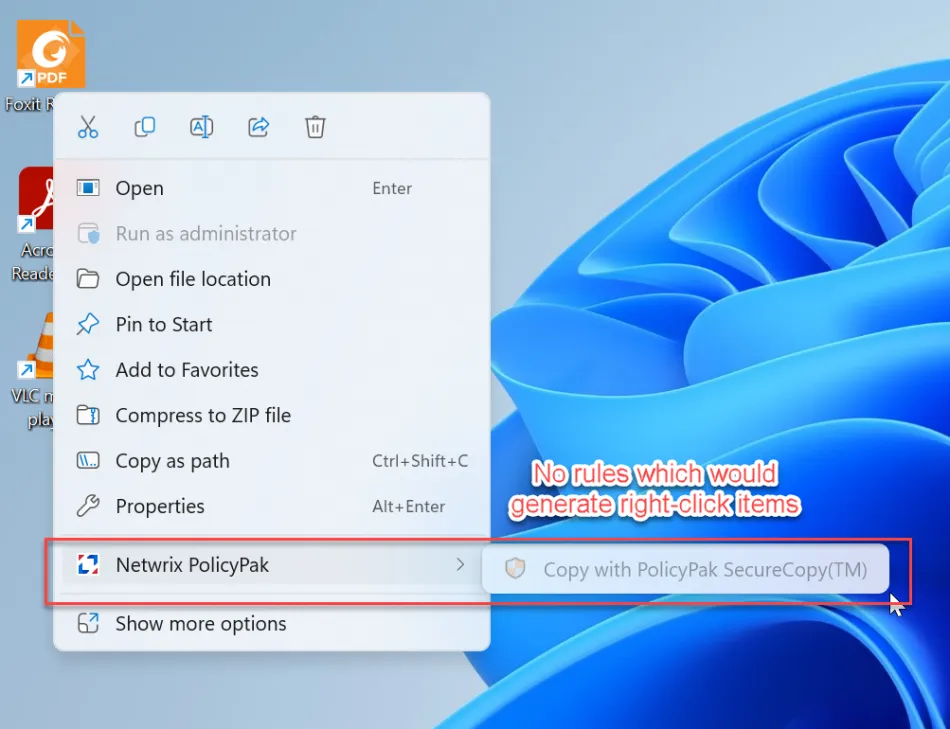
However, you might notice that Copy with PolicyPak SecureCopy™ always shows, regardless if the PolicyPak SecureCopy function is used or not. Indeed, even if there are no rules at all, you will still see the Netwrix PolicyPak menu and Copy with PolicyPak SecureCopy™.
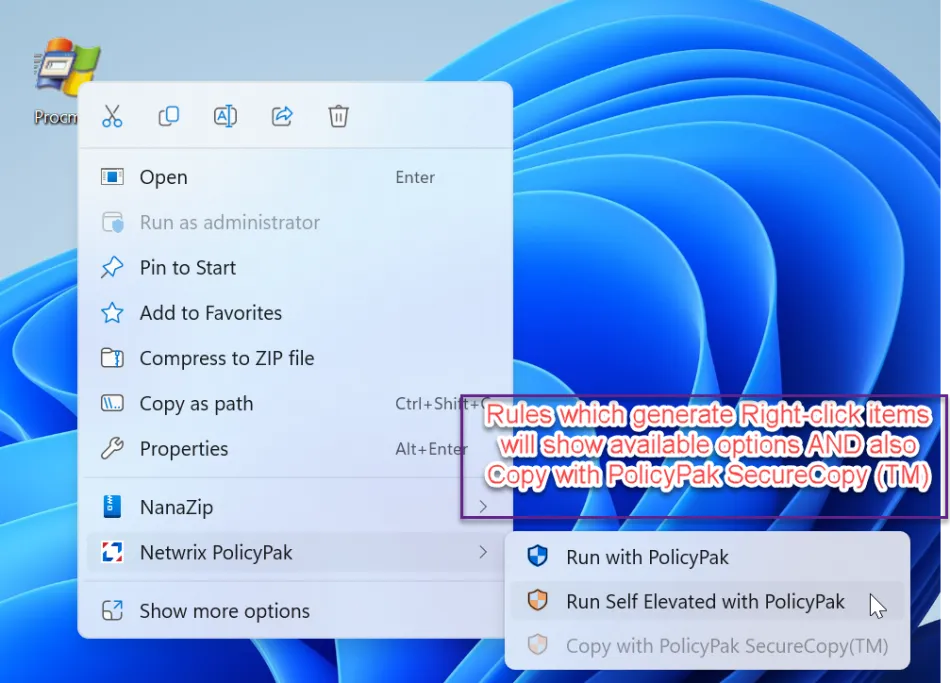
If you add other options which use the Netwrix PolicyPak right-click menu, you will see those correct (available, un-gray) options and also the Un-used (un-available, grayed) Copy with PolicyPak SecureCopy option.
Only after PolicyPak SecureCopy™ is available, will that option become un-gray and usable.
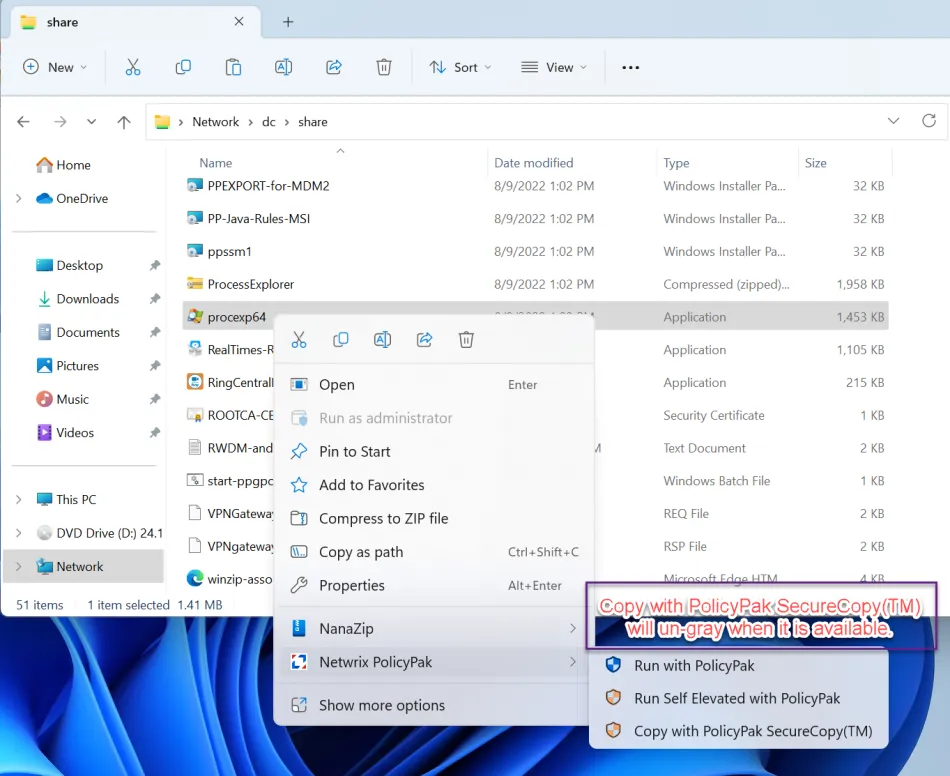
In other words, Copy with PolicyPak SecureCopy will always show in Windows 11, whether it is available (Ungray) or unavailable (Gray.)
This is because Windows 11 requires at least one option to always be the anchor for the right-click menu. Without an anchor item, the right-click fly-out menu doesn't work as expected.
This is a limitation in Windows 11. If this behavior changes or improves in Windows 11 (or later), we will update this article.