Entitlements Tab for Access Certification
The Entitlements tab shows the activities associated with the users in the selected access certification task.
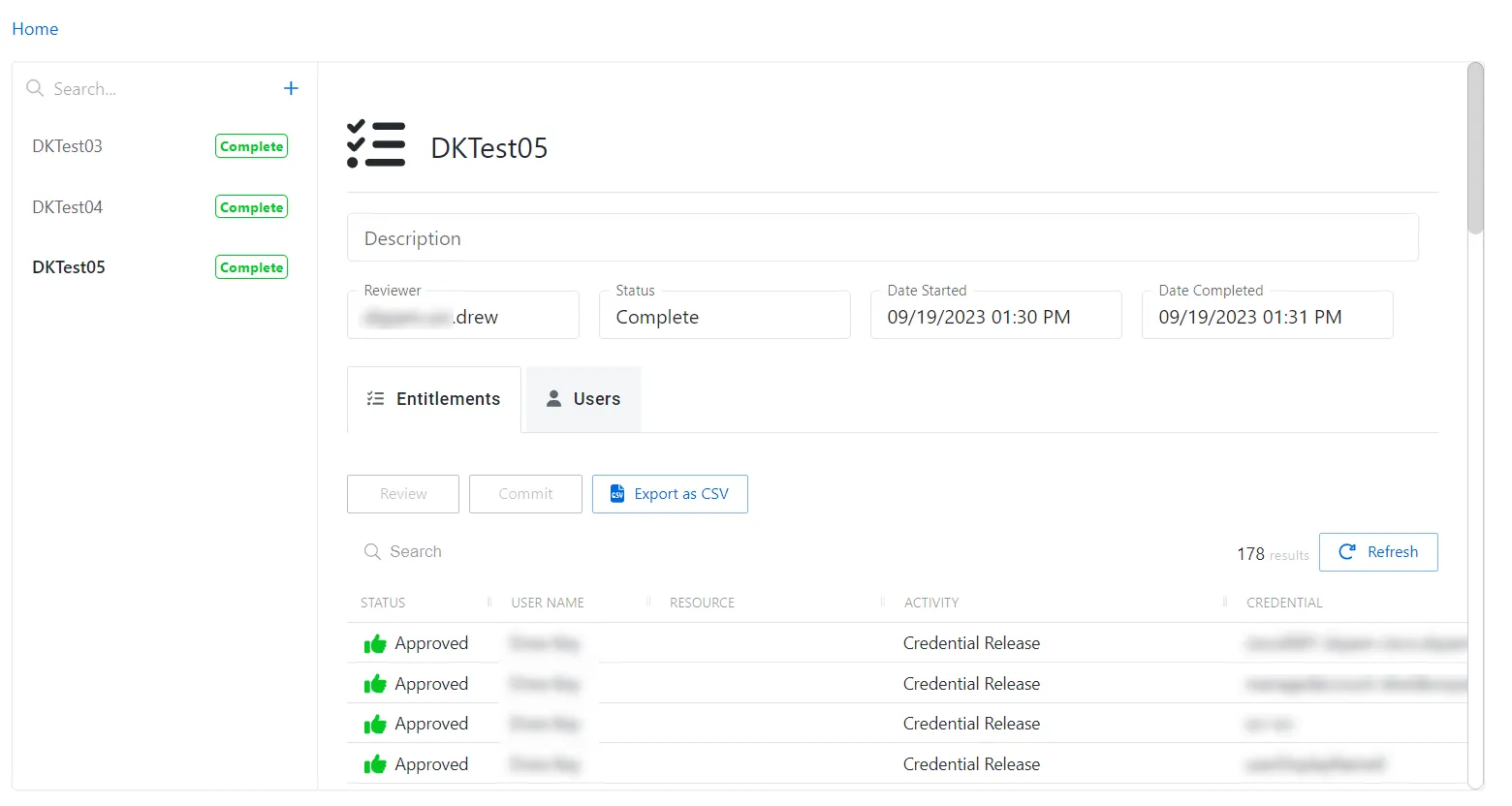
The Entitlements table has the following features:
No entitlements are shown until a user is added in the Users tab.
-
Search – Searches the table or list for matches to the search string. When matches are found, the table or list is filtered to the matching results.
-
Column headers can be resized and sorted by ascending or descending order:
-
Status – Shows status information on the user’s access:
-
Requested – Review of access initiated
-
Approved – Existing access is approved
-
Denied – Access is removed for that specific user/resource/permission
The user isn't removed from the access policy. Instead, a ‘deny flag’ is set against that attribute so that it can be re-enabled in the future.
-
User Name – Displays the name of the account
-
Resource – Name of the resource
-
Activity – The name of the credential permitted to be released by the access policy
-
Credential – The credential the activity has permission to release by the access policy
-
Permissions – The permissions granted by the access policy
-
The entitlements tab has three buttons:
-
Review (only enabled for the reviewer) – Opens the Review Activity Details window. See the Review Entitlements topic for additional information.
-
Commit (only enabled when all access has been reviewed) – Commits the modified access. Once the entitlements are committed, no further changes can be made and the task can't be deleted.
-
Export Entitlements as CSV (only enabled when changes have been committed) – Export activity details as CSV
Now the assigned Reviewer can accept or deny access. See Audit and Reporting: Reviewer