Action Service
On the Action Services page, view or modify action services.
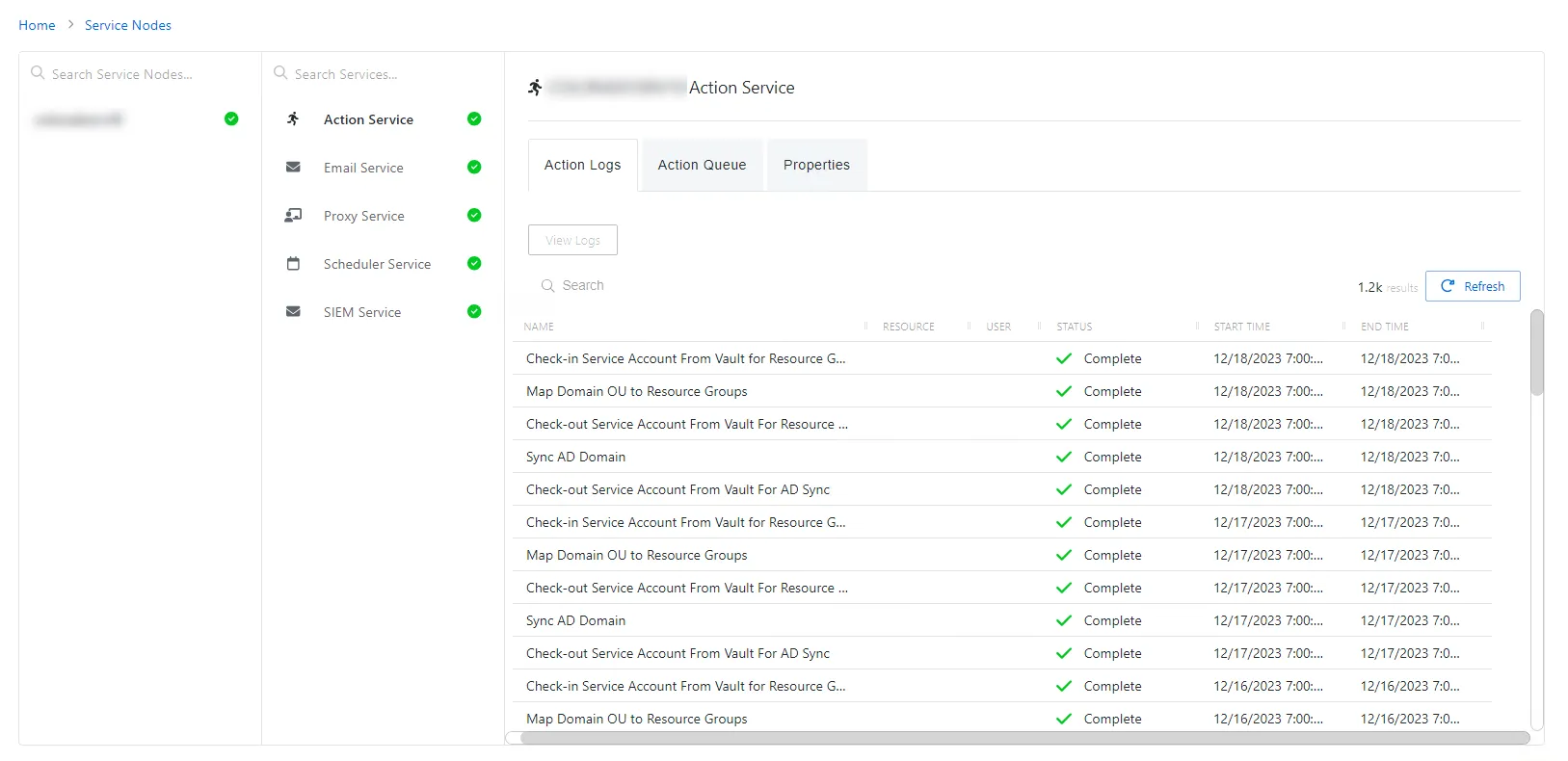
The Action Service page shows details of the selected action service and has the following features:
- Name – Name of the selected action service
- Action Logs Tab
- Action Queue Tab
- Properties Tab
Action Logs Tab
The Action Logs tab shows the event logs for the action service.
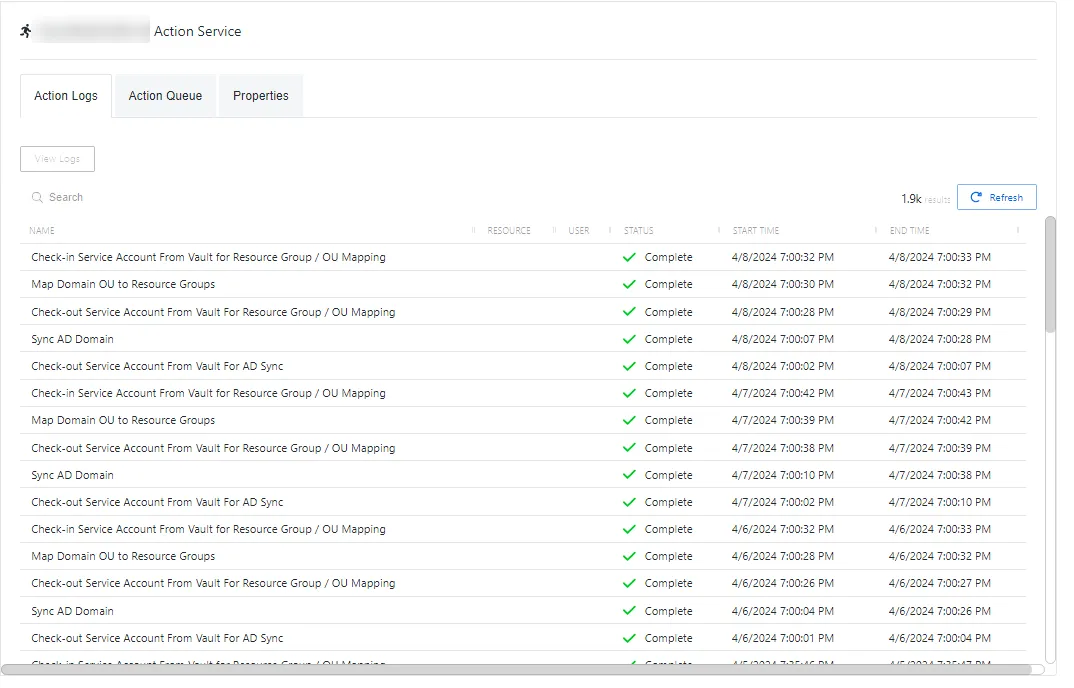
The Action Logs table has the following features:
-
Search – Searches the Name column to match the search string. When matches are found, the table is filtered to the matching results.
-
The Action Logs table has two buttons:
- View Logs – View additional log information for the selected action
- Refresh – Reload the information displayed
-
Column headers can be sorted by ascending or descending order:
-
Name – Name of the action processed
-
Resource – The resource the action will run on
-
User – The account associated with the action
-
Status – Shows status information for the action:
- Complete – Action completed successfully
- Failed – Action failed
-
Start Time – Indications when the action started
-
End Time – Indications when the action completed
-
Action Queue Tab
The Action Queue tab shows the tasks to be executed by the action service.

The Action Queue table has the following features:
-
Search – Searches the Name column to match the search string. When matches are found, the table is filtered to the matching results.
-
The Action Queue table has two buttons:
- View Logs – View additional log information for the selected action
- Refresh – Reload the information displayed
-
Column headers can be sorted by ascending or descending order:
-
Name – Name of the action to be executed
-
Resource – The resource the action will run on
-
User – The account associated with the action
-
Status – Shows status information for the action:
- Complete – Action completed successfully
- Failed – Action failed
-
Start Time – Indications when the action started
-
End Time – Indications when the action completed
-
Properties Tab
The Properties tab shows additional information about the action service.
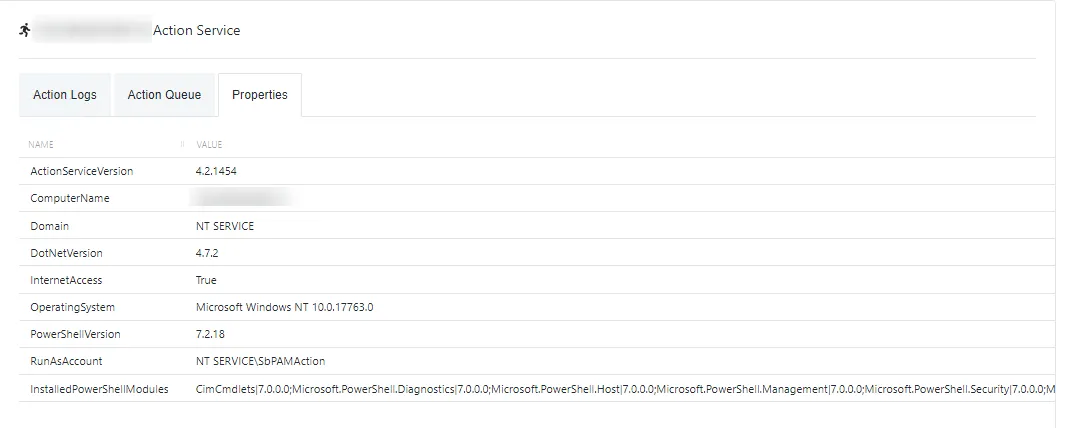
The Properties table has the following features:
-
Column headers can be sorted by ascending or descending order:
- Name – Property of the Action Service and its host
- Value – Value of the Action Service / host property