Licensing Details
Licensing Details
Licensing Details
Overview
The purpose of this article is to explain how licensing statistics can be found within Privilege Secure. This doesn't override specifics within the software agreement.
NOTE: Access Risk needs to be enabled for the license calculation to generate.
Main Document
The licensing statistics can be found in the left hand menu, under the Configure option:

This opens to show the license utilization over the prior 90 days
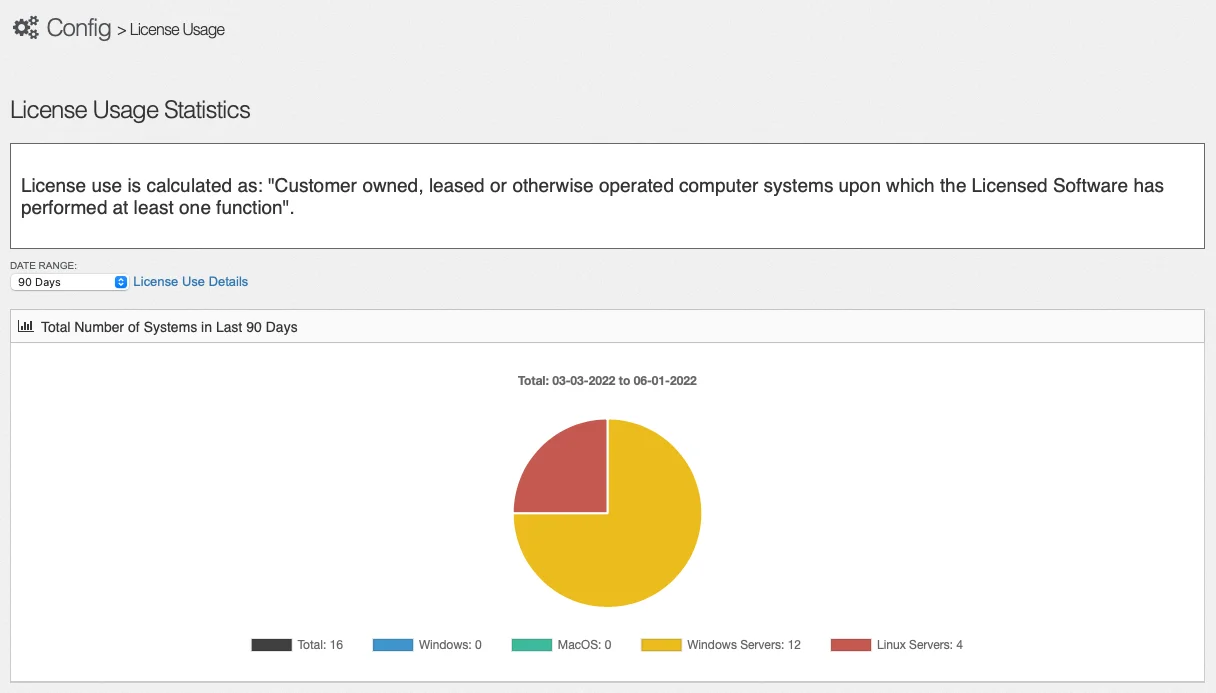
This is broken down by operating system and, in the case of windows, by server and desktop/laptop. The time frame can be adjusted to the prior month or week if needed.
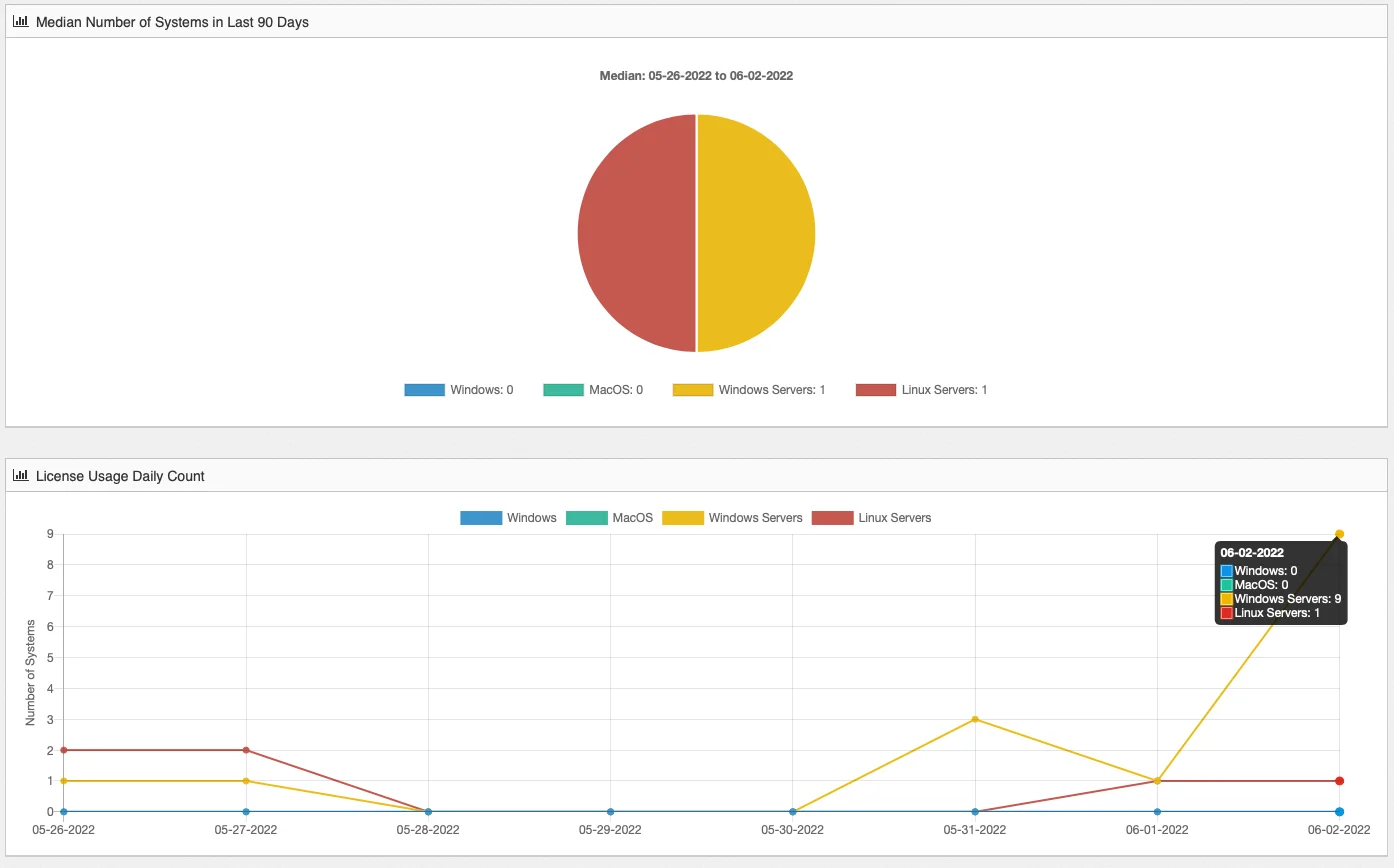
The License Use Details link will give further insight showing median and daily information: