Forest Page
The Forest page allows administrators to:
- Add forests
Add a Forest
You must add a forest in the system to perform backup and recovery operations for it. Follow the steps to add a forest.
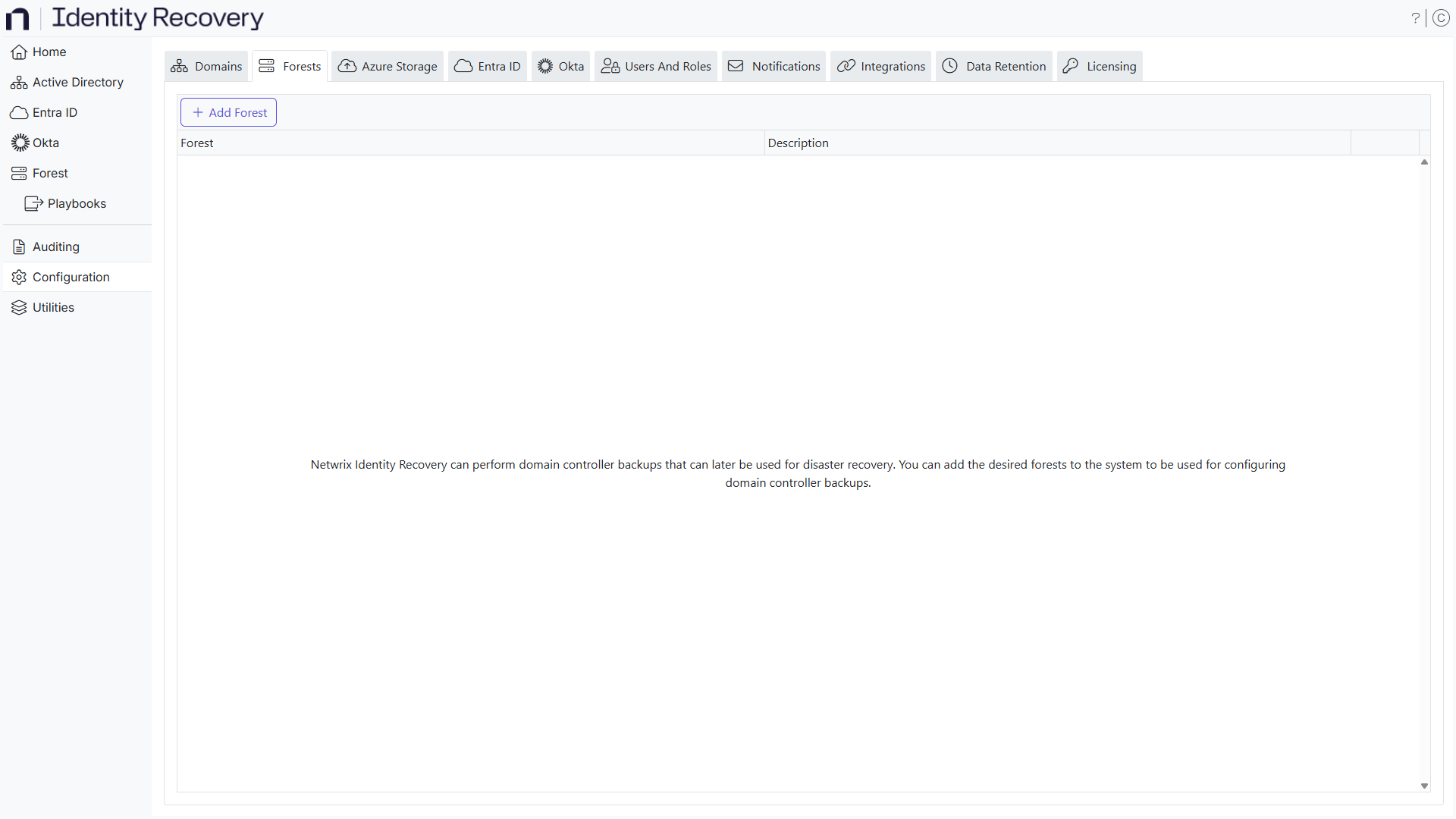
Step 1 – On the Forest Configuration page, click the Add Forest button. The Add Forest window is displayed.
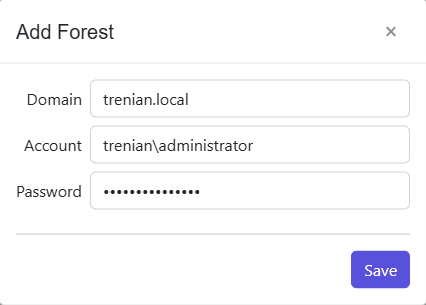
Step 2 – In the Domain field, enter the name of the root domain in the forest [example.domain.com].
Step 3 – Enter the account username [DOMAIN\USERNAME] to be used to connect to the forest in the Account field. Ensure that the account has privileges to access the domain.
Step 4 – Enter the password for the account in the Password field.
Step 5 – Click Save.
The forest has been added to the system.