Third-Party Applications Target Actions
The following actions target third-party applications.
Create ServiceNow Incident
This action creates an incident in ServiceNow®.
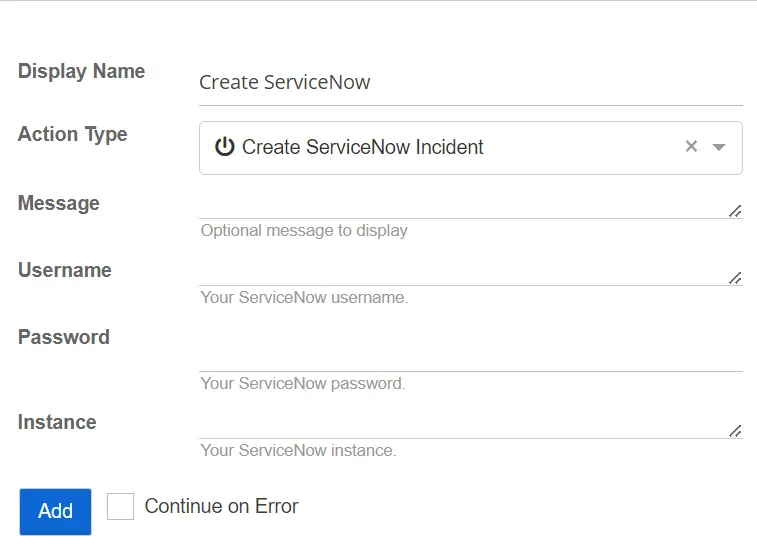
- Instance – Specify the ServiceNow instance. Only enter a name and the .servicenow.com instance is automatically applied. For example, entering "company" automatically becomes company.servicenow.com.
- Message – Specify the optional message to display
- Password – Specify the password for the ServiceNow instance
- Username – Specify the ServiceNow username
Duo Authentication Push
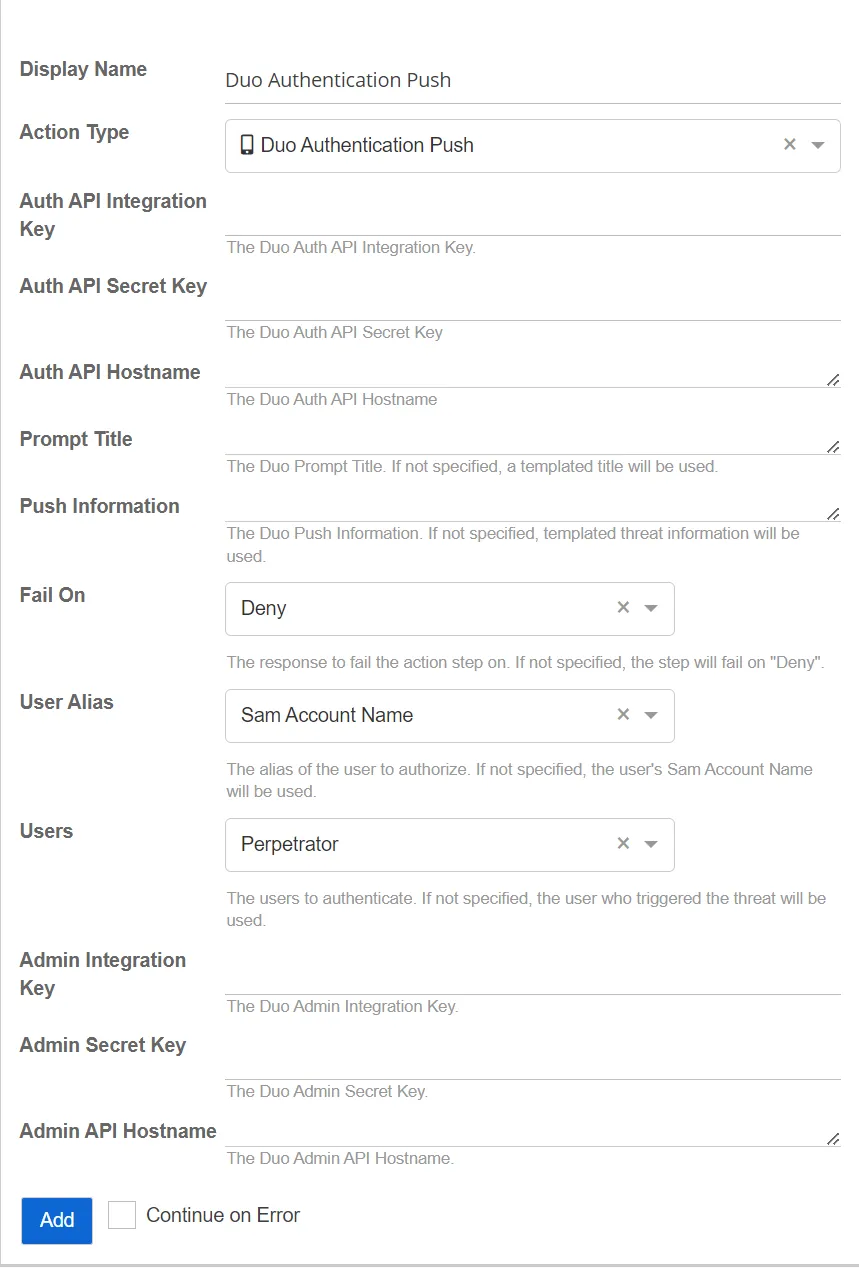
This action sends an authentication push to the Duo API.
-
Users – Select the users to authenticate. If not specified, the user who triggered the threat is used.
-
Admin Integration Key – Specify the Duo Admin integration key
-
Admin Secret Key – Specify the Duo Admin secret key
-
Admin API Hostname – Specify the Duo Admin API hostname
-
Auth API Integration Key – Specify the Duo Auth integration key
-
Auth API Secret Key – Specify the Duo Auth API secret key
-
Auth API Hostname – Specify the Duo Auth API hostname
-
Prompt Title – Specify the Duo Prompt title. If not specified, Threat Manager uses a default title.
-
Push Information – Specify the Duo Push information. If not specified, Threat Manager uses default threat information.
-
Fail On – Select the response on which to fail the action step. If not specified, the step fails on "Deny". Select an option from the following:
- Allow
- Deny
-
User Alias – Select the alias of the user to authorize. If not specified, Threat Manager uses the user's Activity Monitor Account Name. Select an option from the following:
- Display Name
- SAM Account Name
Microsoft Teams
This action posts to a Microsoft Teams channel.
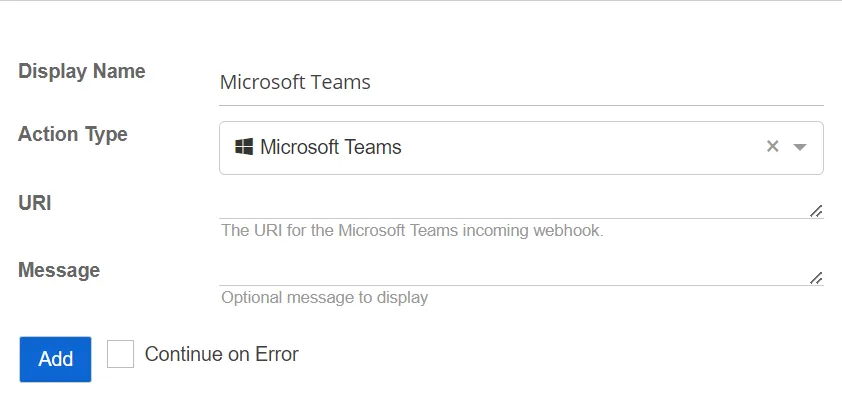
- Message – Specify the optional message to display
- URI – Specify the URI for the Microsoft Teams incoming webhook
RADIUS Authentication
This action uses RADIUS profiles to authenticate user activity.
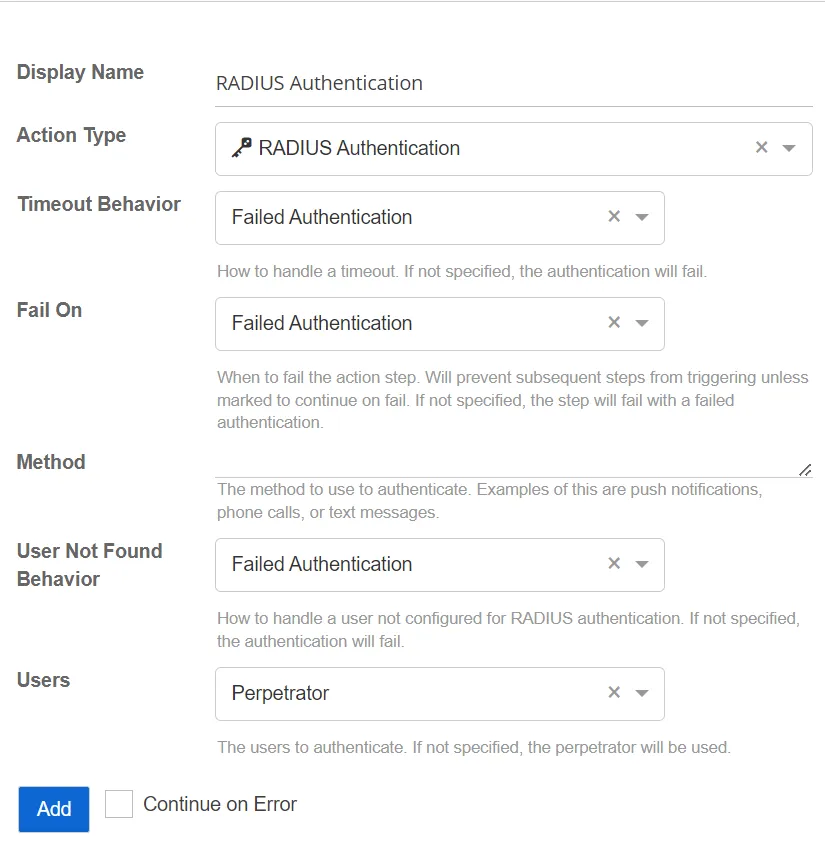
- User Not Found Behavior – Select how to handle a user not configured for RADIUS authentication. If not specified, authentication fails.
- Method – Specify the RADIUS authentication method value required by the authentication provider. This value varies by vendor. Example values may include: push, SMS, or phone.
- Users – Select the users to authenticate. If not specified, the perpetrator is used.
- Timeout Behavior – Select how to handle a timeout. If not specified, authentication fails.
- Fail On – Select which authentication type to fail on. This allows configuration to determine when the action step fails. This is based upon the user response to the RADIUS Authentication request. If not specified, the action step fails with a failed authentication.
Send Syslog
This action sends a Syslog message to a server. This action uses the current SIEM settings, specified on the Integrations Interface, to send the threat information via Syslog.

Set Forescout Property On Host
This action adds a property to a Forescout host record. Forescout collections can be configured to monitor this property. This allows Threat Manager to integrate with the Forescout platform to enable the use of the capabilities of Forescout for threat response.
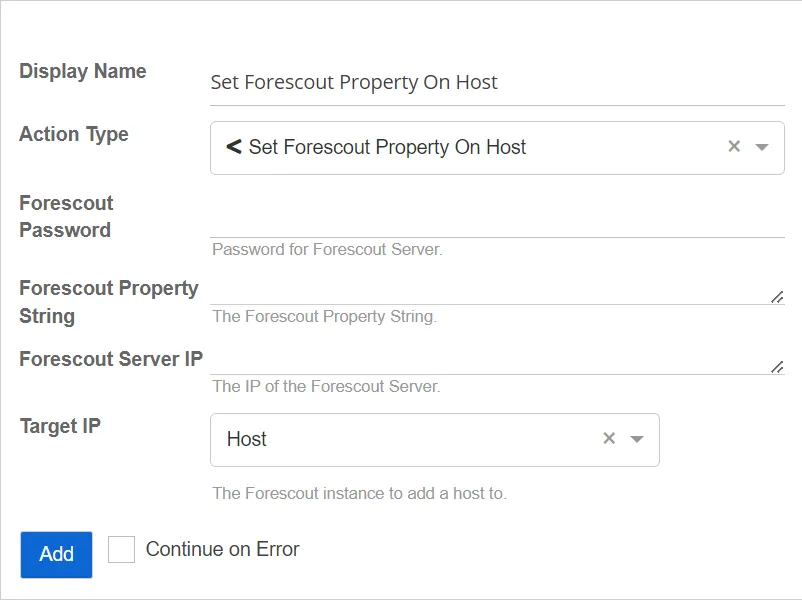
- Forescout Server IP – The IP address of the Forescout server
- Forescout Property String – The value of the Forescout property string to add to the host associated with the Target IP
- Target IP – The resource IP address used to identify the host in Forescout. The default is Host.
- Forescout Password – Password for the Forescout server
Slack
This action sends a message to Slack.

- Message – The optional message to display
- URI – The URI for the Slack incoming webhook
Twilio SMS Message
This action sends an SMS message through Twilio.
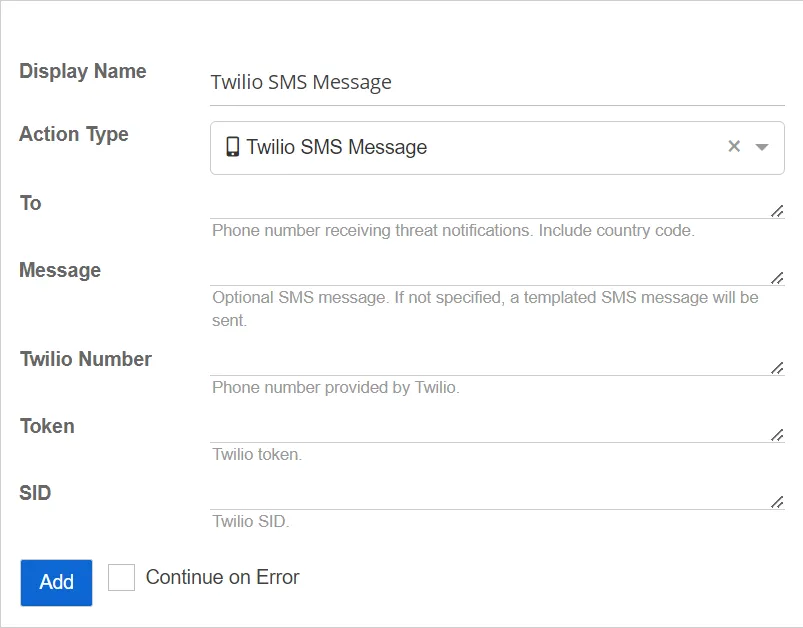
- To – The phone number receiving threat notifications. Include the country code.
- SID – The Twilio SID
- Twilio Number – The phone number provided by Twilio
- Token – The Twilio token
- Message – The optional custom SMS message to send. If a message isn't specified, Threat Manager sends a default SMS message.
VirusTotal Report
This action scans the file hashes against the VirusTotal API and emails the results.
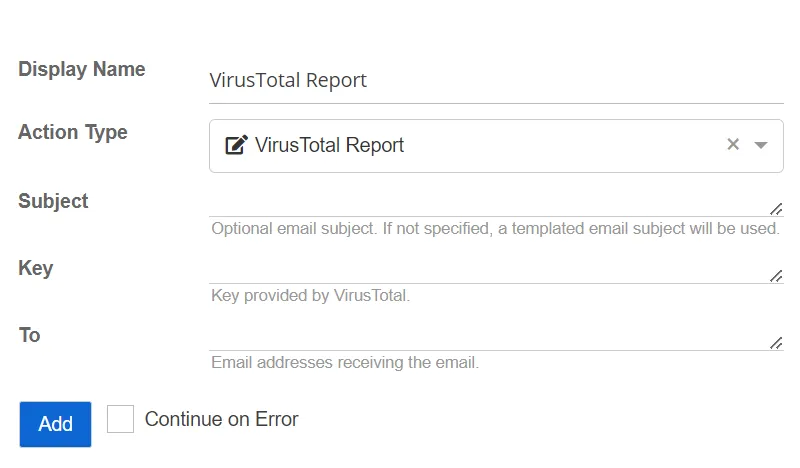
- Subject – The optional custom email subject. If a subject isn't specified, Threat Manager uses a default email subject.
- Key – The key provided by VirusTotal
- To – The email addresses receiving the email
Webhook
This action executes a webhook via a HTTP request from Threat Manager. Webhooks are used by a variety of web applications to trigger actions or receive data from external sources.
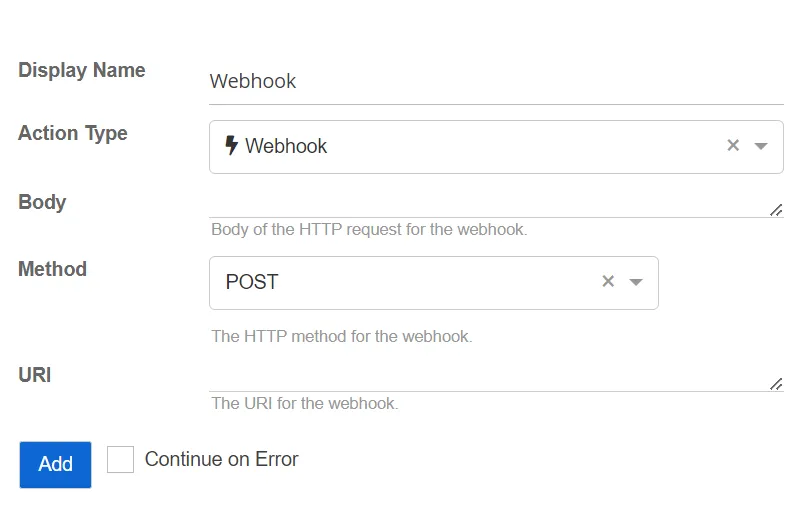
- Method – The HTTP method for the webhook. Select a method from the dropdown list:
- GET
- POST
- DELETE
- PUT
- URI – The URI for the webhook
- Body – The body of the HTTP request for the webhook