Netwrix Threat Manager Licensing Error: License Activation Error 2
Symptom
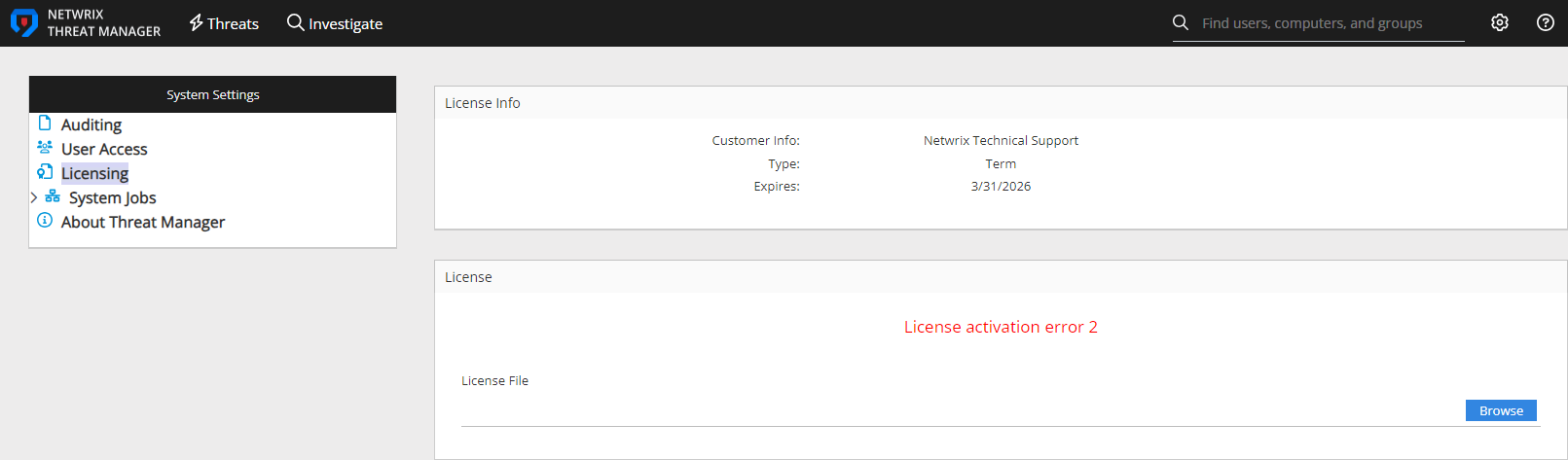
After navigating to the Licensing page when attempting to update the license in Netwrix Threat Manager, you receive the following error:
License activation error 2.
Cause
There is a corruption in the existing license file.
Resolution
-
Stop all Netwrix Threat Manager services.
- You can stop each service individually.
- Alternatively, stop them all at once by running this PowerShell command:
Stop-Service -DisplayName "Netwrix Threat Manager*" -verbose -
Delete the
StealthDEFEND.licfile from Netwrix Threat Manager's data directory.-
Depending on your deployment, the file may be located in either of these paths:
C:\ProgramData\STEALTHbits\StealthDEFEND\LicenseServiceC:\ProgramData\Netwrix\Netwrix Threat Manager\LicenseService
-
Delete the
StealthDEFEND.licfile from the appropriate directory.
-
-
Restart all Netwrix Threat Manager services.
- You can restart each service individually.
- Or restart them all at once with this PowerShell command:
Start-Service -DisplayName "Netwrix Threat Manager*" -verbose -
If an error or red message appears indicating the license is not uploaded, navigate to the Netwrix Threat Manager Web Console and add the license again.
- For assistance applying the license, see the Configuration Guide: Licensing Page.
Related Article
- Licensing Page