Investigations Interface
The Investigation interface allows administrators to investigate all data available to the application through a series of customizable filters. You can save these investigations to run ad hoc at a later time. You can also "save an investigation as a threat", which enables investigation criteria to function as a threat detection mechanism that Threat Manager monitors like built-in threats.
Click Investigate in the application header bar to open the Investigations interface.
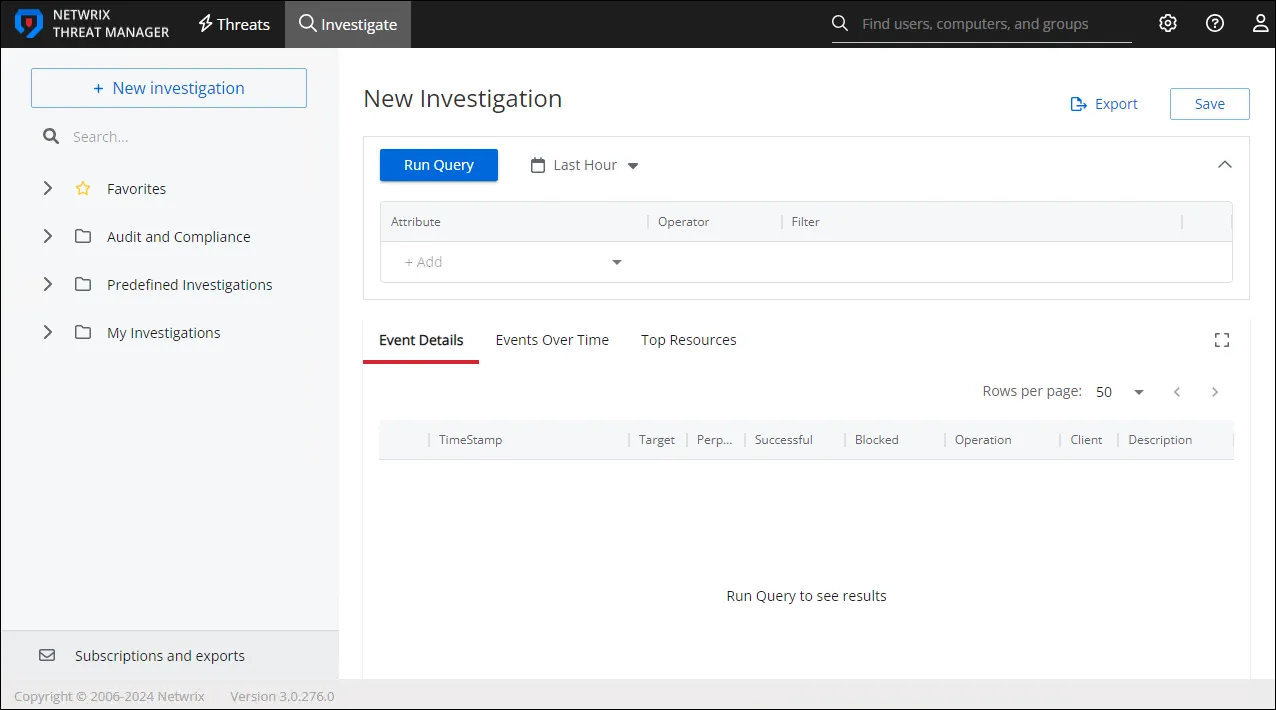
The Investigations interface contains the following pages:
- New Investigation – Lets you run queries on available data with the filters you want for a specific timeframe. See the New Investigation Page topic for additional information.
- Favorites – Provides a list of saved queries the logged in user has tagged as a Favorite. See the Favorites Page topic for additional information.
- Audit and Compliance – Provides a list of saved built-in investigations with applied filters for commonly used Audit and Compliance activity reports. See the Audit and Compliance Page topic for additional information.
- Predefined Investigations – Provides a list of saved built-in investigations with applied filters for Applications, Computers, Groups, iNetOrgPerson, Roles, and User activity reports. See the Predefined Investigations Page topic for additional information.
- My Investigations – Provides a list of saved investigations created by the application users. See the My Investigations Page topic for additional information.
- Subscriptions and Exports – Provides a list of investigations that are either subscribed to or scheduled for export. See the Subscriptions and Exports Page topic for additional information.
Every investigation has the same options at the top of the page. See the Investigation Options topic for additional information.
Every report generated by an investigation query displays the same type of information. See the Investigation Reports topic for additional information.
Search for Saved Investigations
The Investigations interface includes a search field in the navigation pane to find saved investigations by name.
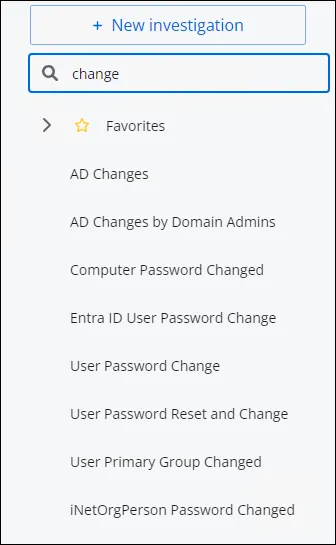
Type in the search box. As you type, a dropdown will populate with saved investigations containing matches.