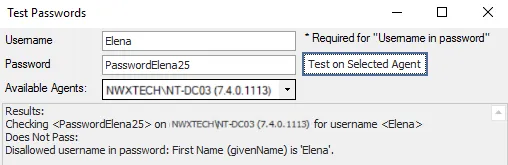
Test Passwords Window
Use the Test Password window to test password complexity requirements set in the Password Rules Filter against a pending password. This window doesn’t change a user’s password but allows pending user passwords to be tested in the domain.

This window has the following options:
- (Optional) Username – Provide the username of the user
- Password – Enter the password that will be tested
- Available Agents – Lists the available Agents in the domain and their version in a dropdown menu
- Test on Selected Agent – Checks password complexity requirements against the Agent selected in the Available Agents dropdown menu
- Results – Displays whether the tested password failed or passed the complexity requirements set on the Password Rules filter
Password Test Result - Passed
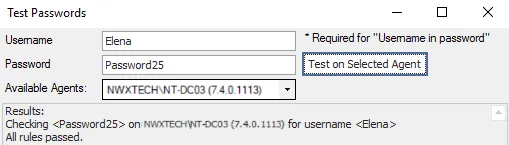
Password Test Result - Doesn't Pass