Prerequisites Check Window
The Deploy Agents wizard's Prerequisites Check window is the third in a sequence of four windows to deploy the Agent on a computer. On this window, Threat Prevention checks if the provided credentials successfully allow Agent deployment.
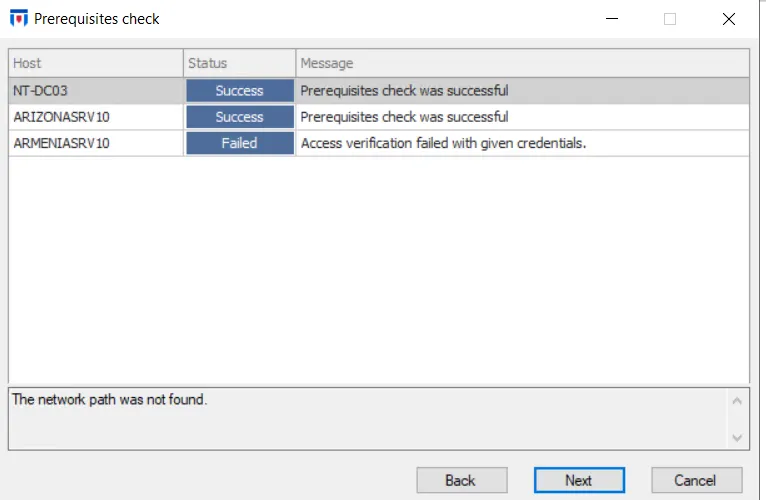
After the check runs, the status registers as either Success or Failed. Select a host to view the full message in the box at the bottom of the window.
- Failed – Read the failure message and either click Back to provide new credentials or click Finish to close the window and resolve any error messages before the next attempt
- Success – Click Next to install the Agent
- If some but not all items fail, you can click Next to deploy the Agent on those where access verification succeeded
In addition to confirming access, Threat Prevention also verifies that the target machine already has the minimum .NET Framework version the Agent needs; otherwise the deployment fails.
See the Installing Window topic for the next step.