Delete User
The Administration Console prevents you from deleting the last user with Administrator rights. There must always be at least one active administrator.
To delete a user:
Step 1 – Click Configuration > Users on the menu to open the Users and Roles window.
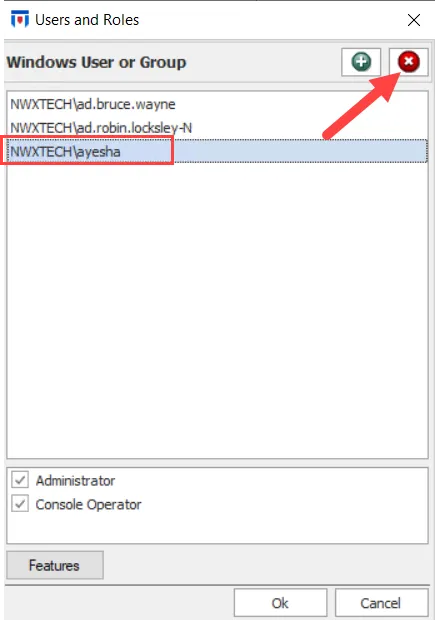
Step 2 – Select a user and click the Remove (x) button in the upper-right corner to delete it.
Step 3 – (Optional) Delete as many users as you need before clicking OK.
Step 4 – Click OK to save changes on this window.
The deleted users have no access to the Administration Console.