LDAP Monitoring Event Type
The LDAP Monitoring event type generates an event for LDAP queries that match policy filter rules. Specify rules that target specific or unusual activity. Since Active Directory is mostly LDAP queries, insufficient policy filters/rules will adversely impact performance.
The event filters for the LDAP Monitoring event type are:
- LDAP
- LDAP Runtime – For LDAP Search operations only
- Domains/Servers
- Success – For LDAP Search operations only
- AD Perpetrator – For LDAP Search operations only
- LDAP Query
- LDAP Result
- LDAP Attributes – For LDAP Search operations only
- Hosts (from)
- Rule Preview
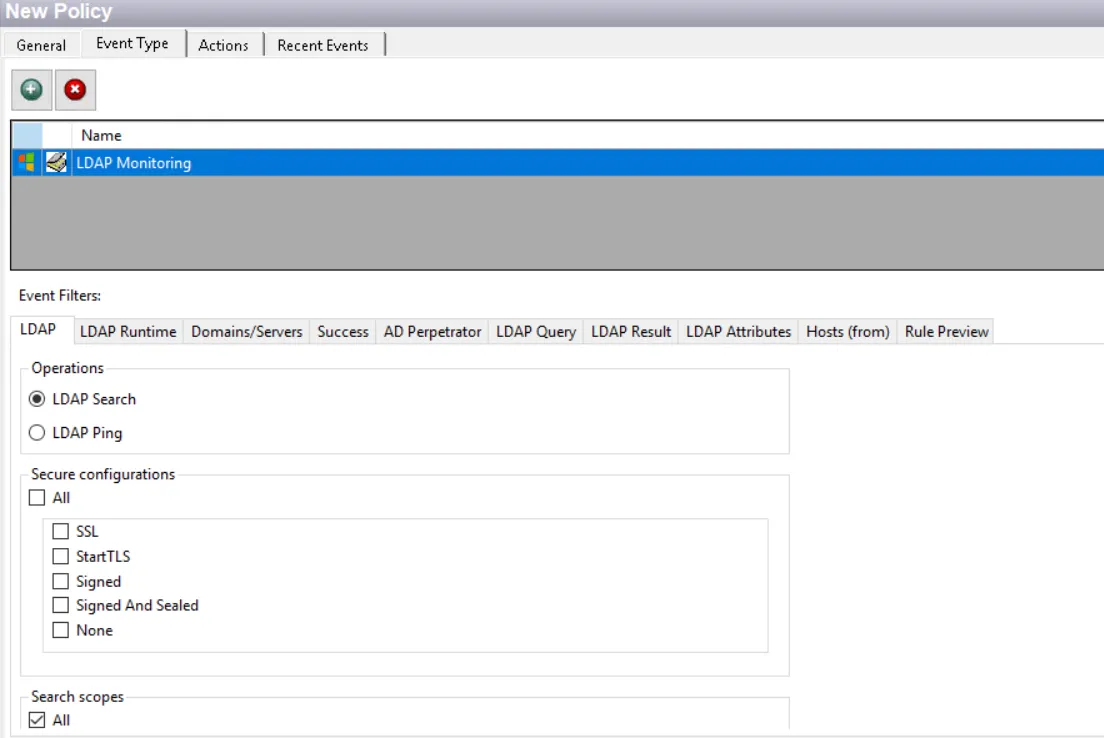
Each filter tab acts like an "AND" statement for the filter. Threat Prevention treats any filter tab left blank like an "ALL" for that filter set.
You can use this event type in a policy only by itself or with another LDAP event type. This means that:
- If you select this event type, all other event types will be grayed out except the LDAP event types
- If you select an event type other than LDAP, this event type will be grayed out
LDAP Filter
Use the LDAP filter to set the scope of the policy to include one or more communication security types.

The operation selected affects what options are available on this filter and what other filters are available for the event type:
-
LDAP Search – Use the LDAP Search operation to search for and identify activity that doesn't conform to your security configurations
- This option displays additional filters for Secure configurations and Search scopes. See the LDAP Search Operations Use Case topic for additional information.
-
LDAP Ping – LDAP Ping is a Microsoft Active Directory specific Lightweight Directory Access Protocol (LDAP) or Connection-less Lightweight Directory Access Protocol (CLDAP) search that returns information about whether services are live on a domain controller
- See the LDAP Ping Operations Use Case topic for additional information.
When you select LDAP Ping, the Secure Configurations and Search scopes sections don't display.
LDAP Runtime Filter
Use the LDAP Runtime filter to set the scope of the policy to capture events based on query execution times.
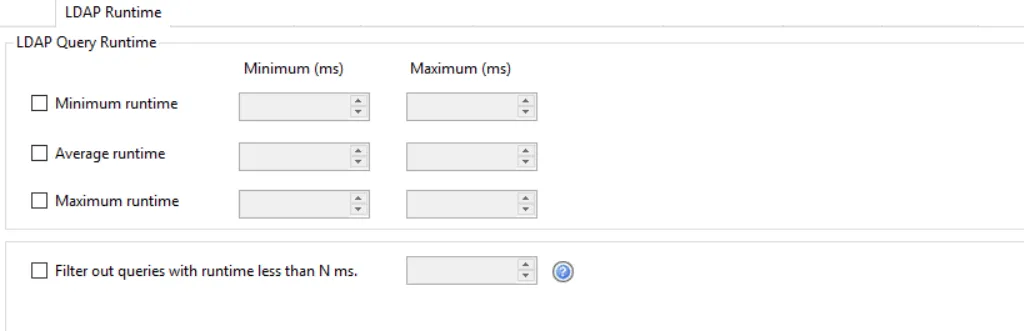
Threat Prevention reports identical LDAP queries occurring within a ten second aggregation window as a single event with a count indicating the number of occurrences within that ten second window. The single reported event also has a minimum, maximum, and average runtime reflecting the individual events that occurred during the ten second window.
Check the options you want and set the range for the LDAP event collection threshold:
-
Minimum runtime – Save event if minimum runtime is within the minimum and maximum range specified in milliseconds
-
Average runtime – Save event if average runtime is within the minimum and maximum range specified in milliseconds
-
Maximum runtime – Save event if maximum runtime is within the minimum and maximum range specified in milliseconds
-
Filter out queries with runtime less than N ms – This option discards any LDAP queries that execute in less time than the specified value
- Threat Prevention evaluates it before and independent of any other event filters
- The Agent instrumentation layer (LSASS) implements it, which makes it more efficient than the other LDAP Query Runtime options, which are implemented in the Agent Service.
Domains/Servers Filter
Use the Domains/Servers filter to set the scope of the policy to specific domains and/or servers or to exclude specific domains and/or servers.

Use the buttons in the Include and Exclude areas to edit the lists.
- The Add (+) buttons open the Select Domains and Servers Window.
- The Collection button opens the List of Collections Window to the appropriate Collection category.
- The Remove (x) button deletes the selected items from that box.
To enable a Dynamic Policy, use the Collection button to select the applicable Dynamic Collection. See the Dynamic Collections topic for additional information.
Success Filter
Use the Success filter to set the policy to monitor only successful events, only failed events, or both.

Select the radio button for the monitoring filter you want:
- Success – Only monitors successful events
- Failure – Only monitors failed events
- Both Success and Failure – Monitors all events that are within the scope of the respective filters for the event type
AD Perpetrator Filter
Use the AD Perpetrator filter for monitoring to set the scope of the policy to only monitor specific security principals committing changes or to exclude specific security principals committing changes from monitoring.
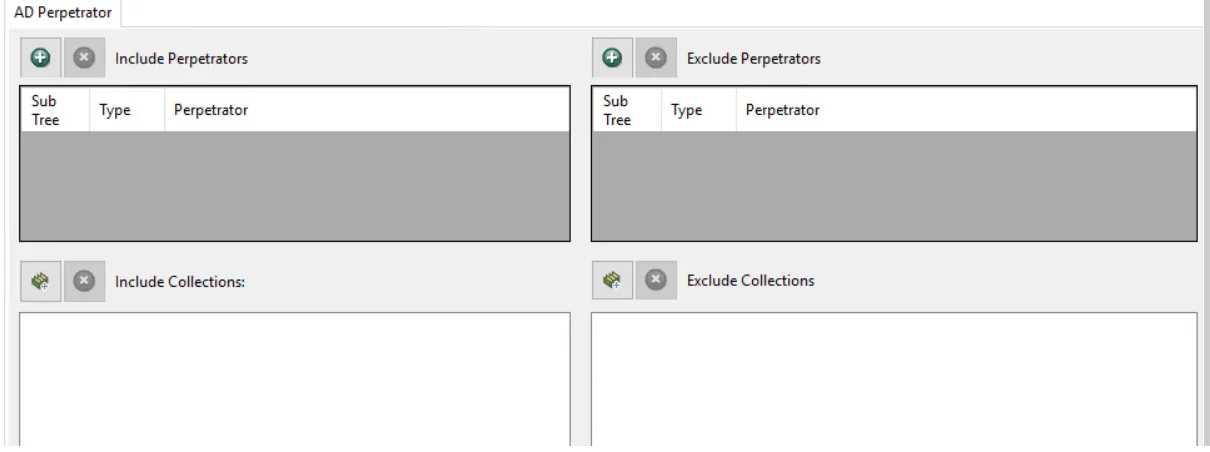
Use the buttons in the Include Perpetrators, Include Collections, Exclude Perpetrators, and Exclude Collections areas to edit the lists.
- The Perpetrators Add (+) button opens the Select Active Directory Perpetrators Window.
- The Collection button opens the List of Collections Window to the appropriate Collection category.
- The Remove (x) button deletes the selected items from that box.
To enable a Dynamic Policy, use the Collection button to select the applicable Dynamic Collection. See the Dynamic Collections topic for additional information.
Sub Tree

When you add contexts, a Sub-Tree checkbox displays. Check it to apply the filter to the parent and all child contexts. Uncheck it to apply the filter to the listed context only.
LDAP Query Filter
Use the LDAP Query filter to set the scope of the policy to only monitor specific LDAP queries or to exclude specific queries from monitoring.

Enter a query in the Include LDAP Queries and/or Exclude LDAP Queries boxes. You can enter a string in the textbox. Alternatively, use the buttons in the respective sections.
- The Add (+) buttons open the Select Active Directory Objects Window.
- The Remove (x) button deletes the selected items from that box.
LDAP Result Filter
Use the LDAP Result filter to set the scope of the policy to only monitor what the query returns, quantity of objects and/or specific objects, or exclude the query from monitoring based on the results.

To scope by the number of objects a query returns, check the Number of objects box and set the number of objects to return in the Minumun and Maximum boxes.
Specify the object you want in the Include Objects box. You can enter a string in the textbox. Alternatively, use the buttons in the respective sections.
- The Add (+) buttons open the Select Active Directory Objects Window.
- The Remove (x) button deletes the selected items from that box.
LDAP Attributes Filter
Use the LDAP Attributes filter to set the scope of the policy to only monitor specific LDAP attributes or exclude specific attributes from monitoring.

Use the buttons in the Include Attributes and Exclude Attributes boxes to edit the lists.
- The Attributes Add (+) button opens the Attribute List Window.
- The Collection button opens the List of Collections Window to the appropriate Collection category.
- The Remove (x) button deletes the selected items from that box.
Hosts (from) Filter
Use the Hosts (from) filter for monitoring to set the scope of the policy to only monitor specific hosts as originators of an event or to exclude specific hosts from monitoring.

Use the buttons in the Include Hosts, Include Collections, Exclude Hosts, and Exclude Collections areas to edit the lists.
- The Hosts Add (+) button opens the Select Computer Window.
- The Collection button opens the List of Collections Window to the appropriate Collection category.
- The Remove (x) button deletes the selected items from that box.
To enable a Dynamic Policy, use the Collection button to select the applicable Dynamic Collection. See the Dynamic Collections topic for additional information.
Rule Preview Filter
The Rule Preview filter displays a summary of the selected filter options. You use this primarily for troubleshooting.
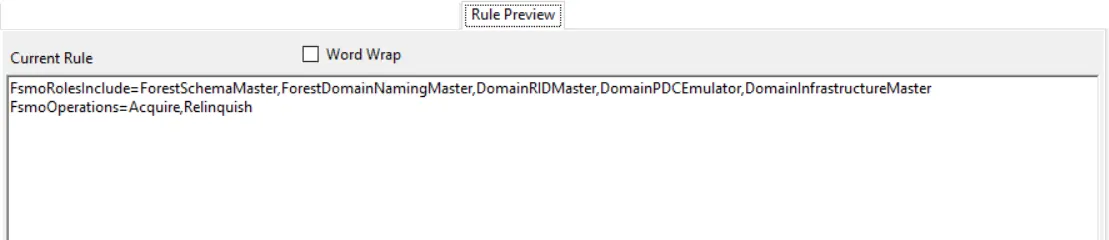
The text displayed represents the rules created based on the policy’s selected filters. Each row is a selected filter. Notice the Word Wrap checkox. If checked, a filter statement may cover multiple rows so that all of it is visible.