LDAP Search Operations Use Case
Use the LDAP Search operation to search for and identify activity that doesn't conform to your security configurations.
When you create a policy with the LDAP Monitoring Event Type or the LDAP Lockdown Event Type, use the LDAP filter to enable the LDAP Search option.
The Secure configurations and Search scope options filter the search based on a match to the selected configurations and scope of the LDAP query.
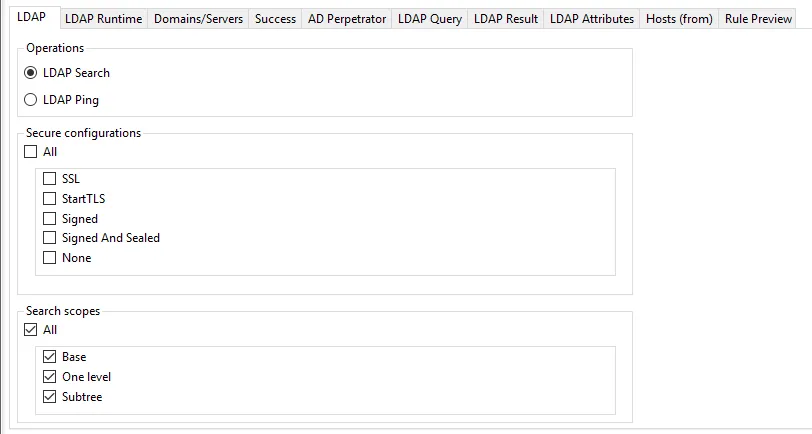
Secure configurations
This setting determines whether Threat Prevention captures events for an LDAP operation, based on the security protocol that operation used.
Select All to capture LDAP events that used any protocol.
You can also limit Threat Prevention to capture LDAP events only when an operation uses one of the selected protocols.
- SSL
- StartTLS
- Signed
- Signed and Sealed
- None – To capture events for an LDAP operation that didn't use any of the secure protocols
Search scopes
Select the All checkbox to search all scopes, or select specific scoping levels:
- Base
- One level
- Subtree
The Agent reports events only for LDAP queries that use the selected security options and search scope levels.